Catalog and organize
How to organize vinyl records: 7 ways to find them again

On this page
To organize vinyl records, choose one main filing order that matches how you look for music. Alphabetically by artist, or by genre and then artist, suits most collections. Write down a rule for each awkward case, such as bands starting with “The” and compilations, label every shelf or box, and store the records upright. Then note each record’s shelf in your catalog, so a search can find it.
VinylBox, an independent iPhone and iPad app for vinyl records, CDs and cassettes that works with your Discogs account, puts that shelf plan in your pocket. Make a folder for each shelf or box, file each record into its folder as you scan it, and tag the themes that cut across shelves. Then search your collection, and a record’s page shows its shelf.
Download VinylBox for iPhone and iPad
What is the best way to organize vinyl records?
For most collections, the best way to organize vinyl records is alphabetically by artist, inside a few broad genre sections if you browse by mood. It grows with the collection, and anyone can put a record back. The best system is the one you can follow every time you reshelve.
| If you usually… | Try | Settle this rule first |
|---|---|---|
| Look for a particular artist | 1. Alphabetical by artist | “The”, solo names and collaborations |
| Choose by mood or style | 2. Genre, then artist | Where crossover albums go |
| Follow labels or series | 3. By label | How catalog numbers sort |
| Look for a composer or work | 4. By composer | Albums with several composers |
| Want an era or a career in order | 5. Chronological | Which year counts |
| Play one format at a time | 6. By format and size | One spelling across formats |
| Shelve wherever there’s room | 7. Numbered shelves and boxes | Recording every move |
Cover color and mood orders look good in a display crate, but they’re hard to file back once a collection outgrows a shelf.
7 ways to organize vinyl records
1. Alphabetically by artist
Works when: you look for records by name, or other people put them back.
Awkward cases: bands starting with “The”, solo artists, collaborations, name changes, names starting with a number, and compilations.
Filing rule: ignore “The”, file people by surname, file a collaboration under the first-named artist, and order each artist’s albums by year of first release. Keep an artist who changed name under the name on most of your records, with a divider card for the other name. Put names starting with a number before A, and compilations and soundtracks after Z, by title.
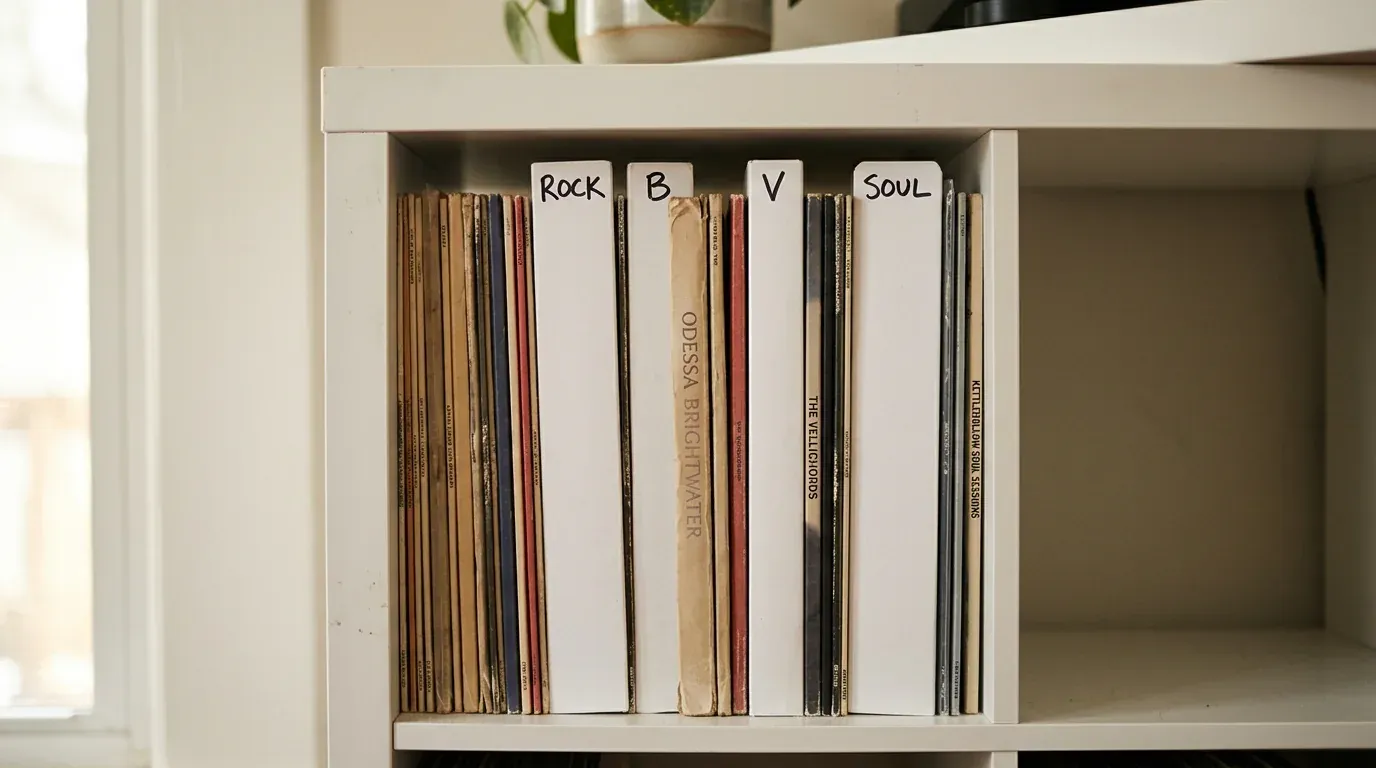
Hypothetical example: with fictional artists, The Vellichords go under V, Odessa Brightwater under B, and her duet album with Jory Wexcombe among her own albums, by year.
2. By genre, then artist
Works when: you choose music by mood, or the collection spans several genres.
Awkward cases: albums that cross genres, subgenre sections that keep multiplying, and compilations.
Filing rule: keep sections broad enough that you never hesitate, file each artist’s records in one section, and put compilations at the end of their section by title.
Hypothetical example: the fictional compilation Kettlehollow Soul Sessions goes at the end of the soul section, under K.
3. By label
Works when: the collection is built around labels, series or scenes.
Awkward cases: joint releases, sublabels, and catalog numbers that mix letters and digits.
Filing rule: file joint releases under the first label printed on the center label, then order each label by catalog number, reading the digits as numbers, so 9 comes before 10.
4. By composer
Works when: you collect classical music or opera and look for a work, not a performer.
Awkward cases: albums with several composers, box sets and recitals.
Filing rule: file by the composer of the first work on the album, then by work, then by conductor or soloist.
5. Chronologically
Works when: you want to hear a career or an era in order, inside an artist or label section.
Awkward cases: reissues, compilations and undated records.
Filing rule: use the year the album first came out, not the year your copy was pressed, and keep undated records at the end of their section until you check them.
6. By format and size
Works when: you own LPs, 7-inch singles, 10-inch records and CDs.
Awkward cases: the same album on vinyl and CD, box sets, and oversized packaging.
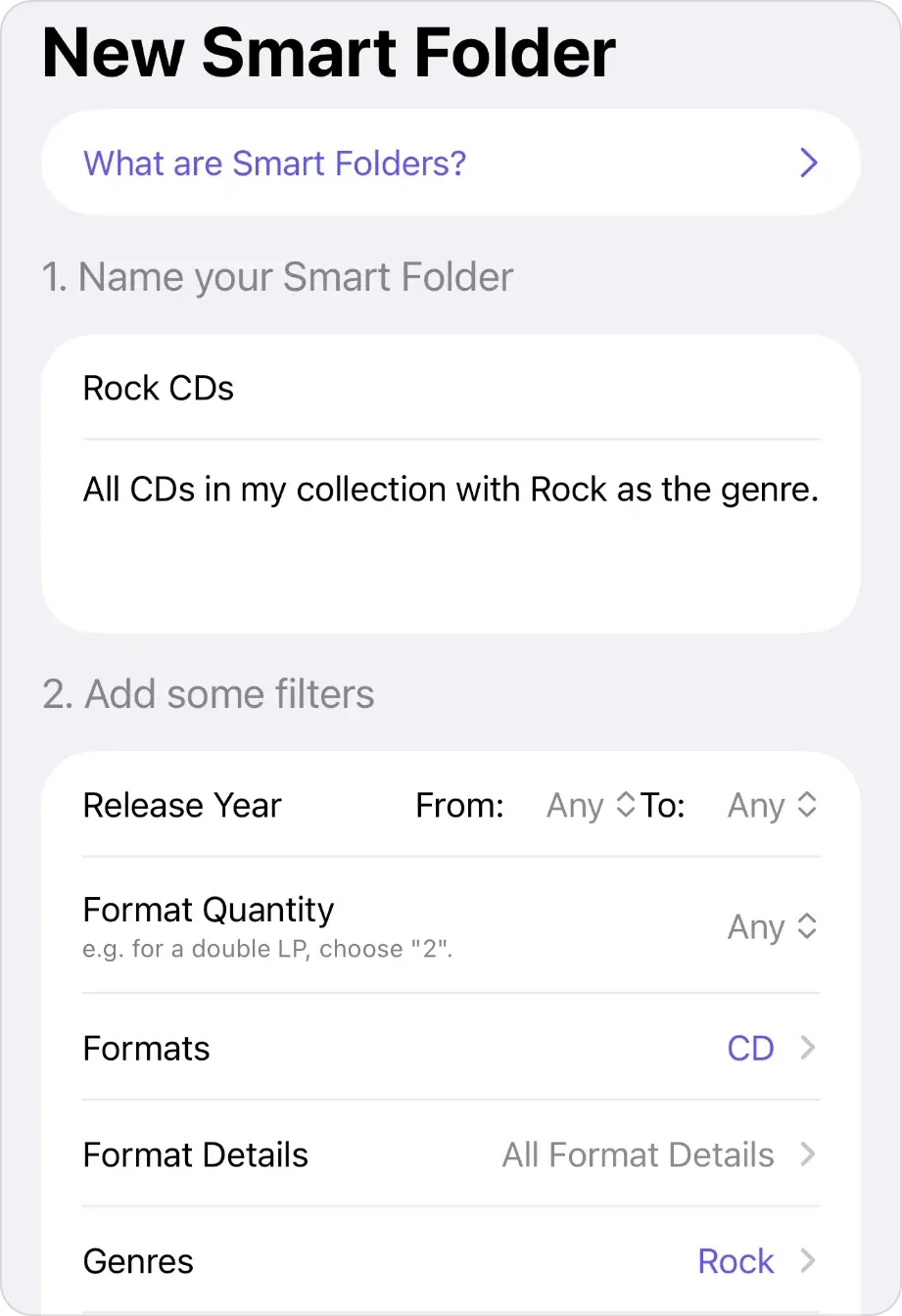
Filing rule: give each size its own shelf or box, as the Library of Congress advises for discs of different diameters, use the same order inside each, and spell artists the same way in every format. In VinylBox, a Smart Folder with Formats set to CD gathers every CD, wherever it’s shelved.
7. By numbered shelf or box
Works when: the collection is large or spread across rooms and boxes, and you search more than you browse.
Awkward cases: records that move, full shelves that force a reshuffle, and new arrivals.
Filing rule: give every shelf and box a short code, such as A1 or Box 3, label it, and record the code for every record, updating it whenever a record moves. If a row might ever pass nine shelves, use two digits from the start (A01, A02…), so the codes stay in order in any list sorted by name. In VinylBox, each code becomes a folder, and a record’s page shows its shelf (steps below).
How do you organize a large vinyl collection?
Organize a large vinyl collection in layers: broad sections, a filing order inside each, and a code on every shelf or box, recorded in your catalog. Then a search tells you where a record is.
- Plan the sections first. Count what you own in each genre or format, and give the biggest groups the most room. In VinylBox, filter your collection by genre, style or format to see each group; Collection Insights, part of VinylBox Pro, from just $1.99/month, shows your top genres, styles and formats.
- Label every shelf and box with one code, spelled the same on the shelf and in your catalog.
- Store records upright, on shelving built for their weight: grooved discs average 35 pounds or more per foot of shelf (Library of Congress care guide).
Hypothetical example: a shelf map for a collection in two rooms.
| Shelf or box | What it holds | Order inside |
|---|---|---|
| A1 to A4, living room | Rock and pop LPs | Artist A to Z, then year |
| A5, living room | Soul and jazz LPs | Artist A to Z, compilations last |
| B1, spare room | Soundtracks and classical | Soundtracks by film title, classical by composer |
| Box 1, spare room | 7-inch singles | Artist A to Z |
| Box 2, spare room | CDs | Artist A to Z |
Inherited a collection in boxes? Our guide to an inherited record collection helps you decide what to keep.
Shelf ideas that make filing easier
- Divider cards with tabs for each letter or section.
- Space at the end of each section, held upright by a divider, so new arrivals don’t force you to shift a whole wall.
- A “To file” crate for new arrivals and records you haven’t identified yet. Our guides to identifying a vinyl pressing and identifying a CD edition cover the checks.
- A “Now playing” spot by the turntable, so played records go back by the rule, not into the nearest gap.
How do you find a record in your collection?
Record each shelf or box as a folder in your catalog, then look the record up. In VinylBox, a record’s page shows its Discogs folder, and so its shelf.
-
Download VinylBox and sign in with Discogs. Your collection syncs with its folders, condition grades and notes. New to Discogs? Create a free account from VinylBox’s sign-in screen.
-
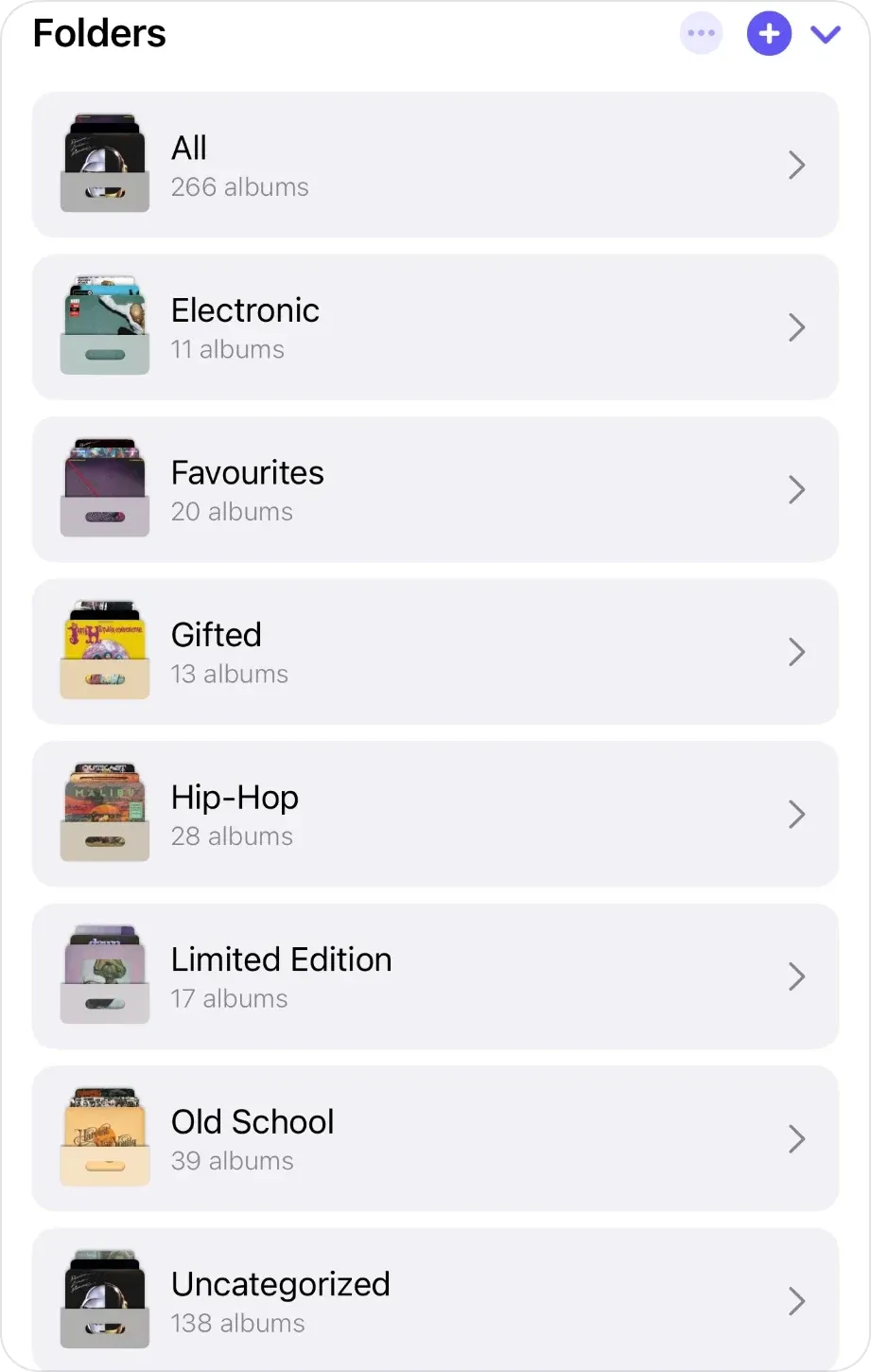
Create a folder for each shelf or box. In My VinylBox, tap the + beside Folders, type the shelf’s code, such as A1 or Box 1, and tap Create Folder. The folder appears on Discogs too.
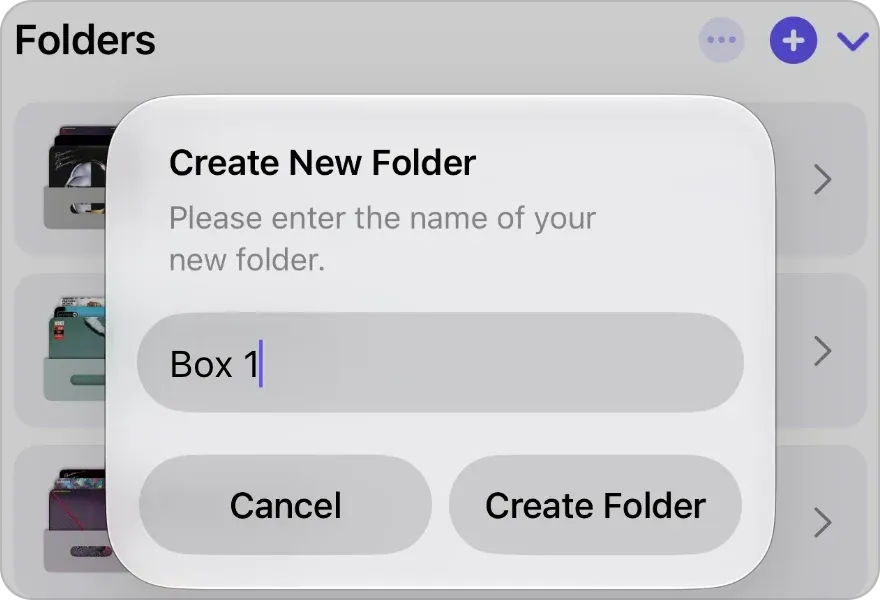
Create New Folder, opened with the + beside Folders, with Box 1 as the name. -
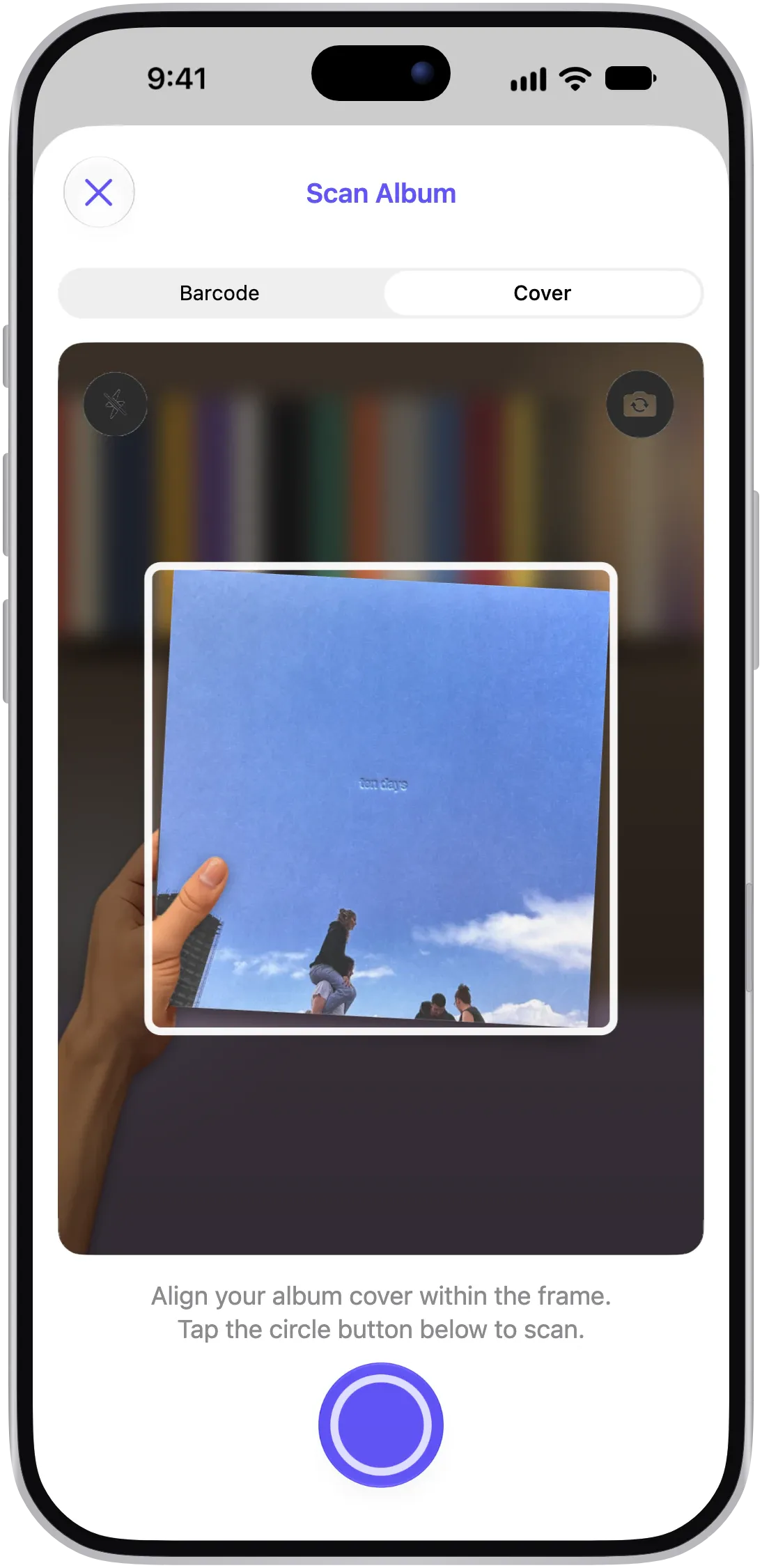
File each record into its shelf’s folder. For a record you’re adding, scan it, choose your version, tap “+ Add to VinylBox”, then set Folders in the same sheet. For one already in your collection, open it and change Folders under In Your Collection; unfiled records stay in Uncategorized.
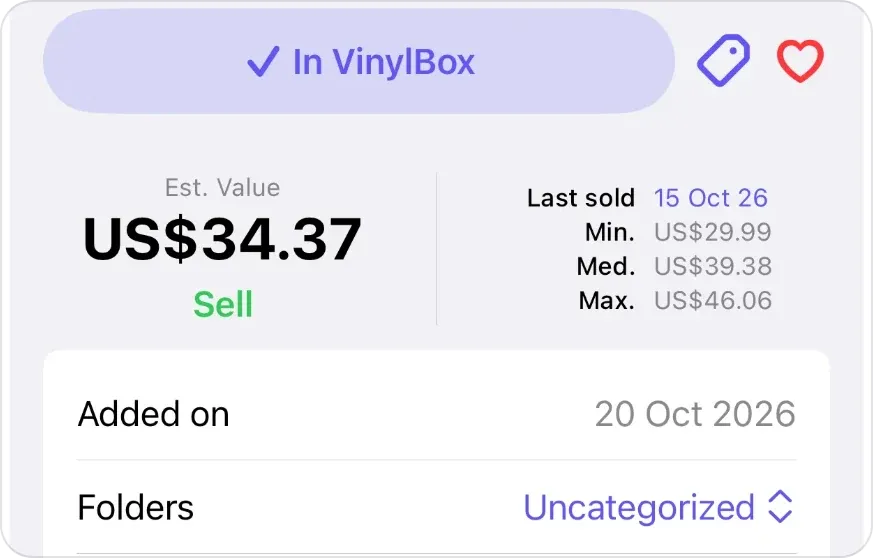
Once saved, the button reads ✓ In VinylBox; then set Folders to the shelf’s folder. -
Note the exceptions. Use Notes, under In Your Collection, for anything the folder doesn’t say, such as “Box set, bottom shelf of B1” or “Lent to Sam, Oct 12”.
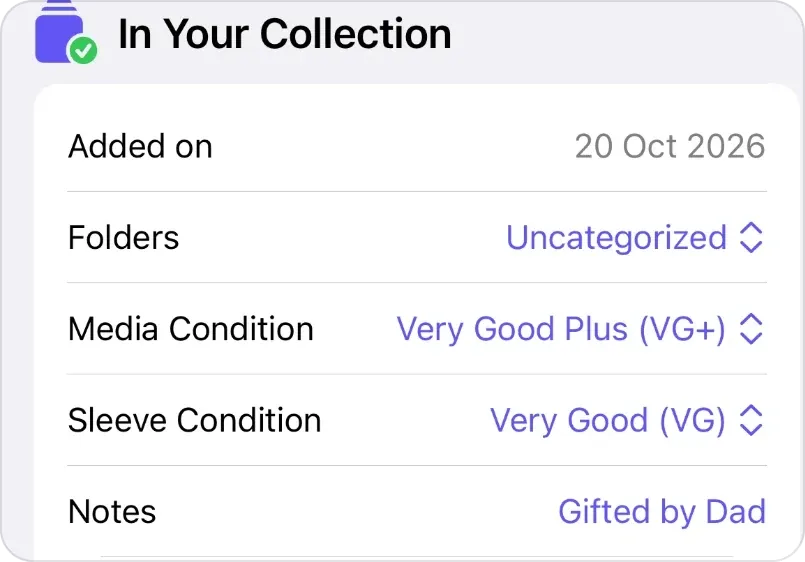
Folders and Notes, in the In Your Collection section. -
Look up a record to find its shelf. Type an artist, album title or year into Search your collection at the top of My VinylBox, open the record, and read Folders under In Your Collection: that folder is its shelf.
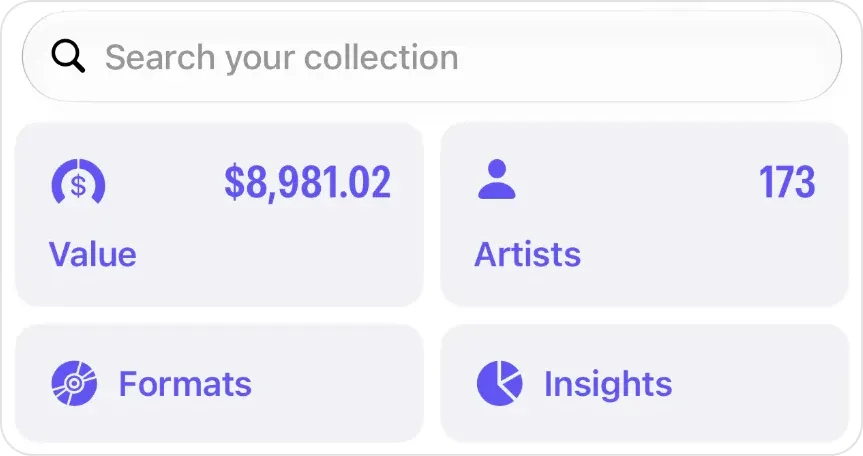
Search your collection, at the top of My VinylBox.
With no signal, you can still browse your synced collection in VinylBox: its folders, Smart Folders and tags.
Without the app, the Discogs website’s collection page has a search box and Manage Collection Folders (Discogs’ collection guide); in a spreadsheet, a Location column does the same job. See how VinylBox works with your Discogs collection.
Folders, tags or Smart Folders: which should you use?
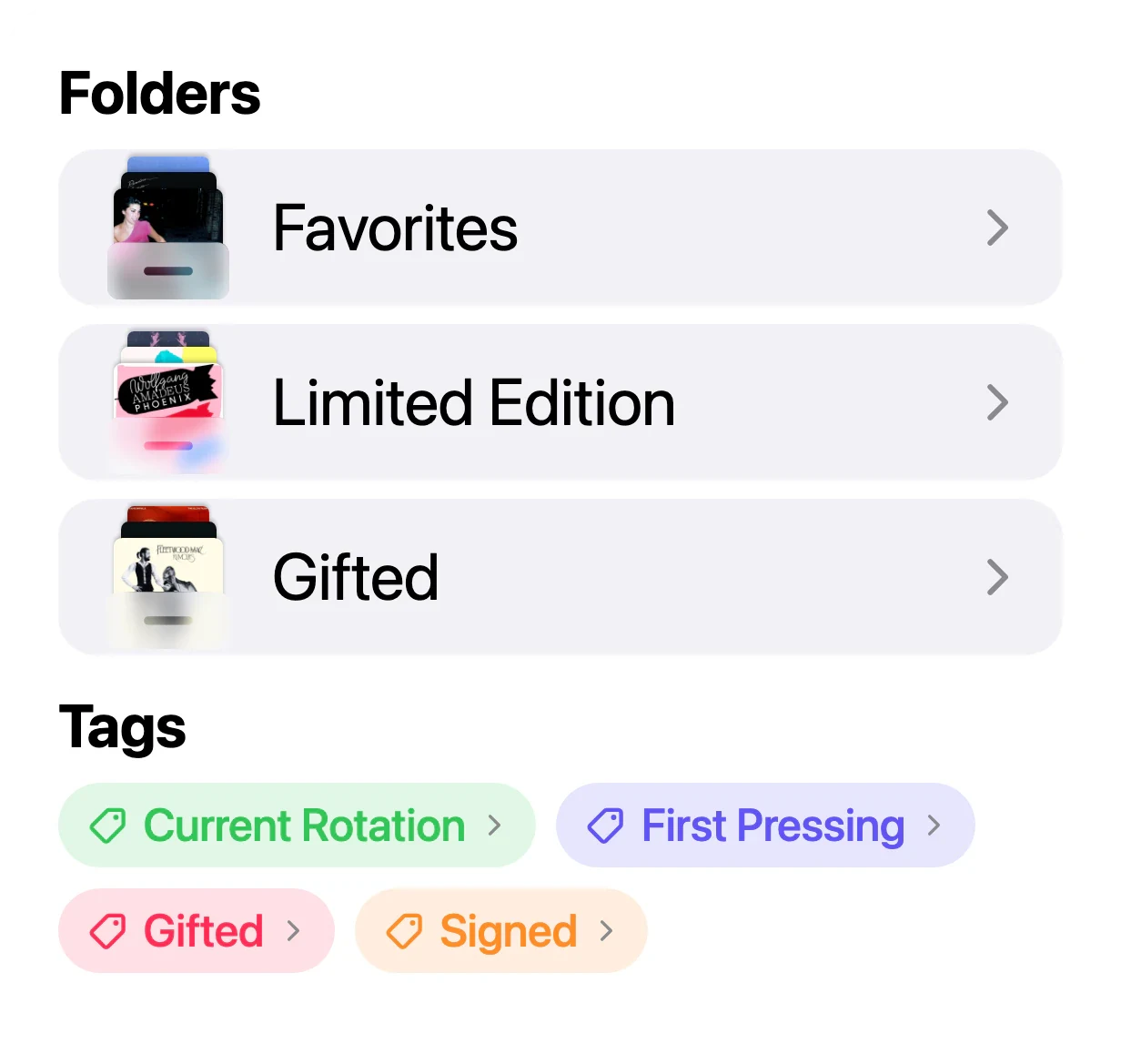
Folders say where a record is; tags and Smart Folders say what it is. A copy sits in one Discogs folder at a time, so keep the folder for the shelf and tag the rest.
| Tool | Use it for | Where it’s kept |
|---|---|---|
| Folder | The shelf, crate or box a record lives in | Your Discogs account, synced with VinylBox |
| Tag | Themes across shelves: Signed, First Pressing, Gifted | Privately in iCloud, across your devices |
| Smart Folder | Views that fill themselves from filters, such as Formats set to CD | Privately in iCloud, across your devices |
| Notes | Exceptions and history for one copy | Your Discogs account, synced with VinylBox |
Folders can follow genres or themes, as below, but a folder per shelf code is what turns a search into a location. If yours follow themes, such as Gifted, tag those records, export your collection (see below), then refile them by shelf.
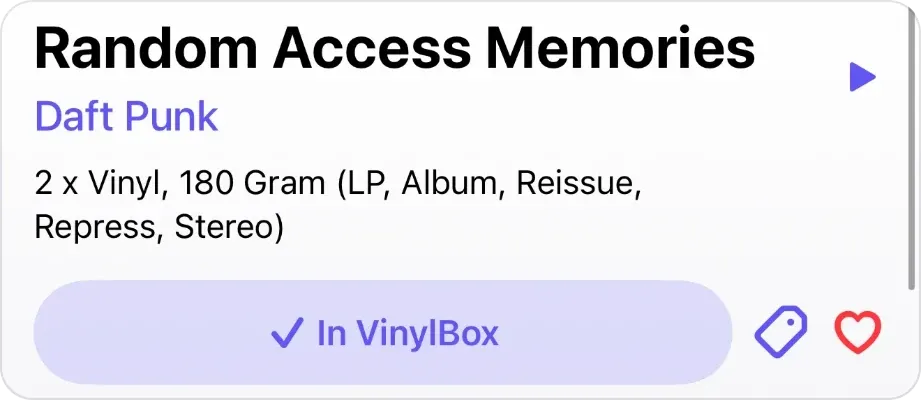
Tags: tap the tag button beside “✓ In VinylBox” on a record’s page, or in the scan sheet after saving, and choose a tag such as Signed, or create a new one there. You can remove a tag from a record too, such as Current Rotation once it goes back on its shelf.
Smart Folders: create one from My VinylBox. Give it a name and a description, then add filters such as Release Year, Formats, Genres and Styles, and it fills itself with every matching record, wherever it’s shelved. Smart Folders are free to try on the free plan, and VinylBox Pro, from just $1.99/month, lets you create unlimited folders, Smart Folders and tags.
Our guide to cataloging a record collection sets up folders shelf by shelf.
How do you keep a record collection organized?
To keep a record collection organized, change a record’s folder the moment it moves, check what’s unfiled, and test the system now and then.
- Change the folder before you put a moved record down, or your catalog points to the wrong shelf.
- Test the system. Pick five records from your catalog, find each on its shelf, and put it back. If one surprises you, fix the rule, not just the record.
- Check what’s unfiled. Uncategorized in My VinylBox lists records without a shelf folder, and Collection Maintenance counts those still missing a condition or a folder.
- Export before you reshuffle. Tap Export Collection in My VinylBox before moving a shelf’s records between folders, with Folder Name switched on under Data to Include, so the old folder names are on file. Our guide to backing up a Discogs collection covers when and how.
Write the rules down where you file. Hypothetical example: a filing-rules card kept on shelf A1, for the shelf map above:
- Shelf codes: A1 to A5 in the living room, left to right, top to bottom; B1, Box 1 and Box 2 in the spare room.
- Box sets: bottom shelf of their section, with a note in the catalog.
- New arrivals: the “To file” crate, cleared every Sunday.
- Lent out: a note with the name and date.
Frequently asked questions
Should vinyl records be organized alphabetically or by genre?
Alphabetically by artist is the easiest to keep tidy, because there’s only one place each record can go. Genre sections suit people who choose by mood, but need a rule for crossover albums. Many collectors combine them: a few broad genre sections, with artists A to Z inside each.
Should vinyl records be stored upright or flat?
Store vinyl records upright, on edge, never stacked flat. The Library of Congress advises sturdy shelving with firm dividers every 4 to 6 inches that support the whole sleeve, and keeping different sizes apart. Add a divider wherever a half-empty shelf lets records lean, and keep the collection somewhere cool and relatively dry, not in an attic or basement.
Can I see which shelf a record is on in Discogs?
Yes, if each shelf or box is a folder in your Discogs collection. In VinylBox, file each record into its shelf’s folder, then find it with Search your collection and read Folders on its page. The Discogs website also lets you manage folders and search your collection.
Is VinylBox free for organizing a record collection?
VinylBox is free to download on the App Store, with a free plan to get started, perfect for smaller collections. Folders, tags and Collection Maintenance are on the free plan, and Smart Folders are free to try. Releases you add from VinylBox count toward the free plan’s limit, so a large collection may need VinylBox Pro, from just $1.99/month, which lets you create unlimited folders, Smart Folders and tags, and adds Collection Insights.
Does organizing in VinylBox change my Discogs collection?
Folders and notes do: folders you create and records you file in VinylBox sync with your Discogs account, and changes on Discogs come through to the app. Tags and Smart Folders don’t: VinylBox stores them privately in iCloud and syncs them across your Apple devices, not with Discogs. VinylBox is independent and isn’t affiliated with Discogs.
Start with one shelf: give it a code, make its folder in VinylBox, and file every record on it. Once a search finds that shelf’s records, do the next one.