VinylBox for Discogs · iPhone & iPad
Your Discogs collection on iPhone & iPad
Sign in with Discogs and your collection, folders, Wantlist and Marketplace listings sync both ways, with your collection available offline. VinylBox is an independent app, not affiliated with Discogs.

- Two-way sync with Discogs
- Built for iPad as well as iPhone
- Cover and barcode scanning, Smart Folders and value history built in
- Free to try
- Made for iPhone & iPad
- Vinyl, CDs & cassettes
- Works with your Discogs account
What syncs when you sign in with Discogs
Sign in once and VinylBox loads your whole Discogs collection. After that, changes travel both ways.
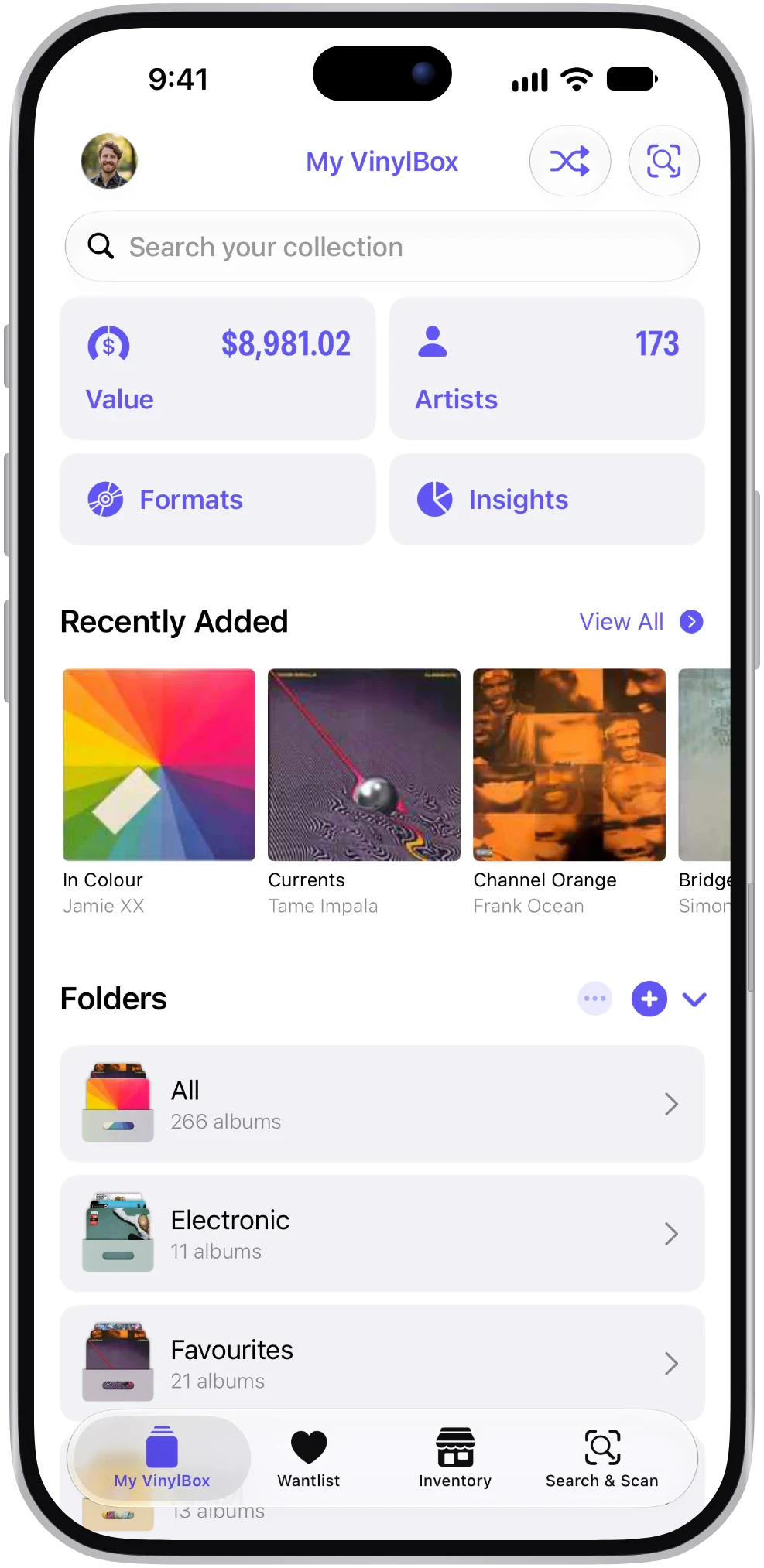
Your collection
Everything in your Discogs collection, from LPs to CDs and cassettes, with the condition and notes you’ve recorded.
Your folders
Every Discogs folder comes across as it is, ready to browse on your iPhone or iPad.
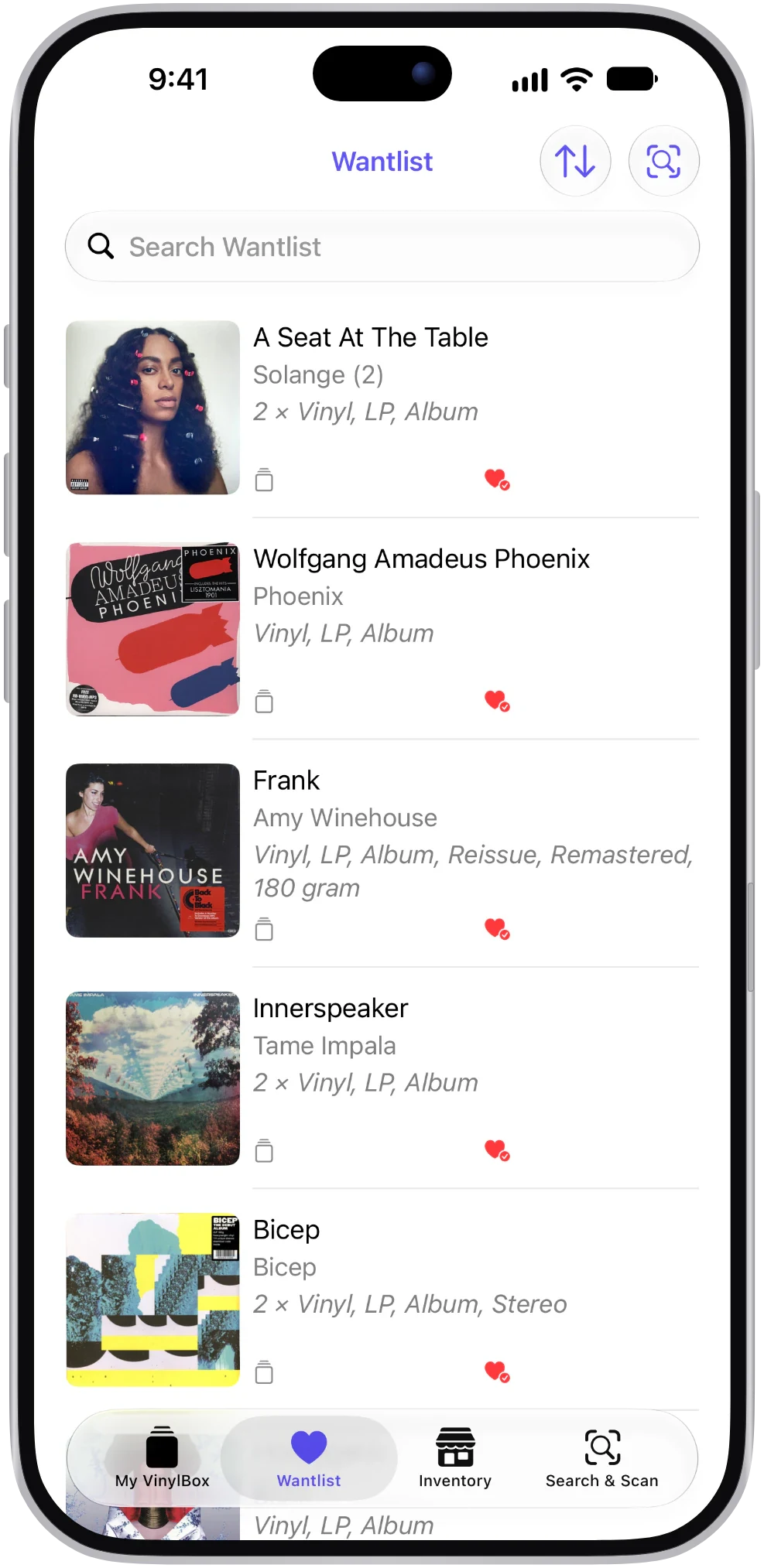
Your Wantlist
Everything you’re hunting for, ready to search and sort.
Your listings
The records you have for sale on the Discogs Marketplace, ready to check from your inventory.
Changes go both ways
Add a record in VinylBox and it’s in your Discogs collection. Change something on Discogs and VinylBox picks it up when it syncs.
Available offline
Your synced collection stays on your iPhone or iPad, so you can browse it in a basement record shop with no signal.
Using Discogs on iPad? VinylBox is built for it.
A lot of cataloging happens on the sofa or at the shelves, where an iPad is the right size. VinylBox is one app for iPhone and iPad, and on iPad it uses a sidebar layout designed for the bigger screen.
As of October 2026, the official Discogs app’s App Store listing says it’s for iPhone only. If you’ve been looking for a Discogs iPad app that feels at home on the bigger screen, that’s the gap VinylBox fills.
Sign in with the same Discogs account on both and you’ll see the same collection, folders and Wantlist. Smart Folders and your collection value history are stored privately in iCloud, so they follow you across your Apple devices.
What you need
iOS or iPadOS 18 or later, and a Discogs account to sync your collection. You can scan and search before you sign in.
Your Discogs Wantlist, in the record shop
Digging goes better when you know what you’re after. Your Wantlist is right there in VinylBox while you flip through the bins.
Found something you can’t take home today? Scan its cover or barcode, choose the version and add it to your Wantlist. Not sure you already own it? Your collection is available offline, so you can check even in a dead zone between the racks.
- Add from a scan or search
Cover, barcode or a quick search, then pick the version you want.
- One tap to save
Tap the heart on a scan result or a release page to add that version to your Wantlist.
- The Price widget
Keep an eye on a release’s price and availability on the Discogs Marketplace from your Home Screen.
Organize your Discogs collection the way you shelve it
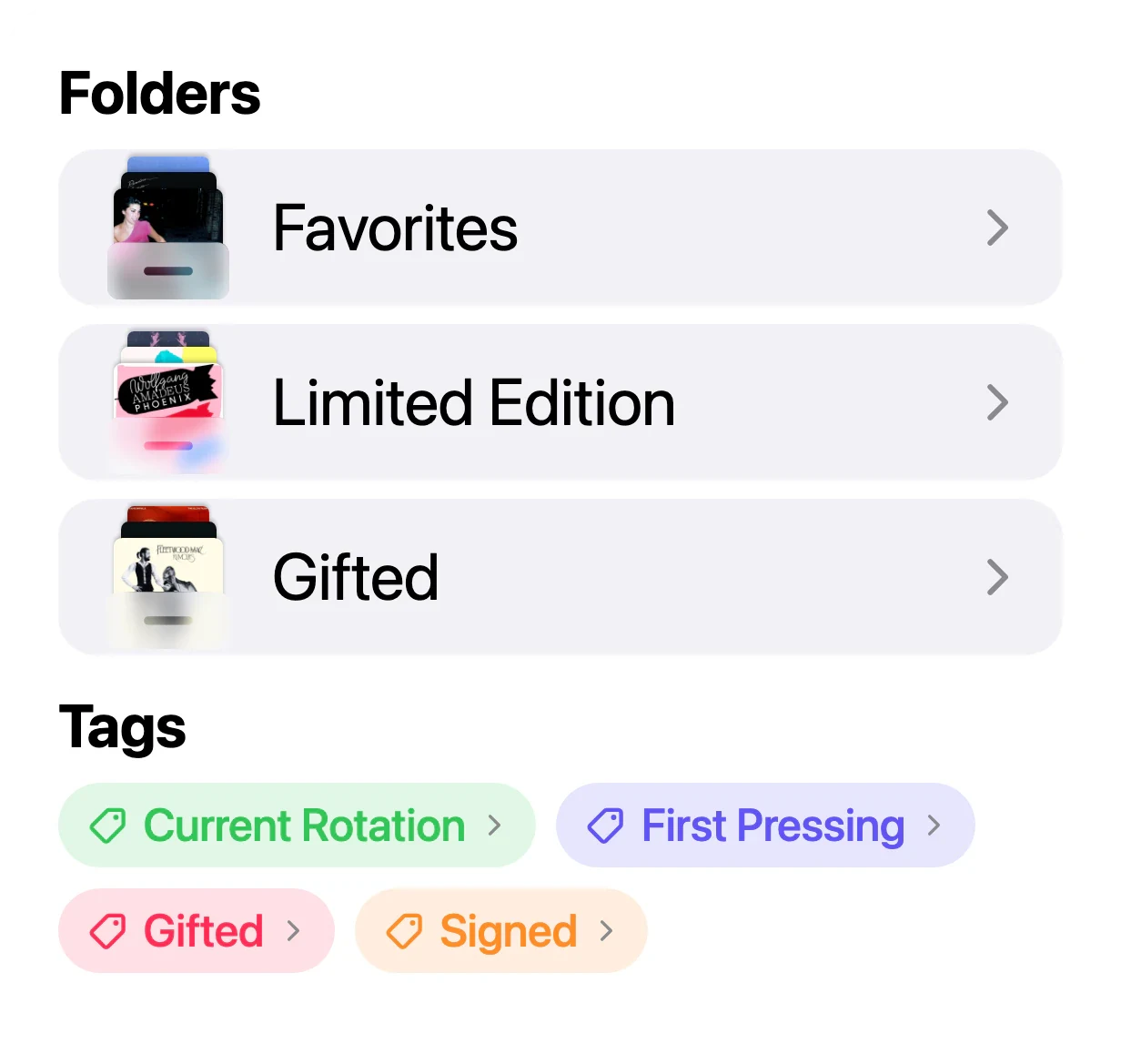
Discogs gives you folders. VinylBox lets you create them on your iPhone or iPad, then adds Smart Folders and tags.
Filters narrow things down by format, genre, style, condition or date added, and Collection Maintenance rounds up records still missing a condition or folder.
- Folders that sync
Create a folder for a shelf, a crate or a format, and it appears on Discogs too.
- Smart Folders
Set a rule, like Format is CD, and the folder fills itself. Stored privately in iCloud, not on Discogs.
- Tags
Mark what matters to you: Signed, First Pressing, Current Rotation.
What VinylBox adds
Tools for finding, valuing and enjoying your records, on top of everything that syncs with Discogs.
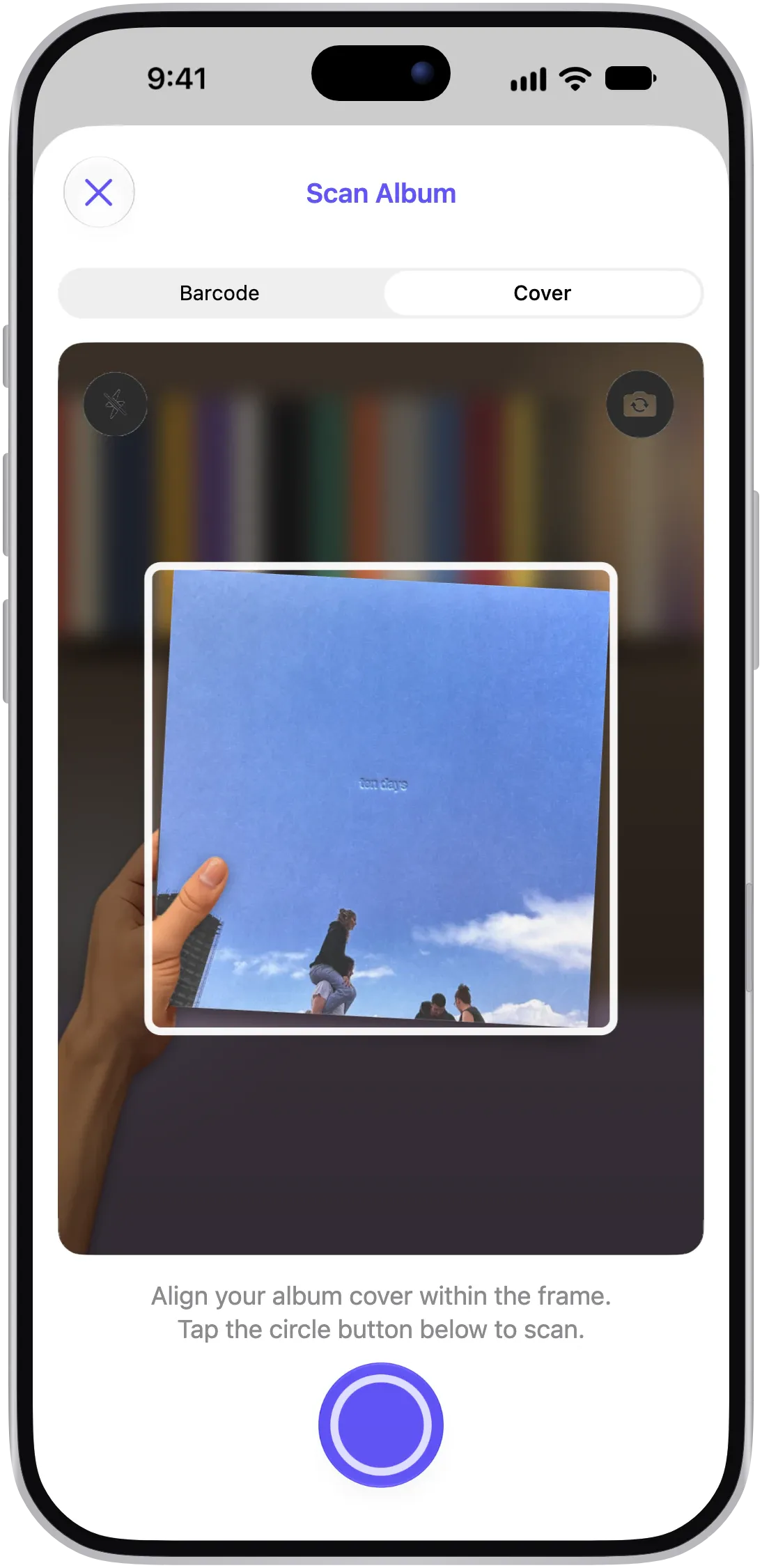
Cover scanning
Point your camera at a sleeve to find matching releases, ideal for older records without a barcode.
Barcode scanning
Scan the barcode on vinyl, CDs and cassettes, then compare runouts and other identifiers to pick your version.
Visual Intelligence
On iPhones that support Visual Intelligence, circle an album in a photo or screenshot to see matching releases in VinylBox.
Collection value history
Estimated minimum, median and maximum values for your whole collection, based on recent Discogs sales and charted over time.
Insights
Your top artists, genres, styles and formats, and how your collection has grown. Included with VinylBox Pro.
Widgets
Collection Value, Shuffle and Price widgets put your records on your Home Screen.
Shazam
Identify the album that’s playing, then find it in your collection or search for it.
Apple Music and Last.fm
Play an album with Apple Music, and scrobble albums or tracks to Last.fm.
Sell on the Discogs Marketplace from the same app
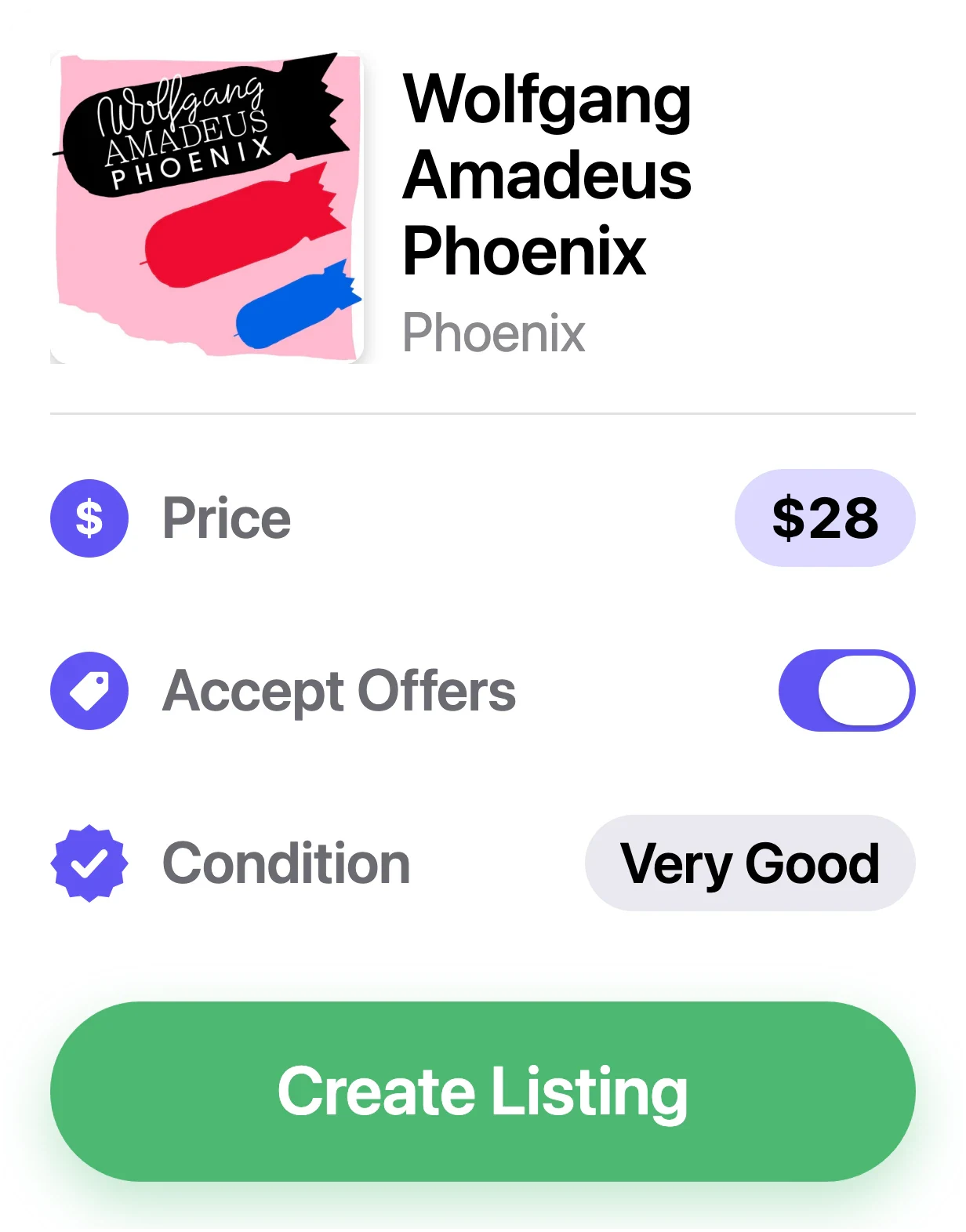
When a record has to go, create a Discogs Marketplace listing from its page in VinylBox. Grade the media and sleeve, start from Discogs’ suggested price and decide whether to accept offers.
Your existing listings sync too, so you can keep track of your inventory away from the laptop.
- Condition and price
Grade on the Discogs scale and use the suggested price as a starting point.
- Accept offers
Let buyers make an offer, or hold out for your price.
- Your inventory
See what’s for sale and change a listing’s price or status.
Selling uses your Discogs seller account, and Discogs fees apply. Publishing or editing a listing in VinylBox requires VinylBox Pro.
Discogs
Independent, and built on your Discogs account
VinylBox is independently developed. It isn’t the official Discogs app, and it isn’t affiliated with, sponsored or endorsed by Discogs. It uses the Discogs API to work with your account, so Discogs stays the home of your collection, your Wantlist and your sales.
- Your collection stays on Discogs
Your collection, folders and Wantlist live in your Discogs account, whichever app you use to see them.
- The same Discogs catalog
Scan results, search and release details come from the Discogs database you already know.
- Sales stay on Discogs
Listings you create are Discogs Marketplace listings, under your seller account and Discogs’ terms.
- Use both apps
Sign in to VinylBox and the official Discogs app with the same Discogs account, and use whichever suits the moment.
VinylBox uses the Discogs API but is not affiliated with, sponsored or endorsed by Discogs. “Discogs” is a trademark of Zink Media, LLC.
Keep exploring
Questions, answered
The things collectors ask before they download.
Is VinylBox the official Discogs app?
No. The official Discogs app is made by Discogs. VinylBox comes from an independent developer and works with your Discogs account through the Discogs API. It isn’t affiliated with, sponsored or endorsed by Discogs, and you can sign in to both apps with the same account. See how the apps compare.
Can I use VinylBox without a Discogs account?
Partly. You can scan and search without signing in. To add records to a collection or Wantlist, or to sell, sign in with Discogs: that’s where VinylBox keeps your collection, folders and Wantlist. If you don’t have an account yet, you can create one for free from the sign-in screen in VinylBox.
Will VinylBox change my Discogs collection?
Yes, when you change something in VinylBox. Records you add, folders you create and edits you save sync back to your Discogs account, and changes you make on Discogs come through to VinylBox. Smart Folders are stored privately in iCloud, so they don’t add folders to your Discogs account.
Can I use Discogs on iPad?
Yes. VinylBox works with your Discogs account on iPad as well as iPhone, with a sidebar layout for the bigger screen (iPadOS 18 or later). As of October 2026, the official Discogs app is listed for iPhone only.
Which languages is VinylBox available in?
VinylBox is available in 11 languages: English, Arabic, Dutch, French, German, Italian, Japanese, Korean, Polish, Russian and Spanish. As of October 2026, the official Discogs app is listed on the App Store in English only.
Can I use my Discogs Wantlist in VinylBox?
Yes. Your Wantlist syncs both ways. Add releases from a scan or a search, and follow a release’s price and availability on the Discogs Marketplace with the Price widget.
Is VinylBox free?
VinylBox is free to download, with a free plan to get started that’s perfect for smaller collections. An optional VinylBox Pro subscription, from just $1.99/month, unlocks more, such as Collection Insights, publishing Marketplace listings and adding more than one Discogs account.
VinylBox guides
How to back up your Discogs collection
Back up your Discogs collection to a dated CSV file with VinylBox, tags included, keep copies in two places and learn what a restore really involves.
How to organize vinyl records: 7 ways to find them again
How to organize vinyl records: seven filing systems with rules for awkward cases, and a VinylBox folder per shelf so your phone shows where each record is.
Spreadsheet vs Discogs vs an app: how to track a vinyl collection
Spreadsheet, Discogs or an app? Compare the ways to track vinyl records and CDs, and see how VinylBox pairs a Discogs collection with a spreadsheet export.
How to catalog a record collection, step by step
How to catalog a collection of vinyl records and CDs shelf by shelf: what to note for each copy, how to match the right Discogs release, and how VinylBox helps.
Take your Discogs collection to the record shop
Sign in with Discogs and your collection, folders and Wantlist are ready on iPhone and iPad, with your collection available offline. Free to download on the App Store.
Scan with your iPhone camera to get VinylBox.