Checked October 19, 2026 · By the maker of VinylBox
Discogs app alternatives for iPhone and iPad, compared
Looking for apps like Discogs that work with your Discogs account? Here are four compared on scanning, organizing, sync, offline access and selling, with a source for every app.

- Four apps, nine features
- Sources linked for every app
- Written and disclosed by the VinylBox developer
- Free to try
- Made for iPhone & iPad
- Vinyl, CDs & cassettes
- Works with your Discogs account
Which Discogs app is best for iPhone and iPad?
It depends on how you collect, but if you want one app for your whole collection, VinylBox covers the most ground. It identifies records by their cover as well as their barcode, recognizes the music playing around you, and lets you manage folders and self-updating Smart Folders in the app. You can sell on the Discogs Marketplace and reply to buyers without leaving it, on iPhone and iPad. Your collection, folders and Wantlist sync both ways with Discogs, so you can still use other Discogs apps alongside it.
| VinylBox | Official Discogs app | Discographic for Discogs | Record Scanner – Vinyl & CD | |
|---|---|---|---|---|
| Discogs sync | Two-way: collection, folders, Wantlist and listings | Built in: it’s Discogs’ own app | Collection and Wantlist kept in sync | Describes “close integration with Discogs” |
| Album cover identification | Yes | No | No | Yes |
| Barcode scan | Yes | Yes | Yes | Yes |
| Music recognition | Yes – find what you’re listening to on vinyl or CD | No | No | No |
| Folder management | Create, edit and delete folders | Only on the website | Create, edit and delete folders | Create, edit and delete folders |
| Smart Folders | Yes – create folders that update automatically with filters you set | No | No | No |
| Collection value | Estimated minimum, median and maximum, with value history | Yes, a quick collection value check | Yes | Market value |
| Offline | Yes | Yes | Yes | Yes |
| Sell on the Discogs Marketplace | Yes – create and manage listings, and respond to buyer messages | Yes | Yes | Yes |
Written by Daven Gomes, who makes VinylBox, so weigh our take accordingly. Facts about the other apps come from their US App Store listings and, for the official Discogs app, the Discogs Help Center, checked October 19, 2026. The official Discogs app is made by Discogs; the other three, VinylBox included, come from independent developers.
VinylBox: VinylBox on the App Store.
Official Discogs app: Discogs on the App Store and these Discogs Help Center articles: How To Use The Collection Feature On iOS, How To Add To Your Collection On iOS, How To List Items For Sale and Manage Your Inventory in the App.
Discographic for Discogs: Discographic on the App Store.
Record Scanner – Vinyl & CD: Record Scanner on the App Store.
We compared the iPhone and iPad versions only. Some listings also mention Mac or Apple Vision Pro. Star ratings and prices change often, so the table leaves them out; each listing shows the current ones. The VinylBox rating shown elsewhere on this page is its total across App Store storefronts, as of October 19, 2026.
Which should you choose?
Start with how you collect. Here’s where each app fits best, including the ones we don’t make.
You catalog on iPad
VinylBox and Discographic run on iPad. The official Discogs app and Record Scanner are listed for iPhone only.
Your records predate barcodes
VinylBox and Record Scanner identify an album from its cover. Then check the runout to confirm your pressing.
You want to know what’s playing
VinylBox recognizes the music around you and finds it on vinyl or CD, ready to add to your Wantlist.
You organize as you go
Manage folders right in VinylBox, and add Smart Folders that keep themselves up to date. The official Discogs app sends you to the website for folders.
You dig where there’s no signal
All four keep your collection available offline. Discographic also caches your inventory and Marketplace data.
You sell now and then
All four can list on the Discogs Marketplace. VinylBox also lets you manage your listings and reply to buyers without leaving the app. Discogs fees apply whichever app you use.
Where VinylBox fits
VinylBox is for collectors who want the collection itself at the center of the app. Sign in with Discogs and your collection, folders and Wantlist come across, with your changes syncing back.
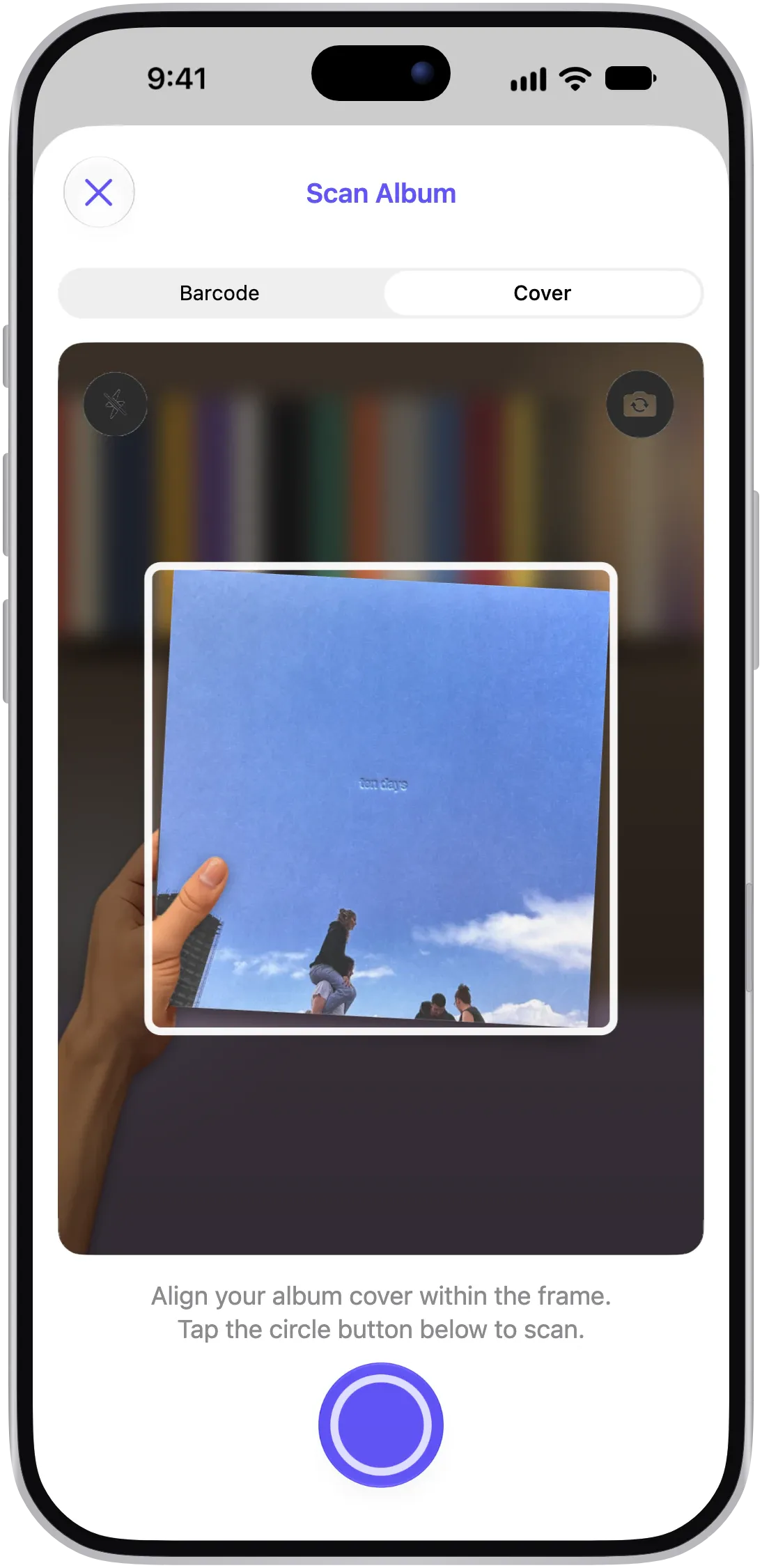
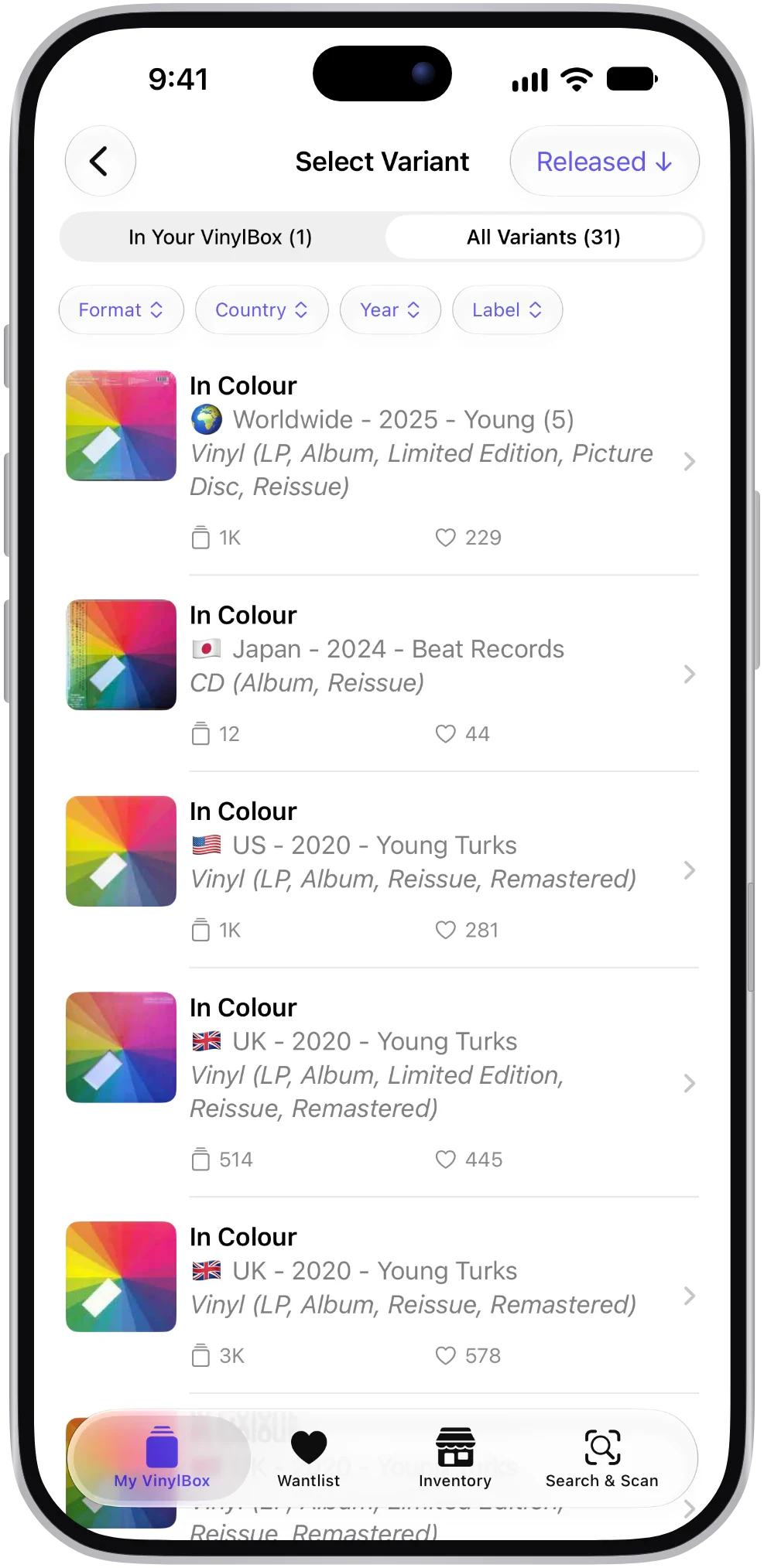
Scan a cover or barcode, compare runouts and other identifiers to choose your version, and see an estimated value with recent sold prices. When a record has to go, list it on the Discogs Marketplace without leaving the app.
- Made for iPad too
A sidebar layout that makes the most of the bigger screen.
- Organize in the app
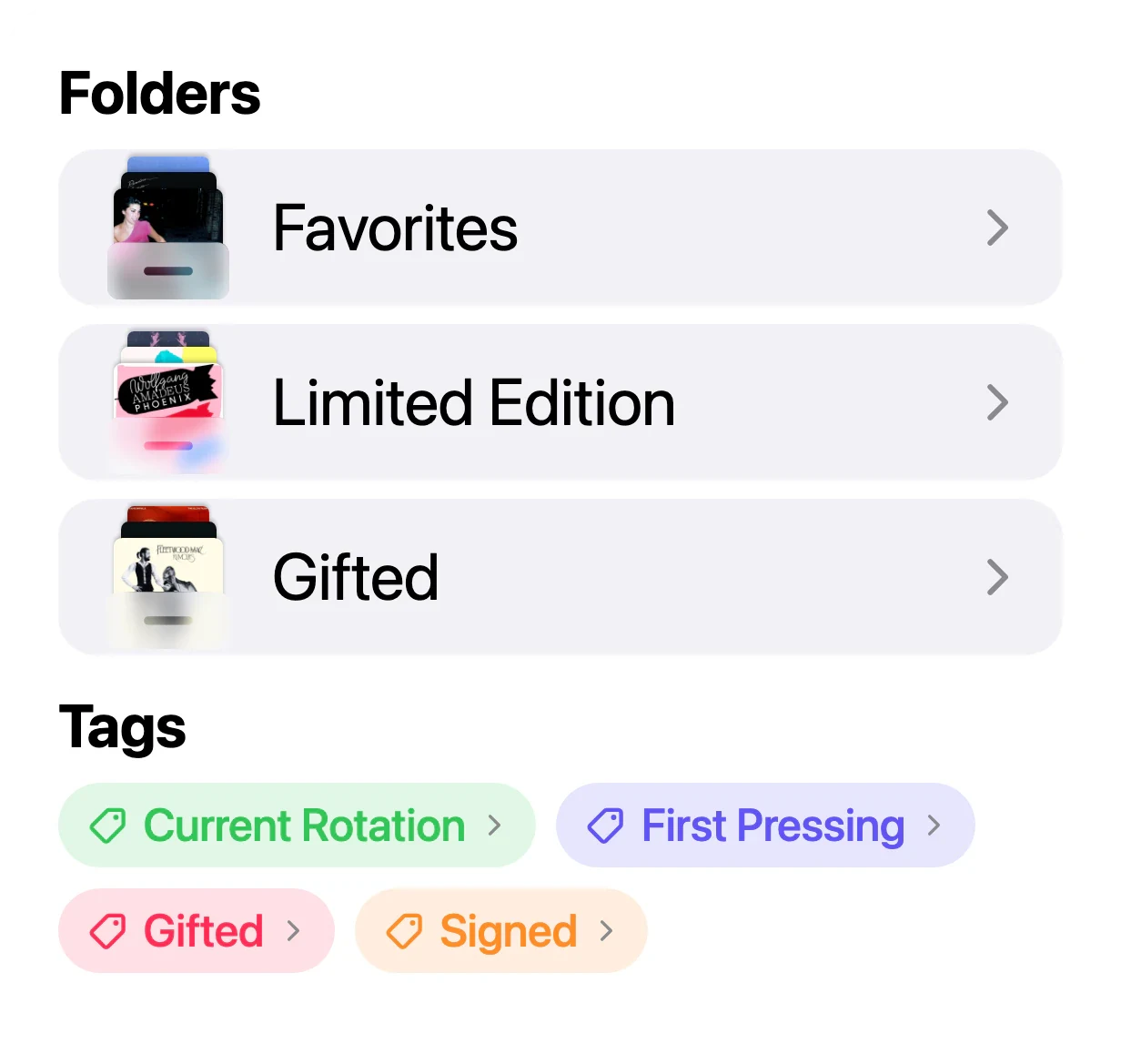
Create folders, Smart Folders and tags without opening the Discogs website.
- Music recognition
Hear something you love and find it on vinyl or CD.
- Free to download
Start for free, with optional VinylBox Pro from just $1.99/month for more, such as Collection Insights.
VinylBox is independent and isn’t affiliated with Discogs.
The alternatives, one by one
Each of these works with the same Discogs account, so you can try more than one.
The official Discogs app
Free, with no in-app purchases listed. You can shop, compare prices and check out without leaving it. Sellers can list one item at a time, update orders and message buyers, while bulk tools stay on the website. It’s listed for iPhone only, and folders are created and managed on the Discogs website. Best for: buying, and handling orders on the go.
Discographic for Discogs
Runs on iPhone and iPad. It syncs your collection and Wantlist, lets you create and rename folders, and caches your collection, Wantlist, seller inventory and Marketplace data for offline use. It also exports to an Excel-compatible format and lists items on the Marketplace. Its in-app purchases are one-time. Best for: keeping your Discogs data on hand offline.
Record Scanner – Vinyl & CD
Puts identification first. It recognizes records from a cover photo, a barcode or a catalog number and shows a market value. It also exports CSV, builds Spotify playlists and lists collection items on the Marketplace. It’s iPhone only. Best for: identifying records from a photo on iPhone.
VinylBox
Ours, so weigh this one accordingly. It’s built for cataloging on iPhone and iPad, with cover and barcode scanning, music recognition, Discogs folders you can manage in the app, Smart Folders and tags, estimated values with history, and Marketplace listings you can manage, buyer messages included. Your collection, folders and Wantlist sync both ways with Discogs. Best for: cataloging on iPad as well as iPhone, and finding older records by their cover.
Don’t use Discogs?
Then you may not need a Discogs app at all. CLZ Music and MusicBuddy keep their own catalogs, with barcode scanning and no Discogs account sync. CLZ Music also runs on Android, the web and desktop.
What VinylBox users say
Great app.
Very nice frontend for Discogs, feels a lot more “Apple” than the Discogs app. Just feels more polished.
Great app
Have been using this app for a long time - far better than Discogs own.
Better than native app from Discogs
This is the app to use if you care about keeping your collection organized.
Easily the best iOS app for Discogs
The UI/UX is fantastic and really makes me appreciate even more the process of logging my record collection!
More about VinylBox
Questions, answered
The things collectors ask before they download.
What’s the best Discogs app for iPhone?
It depends on how you collect. For cataloging, look for cover scanning, folders you can manage in the app, offline access and iPad support; VinylBox adds Smart Folders and music recognition on top. We make VinylBox, so we’re biased; the comparison table lets you judge for yourself.
Which Discogs apps work on iPad?
VinylBox and Discographic for Discogs both run on iPad and work with your Discogs account. As of October 19, 2026, the official Discogs app and Record Scanner are listed on the App Store for iPhone only. VinylBox uses a sidebar layout on iPad.
Which apps can identify a record without a barcode?
VinylBox scans album covers, which helps with older records, and can look up a photo or screenshot with Visual Intelligence. Record Scanner also works from a cover photo. A scan suggests matches, so confirm your pressing with the runout. How scanning works in VinylBox.
Will a third-party app change my Discogs collection?
Only if it syncs changes back, and apps describe their sync differently, so check each listing. In VinylBox, records you add and folders you create sync back to your Discogs account, and changes made on Discogs come through to the app. Smart Folders are stored privately in iCloud, not on Discogs.
Can I use an alternative and the official Discogs app together?
Yes. Apps that sign in to your Discogs account work with the same collection and Wantlist, so you don’t have to pick just one. You could catalog in VinylBox and check out in the official Discogs app. Either way, your collection stays on your Discogs account.
Which Discogs apps are free?
All four are free to download. The third-party apps offer optional paid upgrades; VinylBox Pro starts from just $1.99/month. Prices change, so check each listing.
VinylBox guides
Spreadsheet vs Discogs vs an app: how to track a vinyl collection
Spreadsheet, Discogs or an app? Compare the ways to track vinyl records and CDs, and see how VinylBox pairs a Discogs collection with a spreadsheet export.
Bring your Discogs collection to VinylBox
Sign in with Discogs and your collection, folders and Wantlist come with you. Free to download for iPhone and iPad, with optional VinylBox Pro from just $1.99/month.
Scan with your iPhone camera to get VinylBox.