For CD collectors · Works with Discogs
The CD collection app for iPhone and iPad
Scan a CD’s barcode, choose the edition you own from the matching releases, and keep your discs alongside your vinyl and cassettes. VinylBox works with your Discogs collection, so it all stays in sync.

- Barcode scanning, plus cover scanning for discs without one
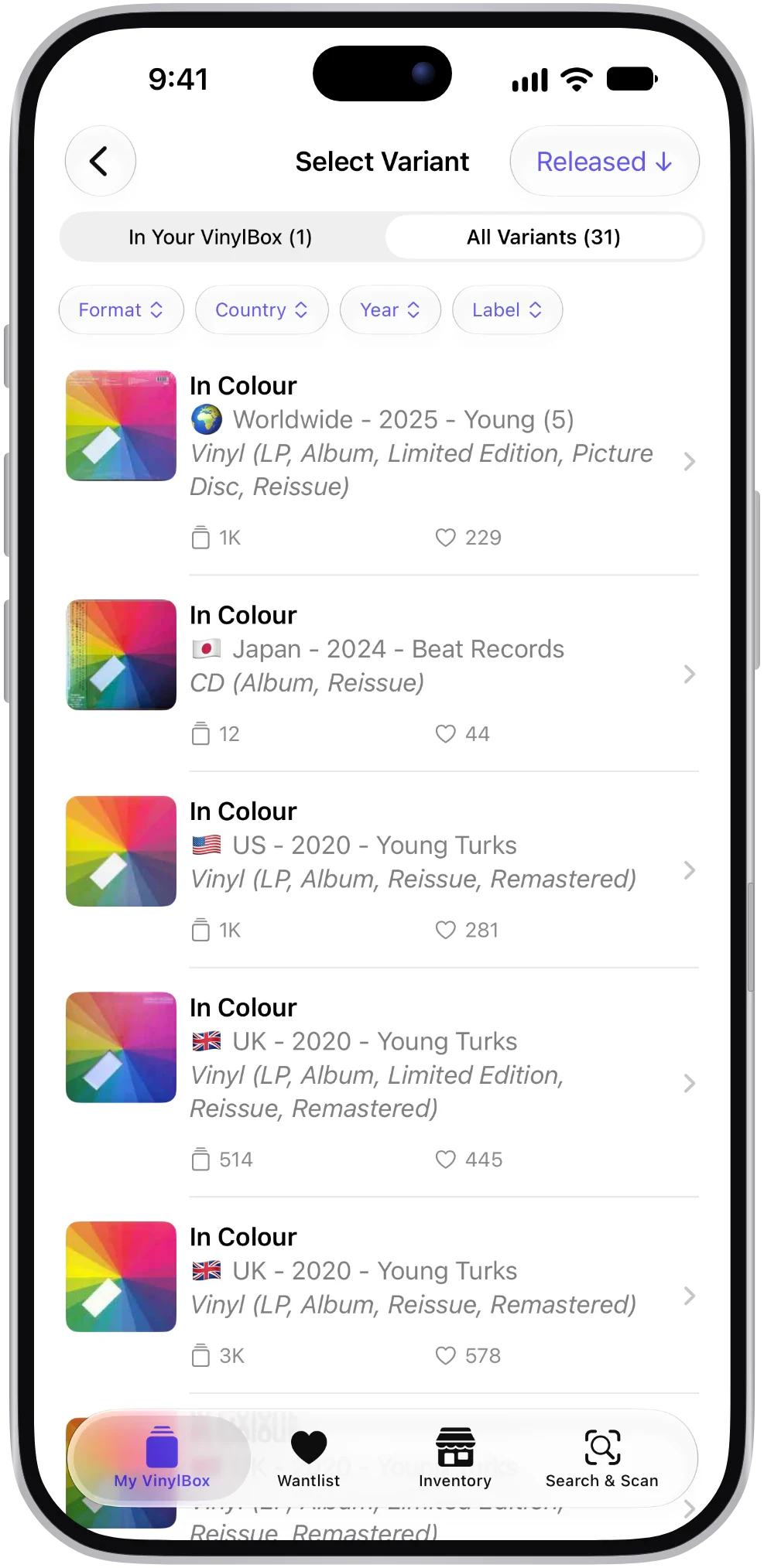
- Compare editions by country, year and identifiers
- Vinyl, CDs and cassettes in one collection

- Free to try
- Made for iPhone & iPad
- Vinyl, CDs & cassettes
- Works with your Discogs account
How to catalog your CDs on iPhone or iPad
Most CDs carry a barcode, the quickest route to a match. Think of VinylBox as a CD barcode scanner connected to your Discogs collection.
Scan the barcode
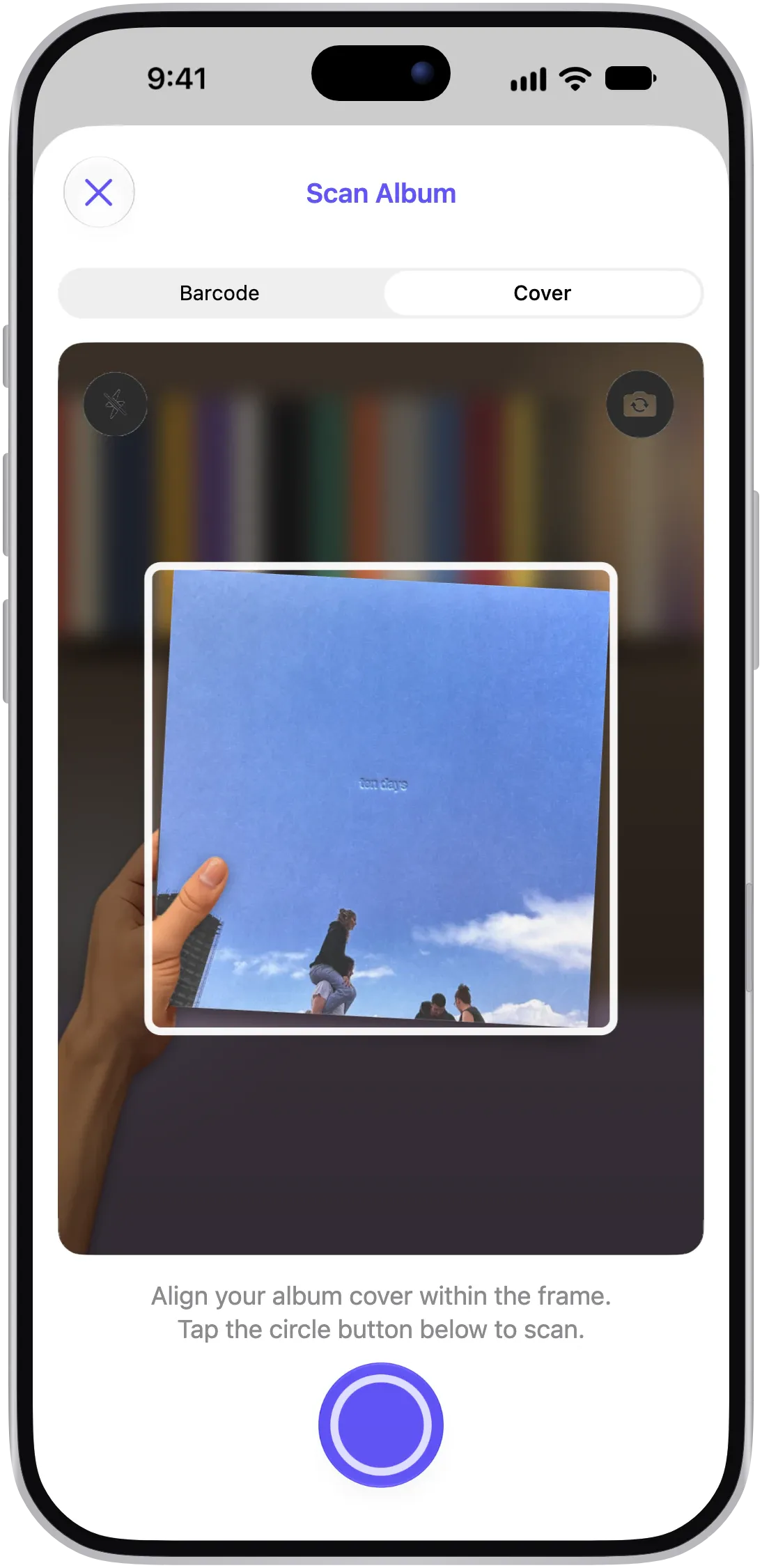
Open the scanner in Barcode mode and point your camera at the barcode on the back inlay. VinylBox looks it up in the Discogs database and lists the matching releases.
No barcode? Scan the cover
Some older discs and promo copies have no barcode, or only had one on a sticker that’s long gone. Switch to Cover mode and scan the booklet’s front instead.
Choose your edition
Filter or search the matches by format, country and year, then compare the barcode, catalog number and runout details with the disc in your hand.
Add it to your collection
Save the release to your Discogs collection, or to your Wantlist if you’re still hunting for it. You can scan without an account; adding needs a Discogs sign-in.
One album, many CD editions
Search Discogs for a well-known album and you’ll often find a long list of CD versions. They look alike on the shelf, but each one is its own release.
Remasters reissue the album with new mastering, sometimes decades after the first CD. Regional editions were made in different countries, occasionally with different artwork, labels or track listings. Record club editions were produced for mail-order clubs and carry their own markings. Deluxe and anniversary editions add bonus discs of demos, live recordings or B-sides. Japanese editions often come with an obi strip and an extra track or two.
Picking the right one keeps your tracklist and credits true to the disc you own, ties the estimated value to that edition and, if you sell, matches what the buyer expects.
The clues: the catalog number and country of manufacture on the back inlay, mastering credits in the booklet and the text around the center hole. As you scan, VinylBox shows the barcodes, runouts and other identifiers listed on Discogs to check against your copy.
Read the inner ring
Tilt the disc under a light and read the small text stamped around the center hole. The matrix number, plus an IFPI code on many discs from the mid-1990s on, can help tell editions apart when the artwork is identical.
Narrow the matches to your edition
A barcode scan of a popular CD can bring back several releases, and a cover scan can include vinyl and cassette versions with the same artwork. Filter them instead of scrolling, because each one is a separate Discogs release with its own tracklist and identifiers.
- Format first
Hide the vinyl and cassette versions so only the CDs remain.
- Country and year
Separate a 1990s US disc from a later European reissue.
- Search the results
Type a catalog number or label to jump to the release you’re after.
Vinyl, CDs and cassettes, one collection
Few collections stick to one format. VinylBox tracks your CDs in the same Discogs collection as your records and tapes, then lets you split them up however you like.
Boxing discs up for the attic? Make a folder for each box. Your synced collection is available offline too, so you can check what you own in a record shop before buying a second copy.
- Smart Folders by format
Set a rule such as Format = CD and the folder keeps itself up to date as you add discs.
- Folders and tags
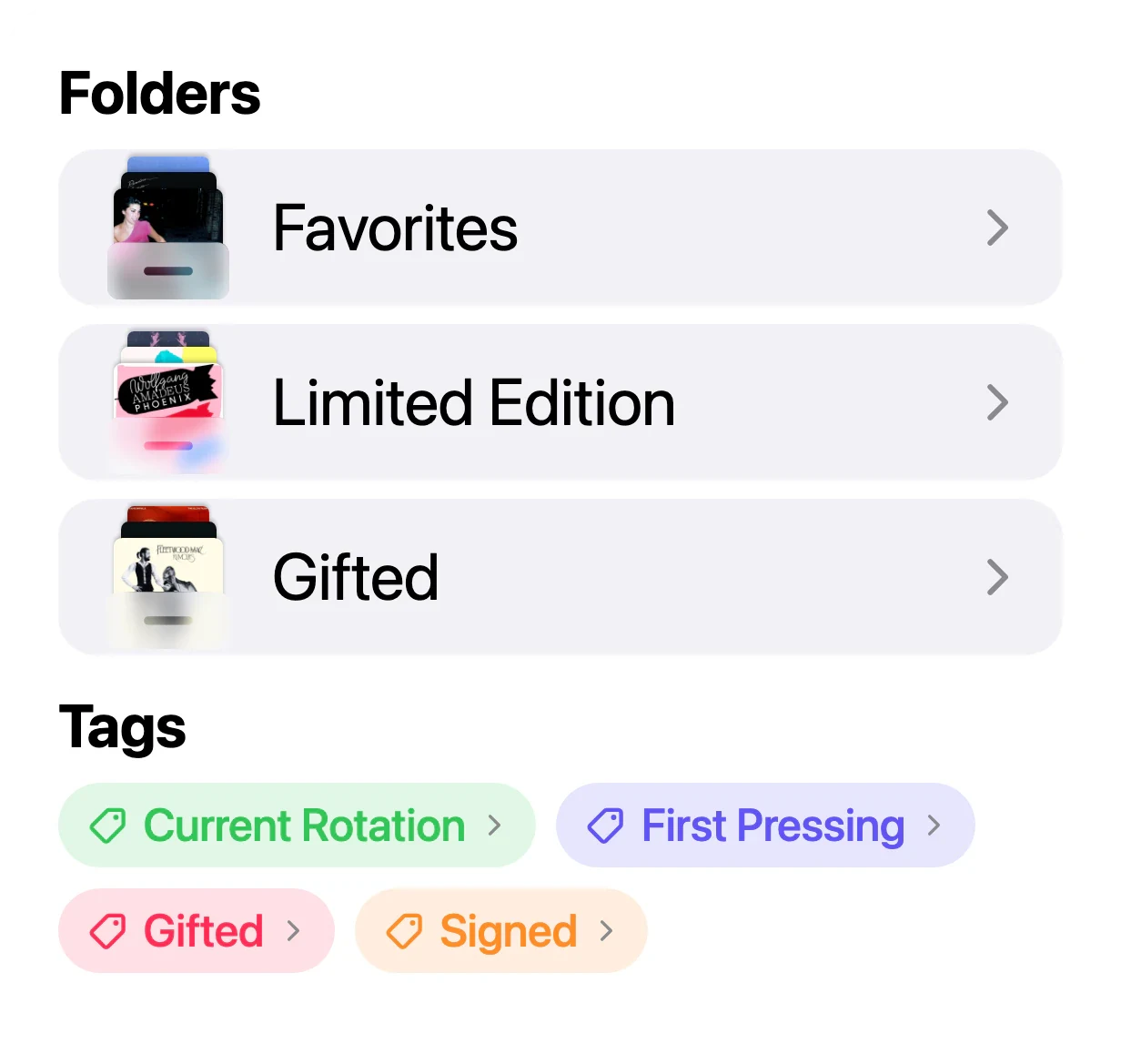
Mirror your shelves or storage boxes with folders, and tag discs as Japanese Import, Box Set or In the Car.
- Your format mix
With VinylBox Pro, Collection Insights charts how your collection splits across vinyl, CDs and cassettes.
Folders sync with Discogs. Smart Folders are stored privately in iCloud and sync across your Apple devices.
Are your CDs worth anything?
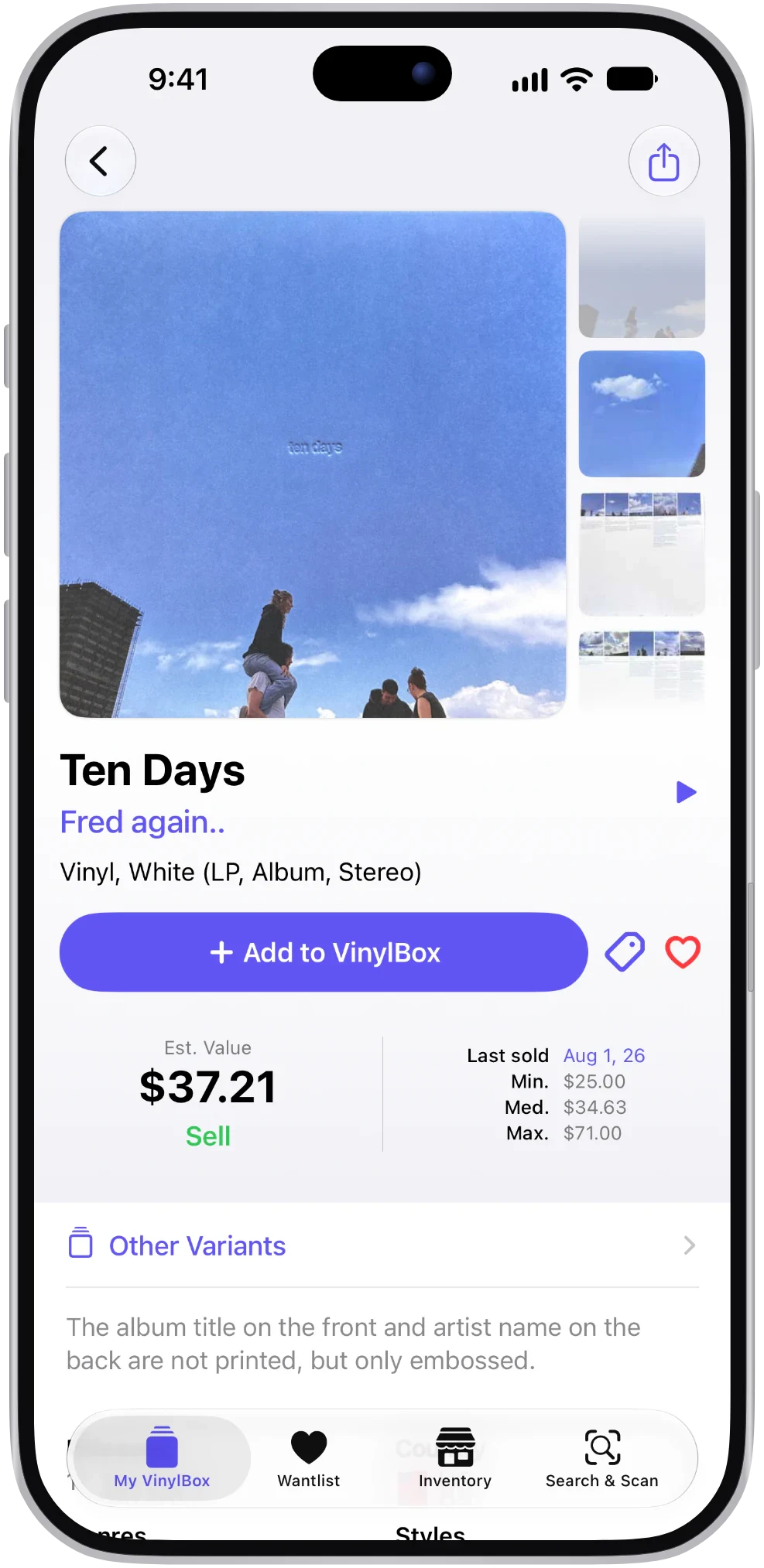
The honest answer: most CDs sell for modest sums. A few don’t. Out-of-print titles, limited editions and some imports and early pressings draw more interest, and you can’t tell which from the spine.
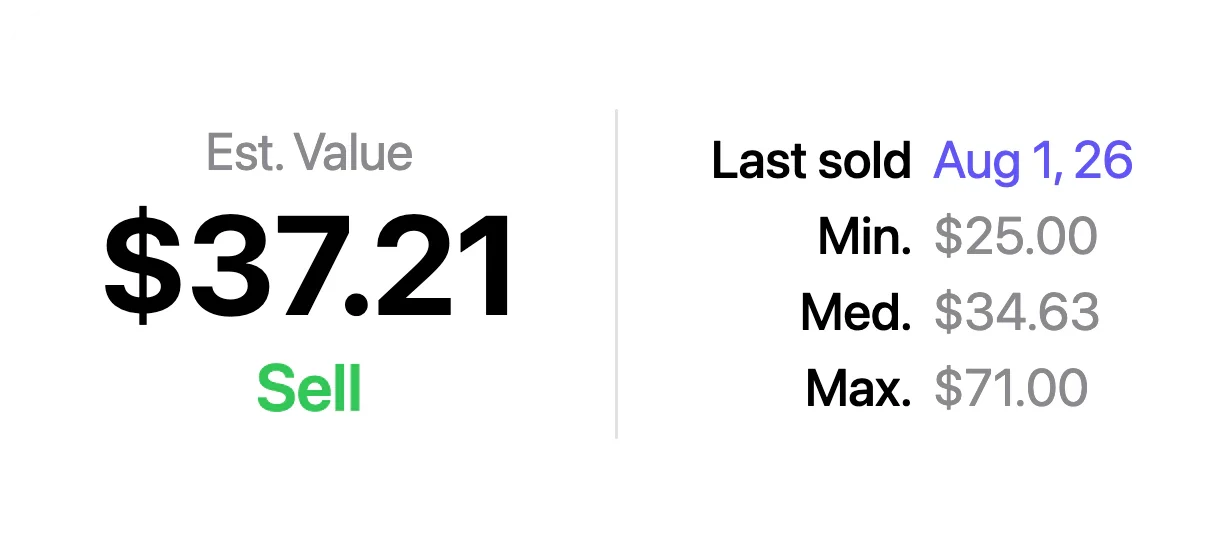
VinylBox shows an estimated value for the release you choose, plus recent sold prices where Discogs has sales, so you can spot the discs that deserve a closer look.
- Per-edition estimates
A figure for your edition, not the album in general.
- Recent sold prices
When it last sold, plus the lowest, median and highest recent sold prices.
- The whole shelf
A minimum, median and maximum for your collection, with a history that builds over time.
Values are estimates based on Discogs data. Edition, condition and demand all make a difference, so treat them as a guide rather than an offer.
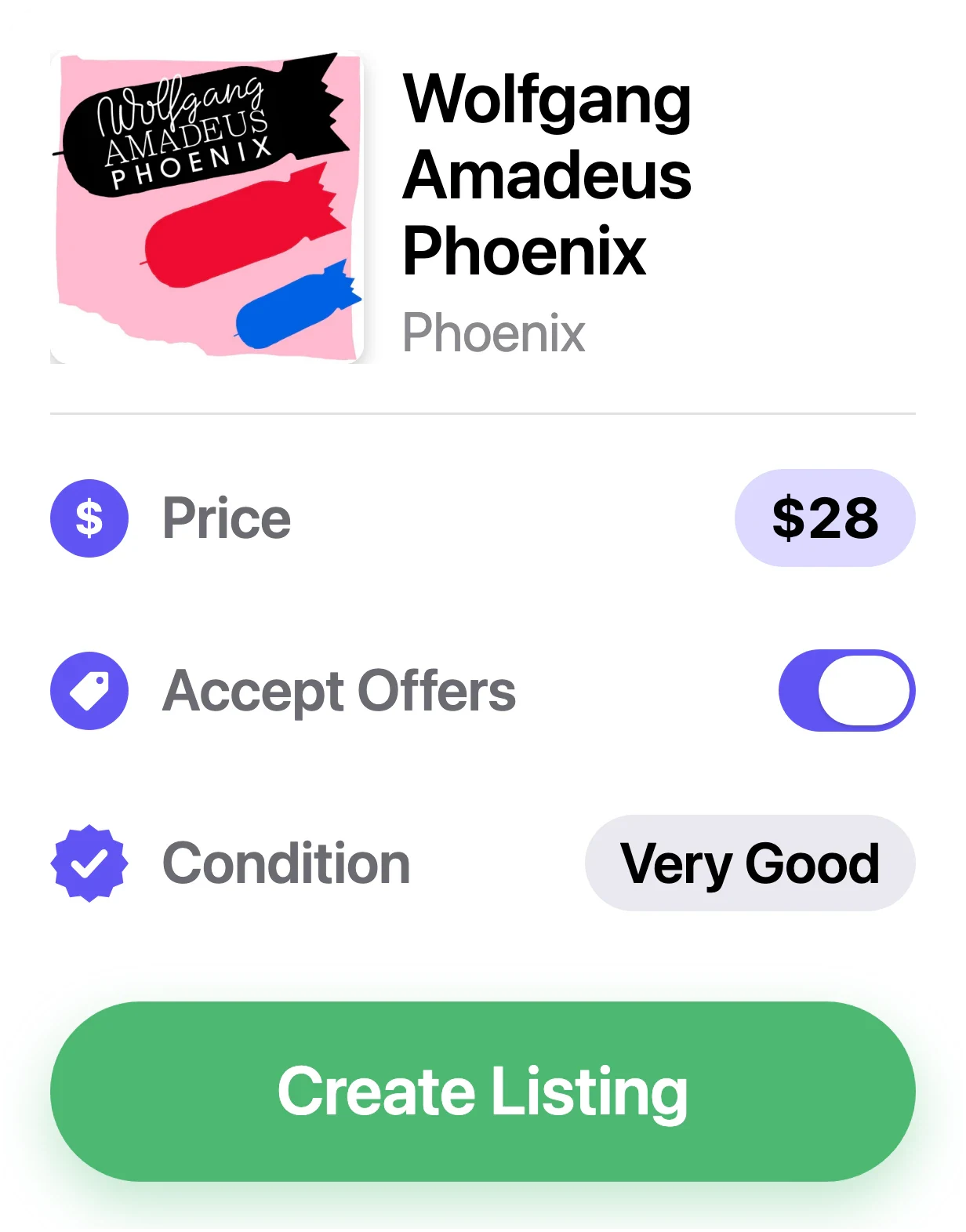
Clearing shelf space? Sell CDs on Discogs.
Once your CDs are cataloged, list the ones you no longer play on the Discogs Marketplace from your iPhone or iPad, where buyers go looking for particular editions. Then manage each listing from your inventory as the pile gets smaller.
- Grade disc and packaging
Set media condition for the disc and sleeve condition for its packaging, using the Discogs grading scale.
- Price with a guide
Start from Discogs’ suggested price, then adjust it for your copy.
- Accept offers
Let buyers make an offer on slower sellers, or hold out for your price.
Selling uses your Discogs seller account, and Discogs fees apply. Publishing and editing listings require VinylBox Pro.

What collectors say
Real reviews from the App Store.
Great app, great service
It’s a great app for organizing and managing my vinyl and CD collection. … Excellent app and excellent support — highly recommended!
Best app for adding albums to collection
Bar code scan makes it a breeze. Much better than the default app!
Honestly one of my favorite iPhone apps
I recently reinventoried my collection and this app made it a breeze!!!
Absolutely love it!
This app has made logging my collection really simple, it pairs nicely with my Discogs account.
Explore VinylBox
Questions, answered
The things collectors ask before they download.
Does VinylBox work with CDs, despite the name?
Yes. Its full App Store name is VinylBox: Vinyl & CD Collector. It uses the Discogs database, which lists CDs alongside records and tapes, so you scan, organize, value and sell discs just as you would vinyl.
How do I scan a CD with my iPhone or iPad?
Open the scanner, choose Barcode and point the camera at the barcode on the back inlay. No barcode? Switch to Cover and scan the front of the booklet, or search Discogs by artist and title. A scan suggests matching releases; you choose the one that matches your disc.
Why does one barcode bring up several releases?
Labels often reuse a barcode when a CD is repressed or made at another plant, and some editions share one across countries, so several Discogs releases can carry the same code. Filter the matches by country and year, then compare the catalog number and the text on the disc’s inner ring.
Are old CDs worth anything?
Most sell for modest amounts, and a scratched disc or missing booklet brings the price down. Some out-of-print, limited and import editions sell for more. VinylBox shows an estimated value for your edition, plus recent sold prices where Discogs has them, based on Discogs data.
How is VinylBox different from other CD catalog apps?
Some CD apps keep your collection in their own database. VinylBox works with your Discogs account, so your collection, folders and Wantlist are stored on Discogs and sync to the app. Prefer not to use Discogs? A standalone cataloging app may suit you better. See how Discogs apps compare.
Do I need a Discogs account?
You can scan and search without one. To add CDs to a collection or Wantlist, or to sell, sign in with Discogs; you can create a free Discogs account from the sign-in screen in VinylBox. VinylBox is independent and isn’t affiliated with Discogs. How VinylBox works with Discogs.
Is VinylBox free?
VinylBox is free to download, with a free plan to get started that’s perfect for smaller collections. Scanning is included, and releases you add from VinylBox count toward the free plan’s limit, so a big CD shelf may need VinylBox Pro, an optional subscription from just $1.99/month. Pro also unlocks Collection Insights and publishing Marketplace listings.
VinylBox guides
How to identify a CD edition
Identify which CD edition you own from its barcode, catalog number, matrix and IFPI codes, then match its Discogs release and save it with VinylBox on iPhone.
How to catalog a record collection, step by step
How to catalog a collection of vinyl records and CDs shelf by shelf: what to note for each copy, how to match the right Discogs release, and how VinylBox helps.
Give your CDs a proper catalog
Scan the barcodes, choose your editions and get an estimate of what the shelf is worth. Free to download on the App Store for iPhone and iPad.
Scan with your iPhone camera to get VinylBox.