Sell on the Discogs Marketplace
Sell vinyl & CDs on Discogs from your iPhone
List records, CDs and cassettes on the Discogs Marketplace from your iPhone or iPad, with your own seller account: grade the media and sleeve, start from Discogs’ suggested price and publish.

Publishing listings requires VinylBox Pro. Discogs fees apply.
- Uses your Discogs seller account
- Grade media and sleeve on the Discogs scale
- Start from Discogs’ suggested price, accept offers and manage your inventory

- Free to try
- Made for iPhone & iPad
- Vinyl, CDs & cassettes
- Works with your Discogs account
How to list a record on Discogs from your iPhone
From the record in your hands to a Discogs listing in six steps, on iPhone or iPad.
Find the release
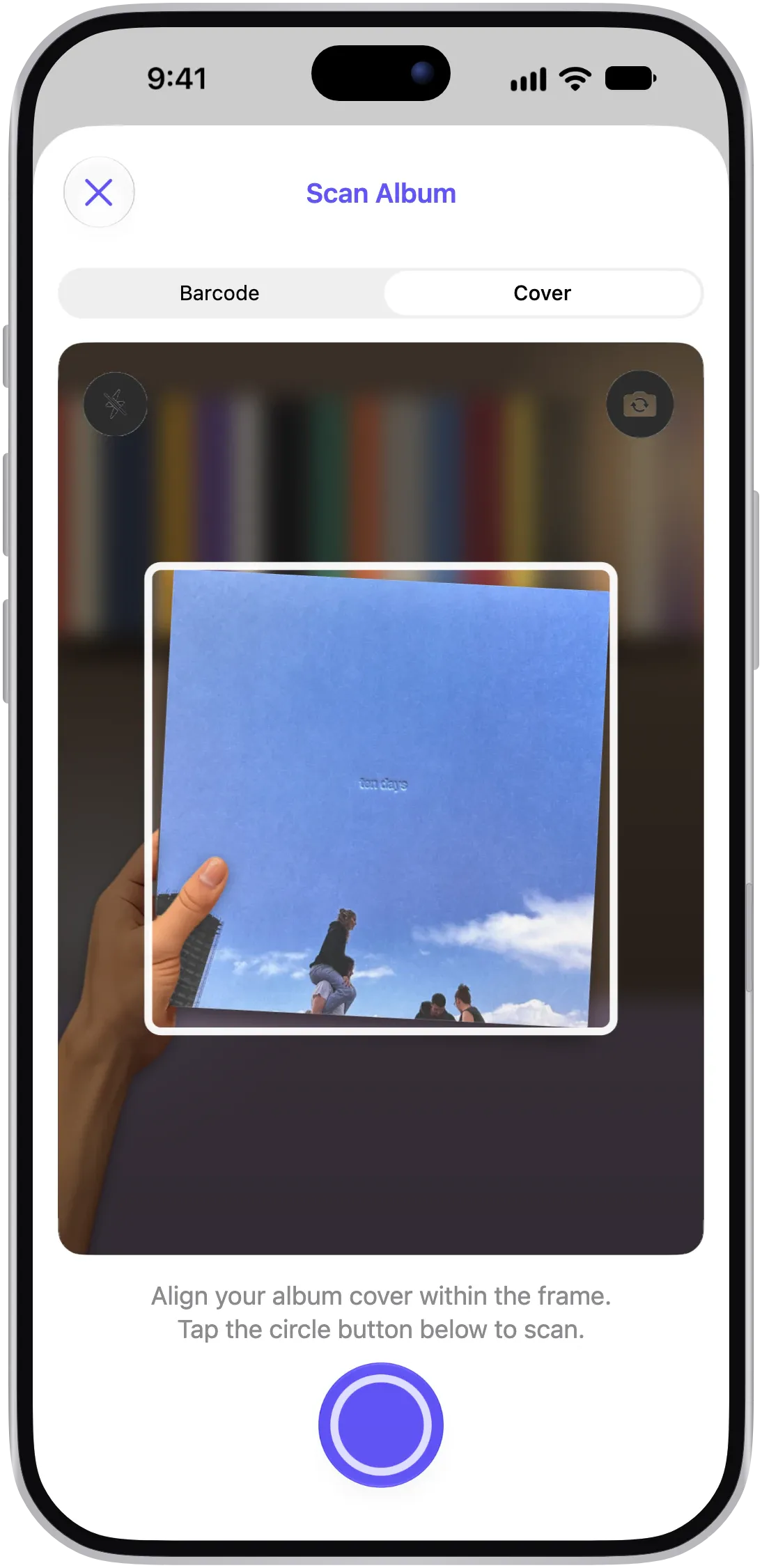
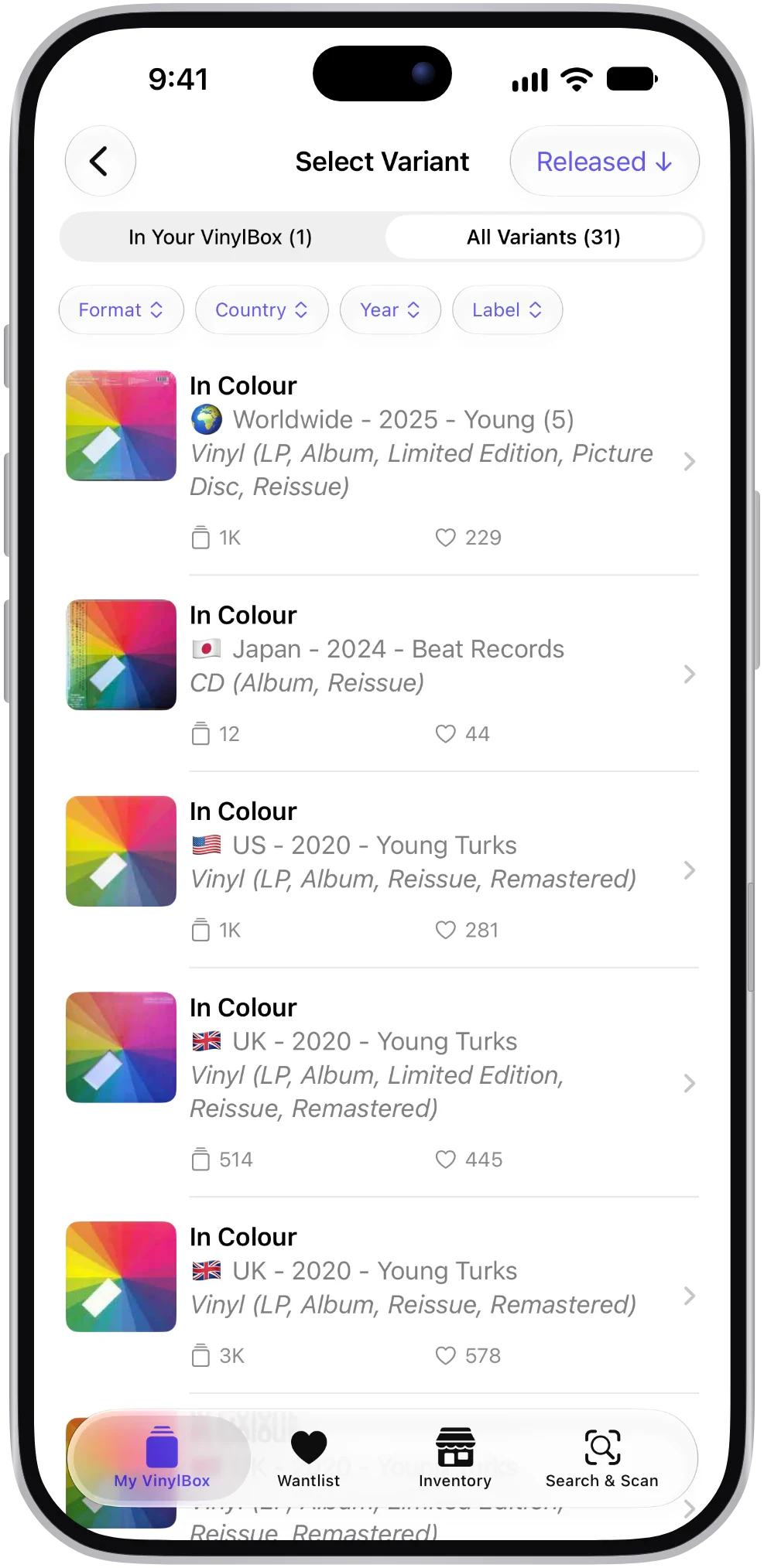
Scan the cover or barcode, search Discogs, or open the record in your collection. Check the format, country, year and identifiers so you list the version you own.
Tap “Sell this release”
Open the listing form from the release page. Selling a copy from your collection? The conditions you’ve recorded come across, and your notes become private comments.
Grade the media and sleeve
Pick a condition for the record or disc, and for the sleeve if you like. Discogs grades from Mint to Poor, explained below. Unsure? Tap “Need help grading your items?” right in the form.
Set your price
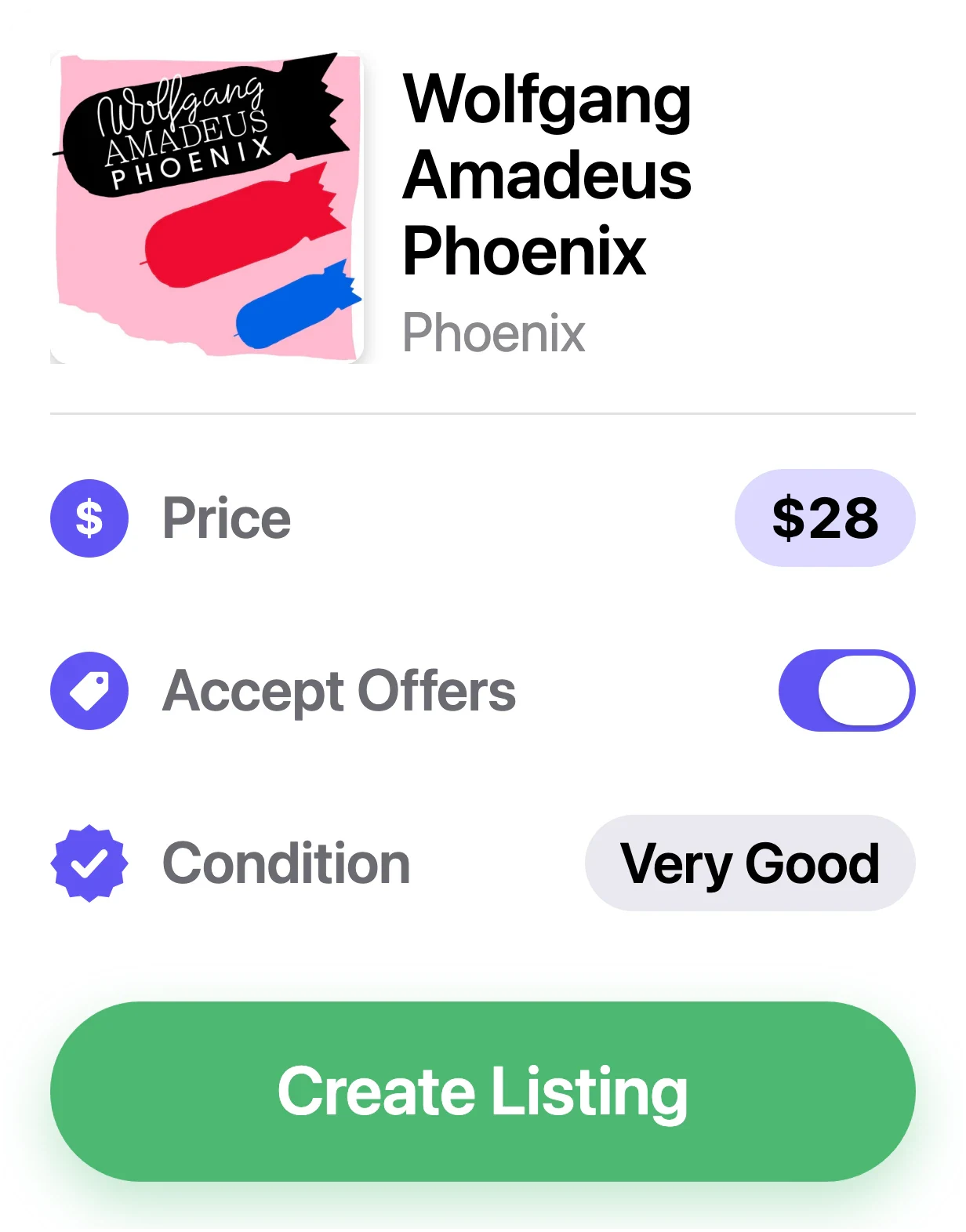
VinylBox shows Discogs’ suggested price for the condition you picked. Tap Apply to use it as a starting point, then adjust it. You can also check the Discogs fee for your price before you publish.
Accept offers and add comments
Turn on Accept Offers if you’re open to haggling. Add comments for buyers, like a sticker on the sleeve or a light scuff on side B, plus private notes only you can see.
Preview and publish
Check it over, then publish it to the Discogs Marketplace. Not ready yet? Save it as a draft and come back later.
Price it fairly, sell it sooner
A good price starts with the right version and an honest grade. Then look at two things: what copies have sold for, and what yours will sit next to.
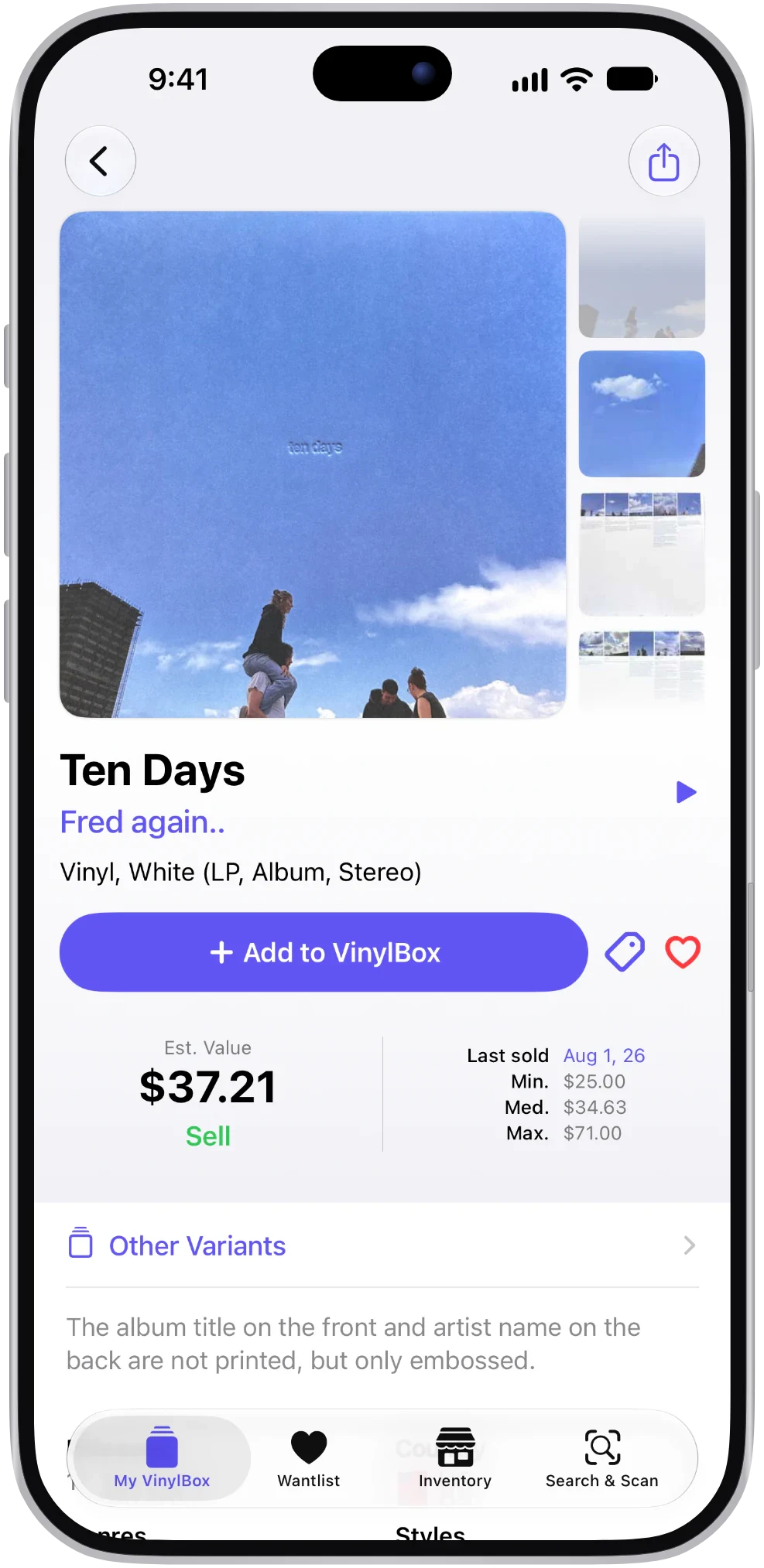
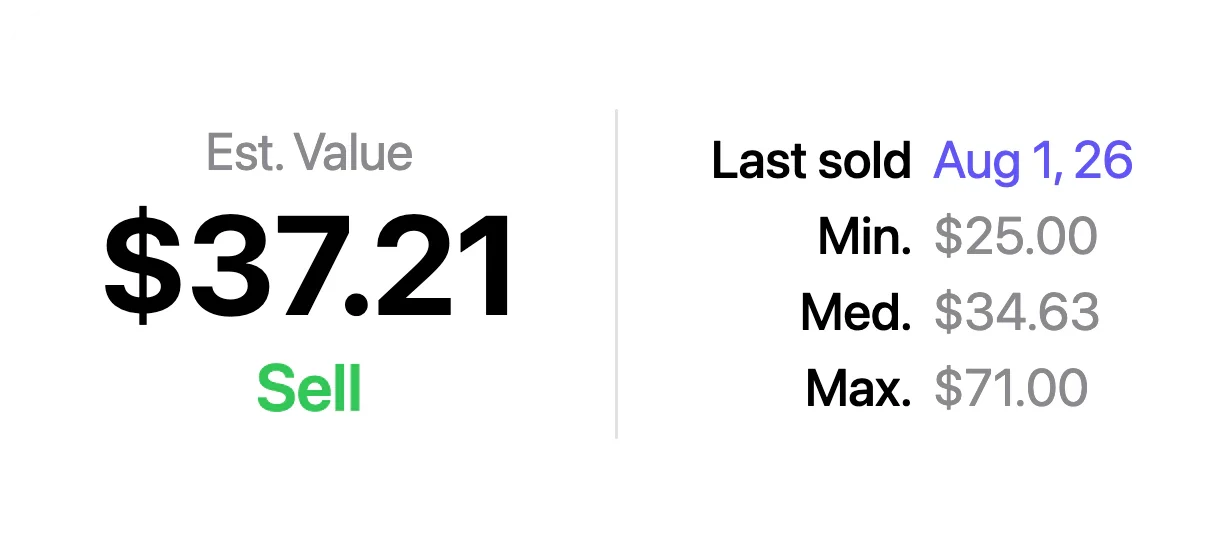
Each release in VinylBox shows an estimated value, when it last sold, and the lowest, median and highest recent sold prices on Discogs. When you create a listing, VinylBox also shows how many copies are currently for sale on Discogs and the lowest asking price.
- Sold prices first
They show what buyers paid. The lowest asking price shows your competition.
- Match the price to the grade
Compare a VG+ copy with VG+ sales, not with sealed ones.
- Leave room for offers
If you accept offers, build in a little headroom.
Values are estimates based on Discogs Marketplace data. They’re a guide, not an offer.
Grade it honestly
Condition is one of the biggest reasons two copies of the same release sell for different prices, and a common cause of unhappy buyers. Discogs uses a scale based on the Goldmine grading standard, with the media and sleeve graded separately.
Mint (M) is perfect and unplayed. Use it sparingly. Near Mint (NM or M-) is nearly perfect, with no obvious wear. Very Good Plus (VG+) shows light signs of play, such as faint marks that don’t affect listening.
Very Good (VG) has more noticeable wear, with surface noise you can hear in quiet passages. Good Plus (G+) and Good (G) still play through, with plenty of noise and visible wear. Fair (F) and Poor (P) are for copies that barely play, or don’t.
Grade under good light, and play the record if you can: some marks look worse than they sound, and some sound worse than they look. When in doubt, grade down, and mention anything notable in your comments.
Sleeves have extra options
Sleeve condition is optional. Besides the usual grades, you can mark a sleeve as Generic, Not Graded or No Cover.
Manage your listings on the go
Your Discogs inventory comes with you, including listings you created on the Discogs website.
An Inventory tab
Keep your listings one tap away. Show or hide the tab in Settings.
Filter by status
See what’s for sale, in draft, expired or sold.
Edit a listing
Change the price, condition or comments of a draft, for-sale or expired listing, or delete one you no longer need.
Draft and republish
Pull a listing back to draft, or put a draft or expired listing on sale again.
Offers on or off
Accept offers on one listing and hold firm on another.
In step with Discogs
Changes go straight to your Discogs inventory.
Selling CDs and cassettes too
LPs, singles, CDs and cassettes all go through the same steps in VinylBox, as long as Discogs allows that release to be sold.
CD buyers often want one particular edition, such as a remaster or an import, so list the release that matches the disc in your hand. Scanning the barcode is usually the quickest way there; check the catalog number to be sure.
- Grade the disc and its packaging
Media condition is for the disc, sleeve condition for the booklet and inlay. A cracked jewel case is easy to swap; a scratched disc isn’t.
- Price for the edition
Check recent sales of your edition first. Many CDs sell for modest sums.
Good to know before you sell
Publishing listings requires VinylBox Pro, an optional subscription from just $1.99/month, and so do editing and deleting them in VinylBox. VinylBox is free to download, with a free plan to get started that’s perfect for smaller collections.
Discogs fees apply. Your listings go on the Discogs Marketplace under Discogs’ terms, and Discogs charges its own fees on sales. VinylBox doesn’t run a marketplace of its own.
VinylBox is independent. It works with your Discogs account through the Discogs API, but it isn’t affiliated with, sponsored or endorsed by Discogs.
Keep exploring
Questions, answered
The things collectors ask before they download.
Can I sell records on Discogs from my iPhone?
Yes. VinylBox creates and publishes Discogs Marketplace listings from your iPhone or iPad, using your Discogs seller account. Publishing listings requires VinylBox Pro.
Why not just use the official Discogs app?
You can. The official Discogs app lists items for sale too, and it’s the one to use if you want to buy with in-app checkout. VinylBox is an alternative for collectors who want selling alongside cover scanning, Smart Folders, value history and a layout made for iPad. See how the apps compare.
What fees will I pay?
Discogs fees apply to sales, as they do for any Discogs seller. Check the Discogs Help Center for current fees. Separately, publishing listings from VinylBox requires a VinylBox Pro subscription.
Do I need a Discogs seller account?
You need a Discogs account with your seller settings, such as currency and shipping, set up on Discogs. If you’re new to selling, start with Discogs’ own seller help pages. Your seller currency is changed on the Discogs website, not in VinylBox.
What else does VinylBox Pro include?
Besides publishing, editing and deleting listings, Pro unlocks the Suggested Prices view on release pages, with Discogs’ suggestion for every condition, plus Collection Insights. VinylBox Pro is an optional subscription from just $1.99/month.
Will my listings appear on Discogs?
Yes. VinylBox creates them on the Discogs Marketplace through your account, so buyers find them on Discogs like any other listing. When something sells, the order goes through Discogs under your seller settings.
Can I list records from my iPad?
Yes. VinylBox is made for iPhone and iPad (iOS and iPadOS 18 or later), and listing works the same on both. On iPad, the sidebar layout gives your inventory more room.
VinylBox guides
How to grade vinyl records and sleeves
How to grade vinyl records and sleeves on the Goldmine scale, by eye and by ear, then record each grade in VinylBox and carry it into a Discogs listing.
Discogs prices explained: median, sold and asking prices
What Discogs median, lowest, highest and asking prices mean, and how to estimate what your vinyl records and CDs are worth, with VinylBox on iPhone and iPad.
Turn spare records into space on the shelf
List vinyl, CDs and cassettes on Discogs from your iPhone or iPad. Free to download on the App Store; publishing listings requires VinylBox Pro.
Scan with your iPhone camera to get VinylBox.