Prices, buying and selling
Discogs prices explained: median, sold and asking prices

On this page
Discogs prices for vinyl records and CDs tell you two things. The lowest, median and highest prices on a release page come from its 30 most recent Marketplace sales, so they show what buyers paid. Asking prices show what sellers want for copies listed now. The median is the middle sale: a good reference once you’re on the right release, but condition moves your copy’s value up or down.
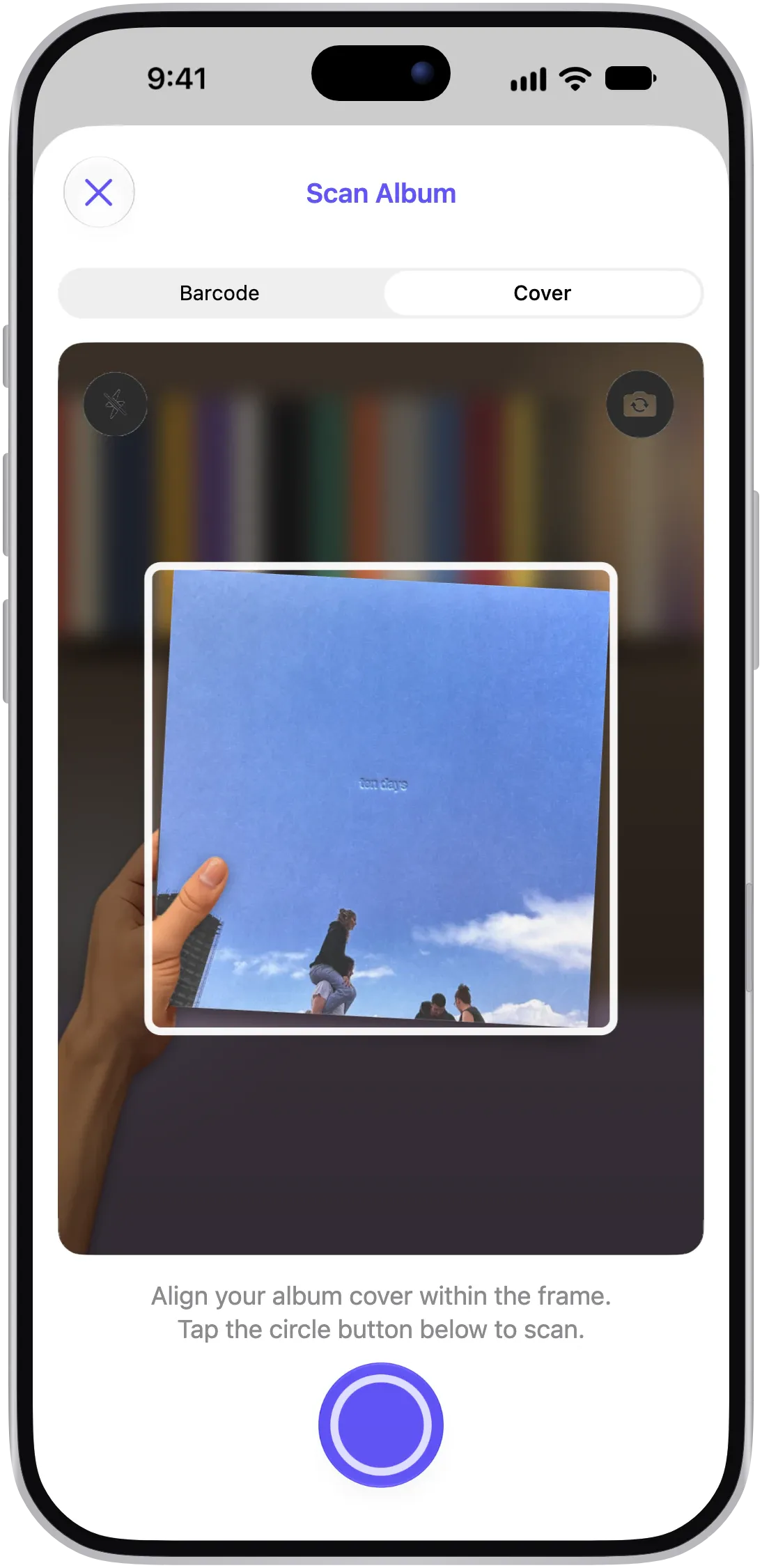
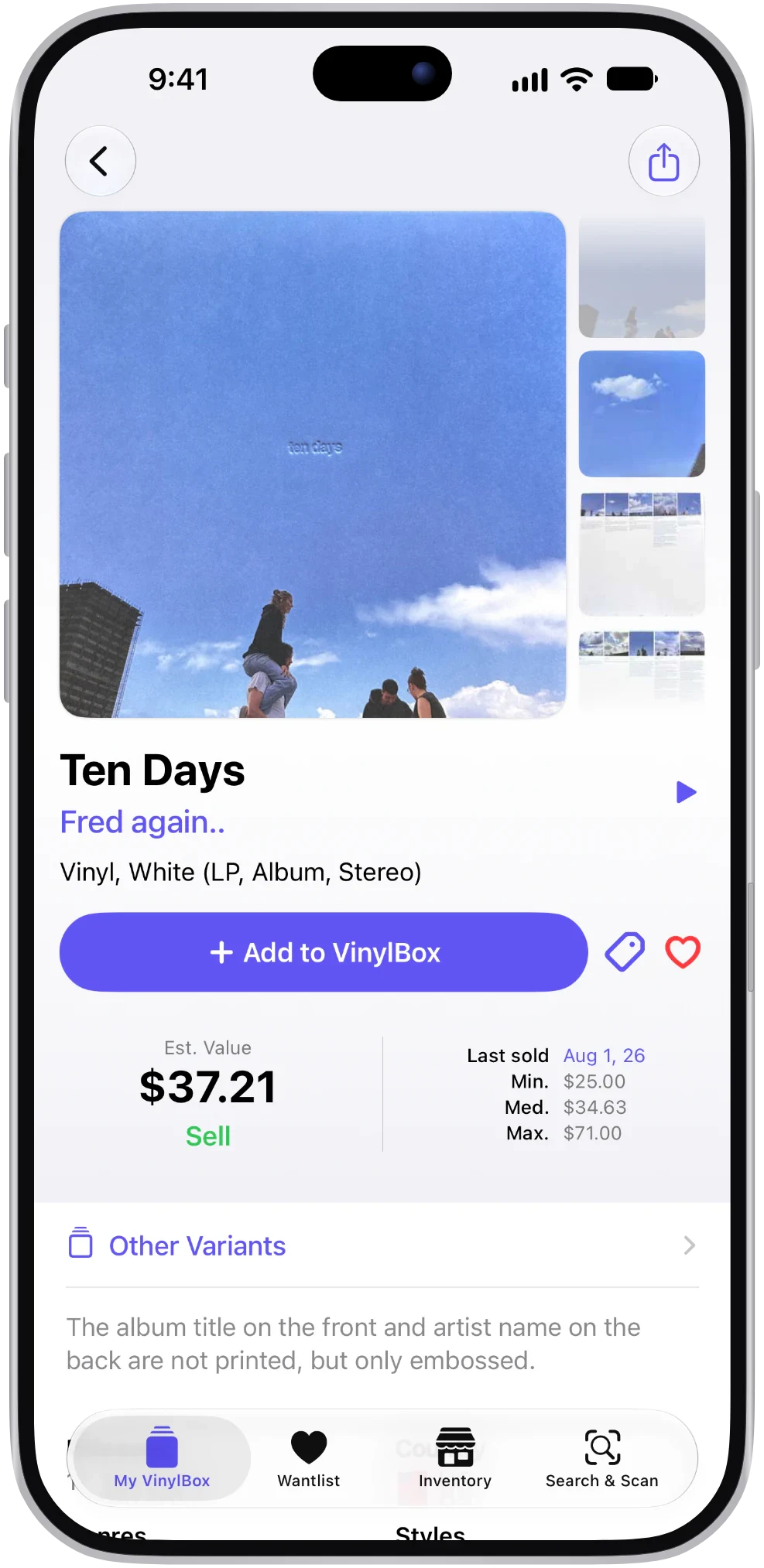
VinylBox, an independent iPhone and iPad app for vinyl records, CDs and cassettes that works with your Discogs account, puts these figures beside the copy in your hand. Scan the cover or barcode, choose your pressing, and the release page shows an estimated value, the last sale date and recent sold prices. Tap Last sold to open the release’s sales history on Discogs without leaving the app.
Download VinylBox for iPhone and iPad
What do the prices on a Discogs release mean?
Read each figure for what it is: a past sale, a current listing, a starting point for sellers or an estimate.
| Figure | What it is | What it can’t tell you |
|---|---|---|
| Last Sold | The date a copy of the release last sold on Discogs | What that copy sold for, or its condition |
| Lowest, median, highest | The lowest, middle and highest of the release’s 30 most recent sales | The condition of the copies behind them |
| Asking price | What a seller wants for a copy listed now | What a buyer will pay |
| Suggested price | Discogs’ starting price for a seller, based on the grade and recent sales in similar condition | A missing insert or a flaw the grade doesn’t capture |
| Est. Value (VinylBox) | VinylBox’s estimate for the release, based on Discogs data | The grade of your particular copy |
Discogs’ help page on where to access sales history says the lowest, median and highest values are calculated automatically from each release’s 30 most recent sales. That is a count, not a time window, so a slow-selling release’s figures can stretch back years.
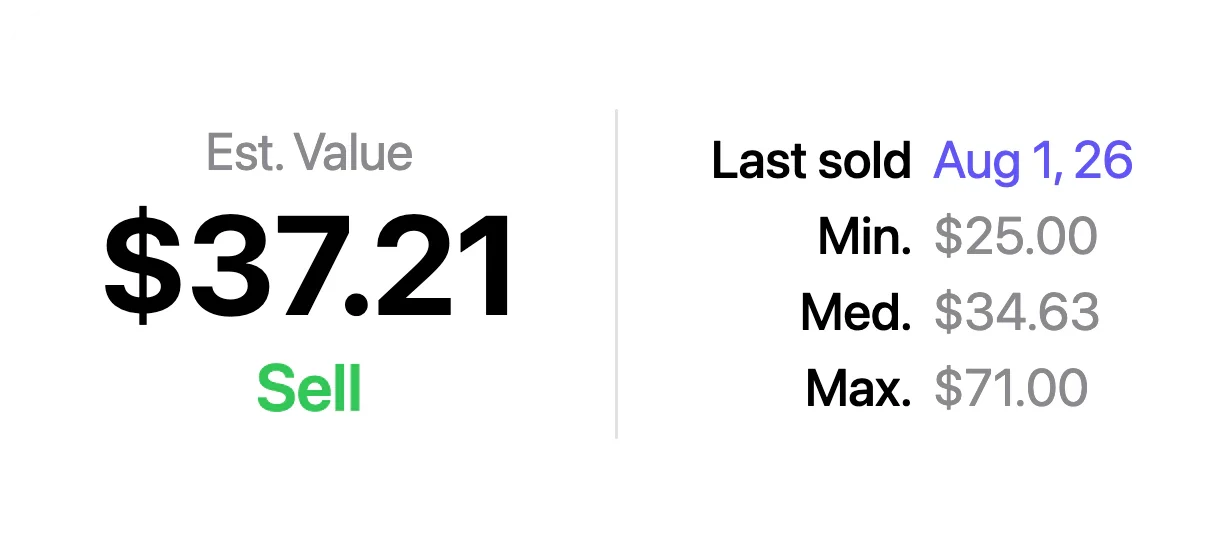
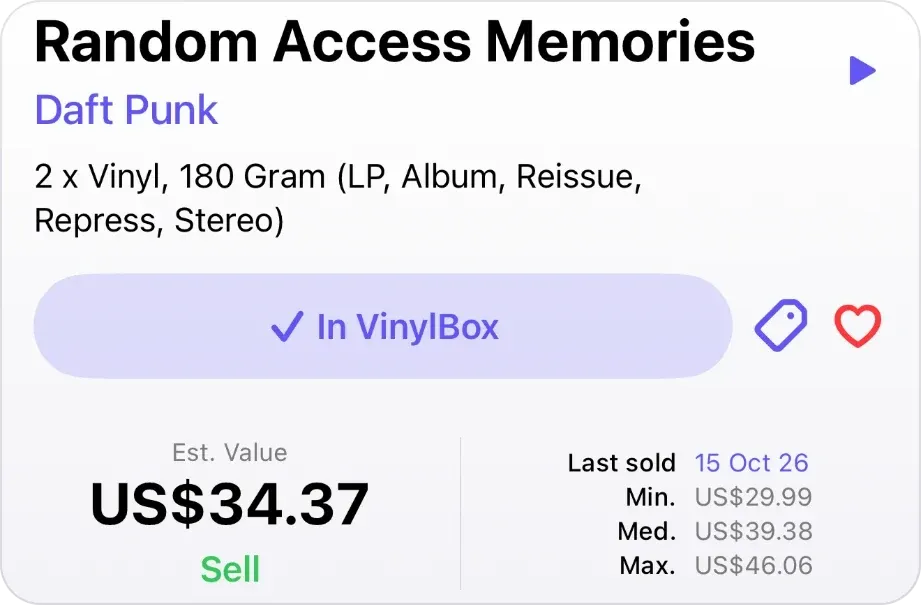
In VinylBox, the same kinds of figures appear in a release’s value panel as Last sold, Min., Med. and Max., next to VinylBox’s own Est. Value. They are separate numbers: in the screenshot below, the Est. Value of US$34.37 is lower than the median of US$39.38.
What does median mean on Discogs?
The Discogs median is the middle sale price. Sort a release’s recent sale prices from lowest to highest, and half the sales sit below the median and half above. It is usually more useful than an average because one unusual sale can’t drag it far.
The median still summarizes mixed evidence. Discogs’ sales history help page mentions no adjustment for condition, so a Near Mint sale and a well-worn one each count once. A median built from three sales is a hint, not a market.
Discogs median vs asking price: which should you use?
Use sold prices as evidence of what copies are worth, and asking prices to see what you would pay now, or compete with as a seller. A listing is a hope, not a result: it enters the sales history only when someone buys it.
| Your question | Start with | Then check |
|---|---|---|
| What did copies like mine sell for? | Sold prices for your grade | How recent those sales are |
| Is this listing fairly priced? | Sold prices for the listing’s grade | Shipping and the seller’s feedback |
| What should I ask for my copy? | Sold prices for your grade and the suggested price | The lowest asking price and its condition (your competition) |
A listing above the median isn’t automatically overpriced. If the copy is Near Mint and the median mixes in worn copies, the higher ask may be fair.
How much is my vinyl record or CD worth on Discogs?
Your copy is worth roughly what recent copies of the same pressing, in the same condition, sold for on Discogs. To find that figure, match the release, grade your copy, then read only the sales that match it. VinylBox for iPhone and iPad helps with each step below. Download it, then sign in with Discogs from inside the app to save your grades; new to Discogs? Create your account from VinylBox’s sign-in screen.
- Identify the release. Discogs’ sold prices belong to a single release, not to the master release that groups every version. Match the catalog number, label and runout (the code in the dead wax, or around a CD’s center hole) to one release. In VinylBox, scan the cover or barcode, then on Select your version, filter by format, country, year or label, or search for the catalog number or runout. How to identify a vinyl pressing walks through each check, and the vinyl record scanner page shows how scanning works.
- Grade the media and sleeve separately. Discogs follows the Goldmine standard, from Mint (M) and Near Mint (NM or M-) through Very Good Plus (VG+), Very Good (VG), Good Plus (G+), Good (G) and Fair (F) down to Poor (P). Grade under good light; our guide to grading vinyl records covers each grade, by eye and by ear. Discogs’ grading guide says a VG+ record is generally worth 50% of the Near Mint value, and a VG record 25%; treat those as rules of thumb. In VinylBox, set the Media Condition and Sleeve Condition under In Your Collection on the release page; the Sell buttons carry them into the listing form when you list the copy.
- Read the value panel. Open the release in VinylBox to see Est. Value, Last sold, and the Min., Med. and Max. sold prices.
- Open the sales history. In VinylBox, tap Last sold on the release: Discogs’ sales history opens in the app, with a price chart and each order’s date, media and sleeve grades, price and the seller’s comments. On a computer, select the Last Sold date on the release’s Discogs page, then Show sales details. Note each sale’s date, grades and price.
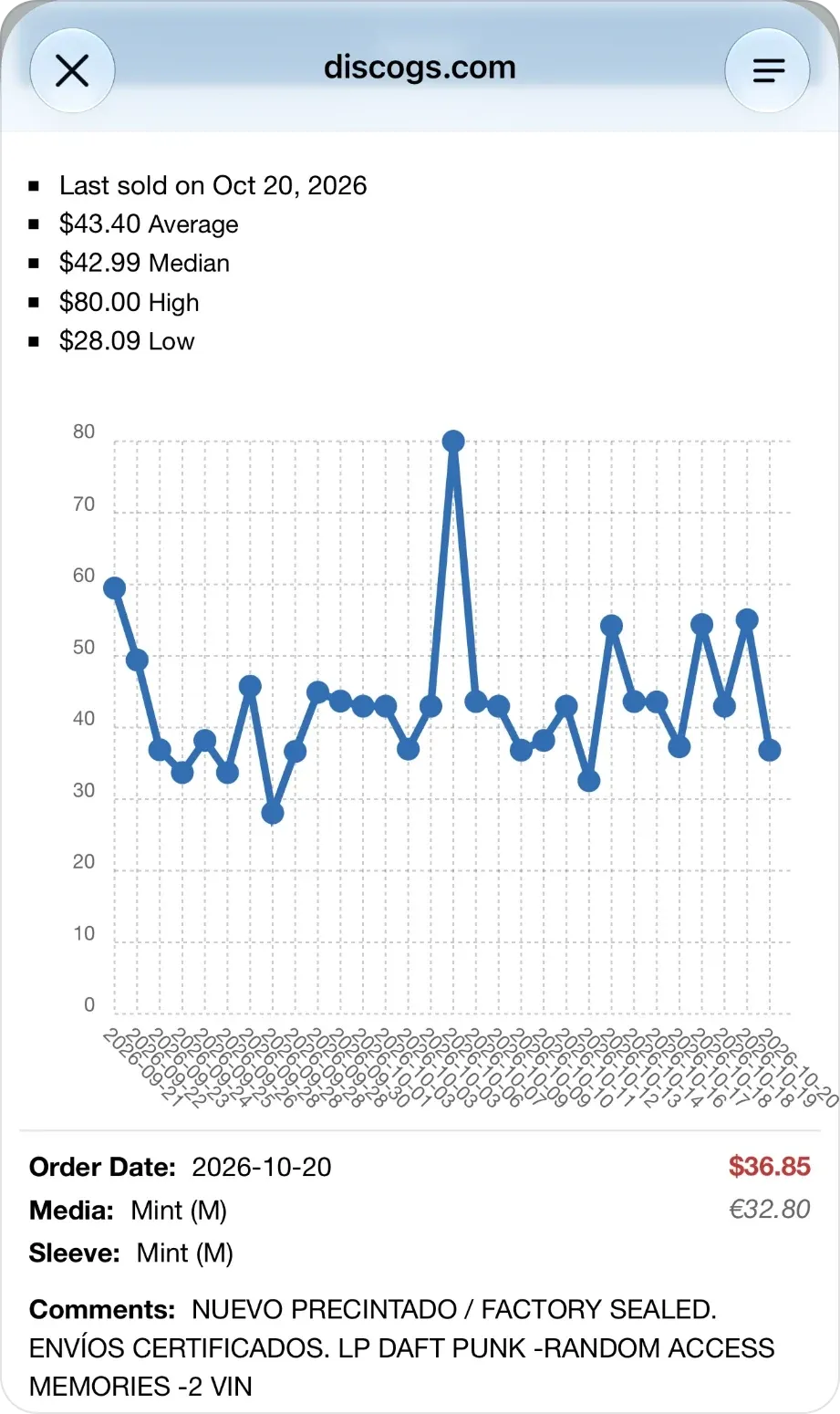
- Find the middle of the matching sales. Keep the sales that match your media grade and take the middle price. If only one or two match, say so, and check the neighboring grades to see where your copy sits.
- Check what is for sale now. Look at how many copies are listed and the lowest asking price. If you’re selling, the VinylBox listing form shows both; on Discogs, the release’s Marketplace listings show each copy’s price and condition.
- Write down a range, not a single number. From the worked example below: “$12 to $19, VG/VG+, two matching sales, neighboring grades checked.” If you’re buying, tap the heart on the release page to add it to your Wantlist, and follow its price and availability on the Discogs Marketplace with VinylBox’s Price widget on your Home Screen. See how VinylBox works with your Discogs Wantlist. Buying in a shop or at a fair? Run through our used record buying checklist before you pay.
How much should you trust the figure?
The number of matching sales decides how firm your range is. This rule of thumb is ours, not Discogs’.
| Matching sales in your grade | How recent | What to do |
|---|---|---|
| None | Not applicable | Check the release, look at related versions and current listings, and treat any figure as a rough guess |
| One or two | Any | Check the neighboring grades and give a wide range |
| Three or more | Mostly within the past year | Use the middle of those sales as your central figure |
| Three or more | Mostly older | Use them as a guide and widen your range, because demand may have changed |
Worked example: why the Discogs median isn’t your price
Hypothetical example: the release and every figure below are invented to show the method. They are not real sales.
Imagine a fictional 1978 LP, catalog number XMP-101, that has sold only nine times on Discogs. Sorted by price, its sales history looks like this:
| Sale price | Media | Sleeve | Note |
|---|---|---|---|
| $8 | G+ | VG | Writing on the label |
| $12 | VG | VG | |
| $15 | VG | VG+ | |
| $19 | VG+ | VG | |
| $24 | VG+ | VG+ | |
| $26 | VG+ | VG+ | |
| $30 | NM | VG+ | |
| $38 | NM | NM | |
| $90 | M | M | Still sealed |
The headline figures are a low of $8, a median of $24 and a high of $90. The sealed copy pulls the average up to about $29.11 but barely moves the median.
Now suppose your copy grades VG for the record and VG+ for the sleeve. Only two sales match your media grade, at $12 and $15, so the middle of the matching sales is $13.50, roughly half the headline median. Two sales is thin evidence, so check the neighboring grades: the G+ sale at $8 sits below, and the VG+ sales at $19 to $26 sit above. A realistic range for your copy is about $12 to $19, because the cheapest VG+ copy marks a sensible ceiling for a VG record.
What is the Discogs suggested price?
The Discogs suggested price is a starting price for sellers. According to Discogs’ selling guide, it is based on the media condition you select and the release’s recent sales in similar condition, and you can set your own price instead. Unlike the median, it reflects the grade; adjust it for the sleeve and anything the grade misses, such as a missing insert.
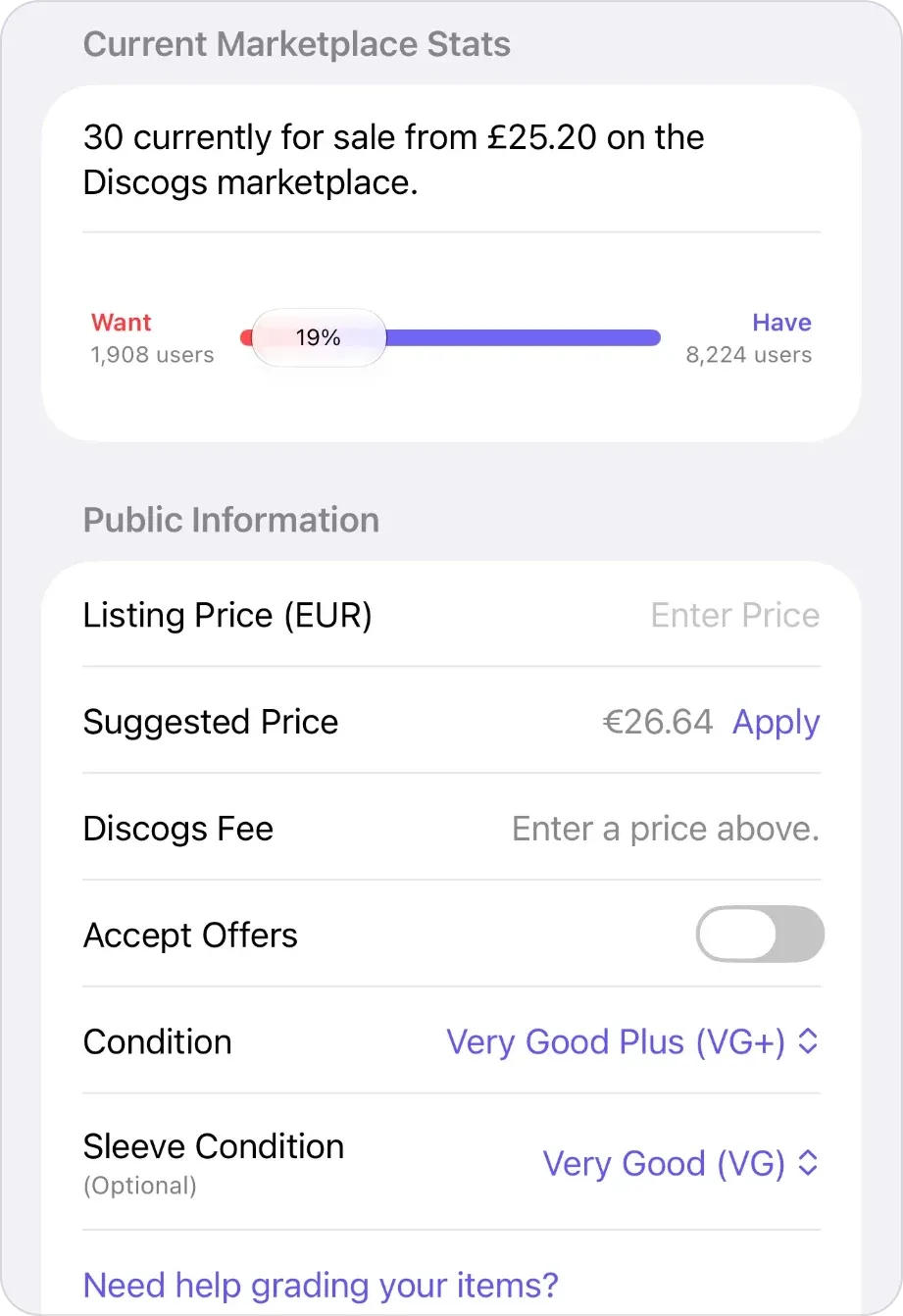
In VinylBox, tap the green Sell under Est. Value, the Sell under In Your Collection or Sell this release under Marketplace to open the listing form. Each carries your copy’s saved media and sleeve grades into the form, and VinylBox shows Discogs’ suggested price for the selected condition; tap Apply to start from it, then adjust, and check the Discogs fee before you publish.
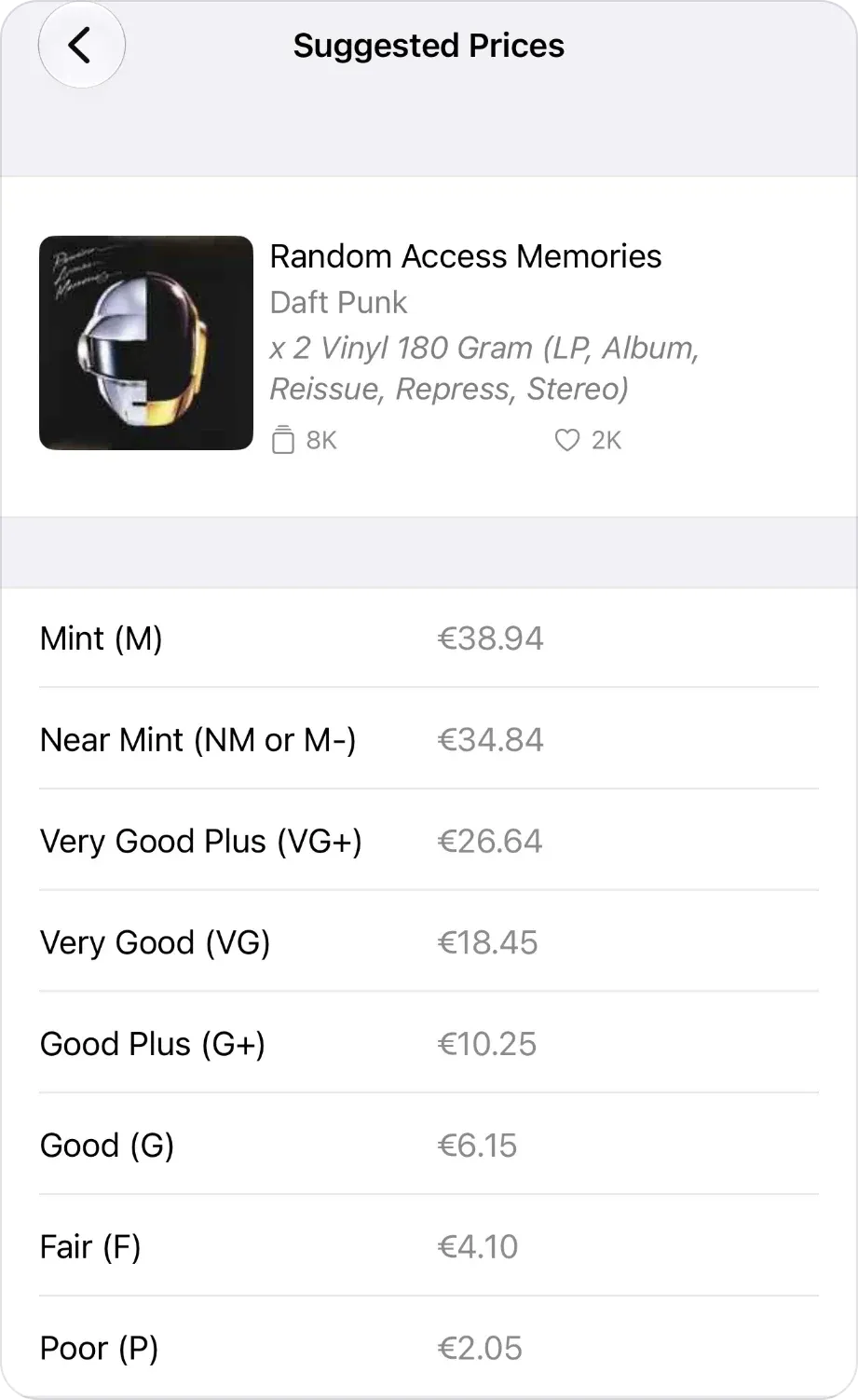
VinylBox Pro, an optional subscription from just $1.99/month, adds a Suggested Prices view with Discogs’ suggestion for every condition. For this reissue, Discogs suggests about three quarters of the Near Mint price for VG+ and about half for VG, a gentler drop than the grading guide’s rules of thumb. Suggested prices and rules of thumb are starting points, not sales: check what copies in your grade sold for.
Publishing listings requires VinylBox Pro, and Discogs selling fees apply. The guide to selling vinyl records and CDs on Discogs from your iPhone walks through the whole listing.
Is the Discogs collection value accurate?
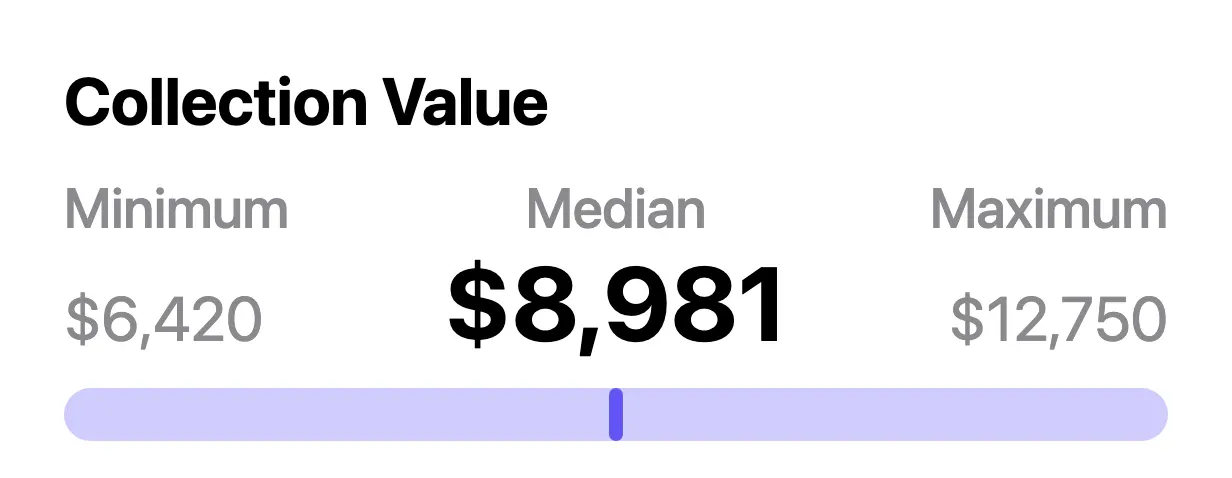
The Discogs collection value is a rough estimate, not a price anyone will pay you. Discogs shows it as a minimum, median and maximum, and its Collection help page says the estimate uses the last 30 Marketplace sales, leaves out items with no sales history, and is only an approximate calculation.
It can drift from what your collection would fetch: the help page doesn’t say it adjusts for the condition you’ve recorded, and a record filed under the wrong pressing carries the wrong prices.
VinylBox gives you the same kind of range. Download it and sign in with Discogs from inside the app, or create a Discogs account from its sign-in screen; your collection syncs, and VinylBox shows an estimated minimum, median and maximum for the whole collection, based on each release’s last 30 sales on Discogs. Stay signed in and a value history chart builds over time, stored privately in your iCloud. The collection value and its history chart are on the free plan, and the Collection Value widget puts the figure on your Home Screen.
A collection range is only as good as the catalog behind it. Our guide to cataloging a record collection helps you file each record under the right release, and how vinyl record values work in VinylBox covers the value panel. Valuing an inherited collection? See what to do with an inherited record collection.
Frequently asked questions
How do I find the Discogs last sold price?
Last Sold is a date, not a price: it shows when a copy of the release last sold on the Discogs Marketplace. To see what it sold for, tap Last sold on the release in VinylBox to open Discogs’ sales history, with each order’s date, grades and price. On a computer, select the Last Sold date on the release’s Discogs page, then Show sales details. An old date means the release’s figures may be stale.
Why does my vinyl record or CD have no price on Discogs?
A release with no price figures usually hasn’t sold on the Discogs Marketplace yet, so there are no sales to summarize. That doesn’t mean it is worthless. Discogs also blocks some releases from sale, such as counterfeits and unauthorized bootlegs. Check that you picked the right pressing, look at sales of closely related versions, and see whether any copies are listed for sale.
Does Discogs show a price history?
Yes, for each release: its sales history charts recent sale prices and lists each order. In VinylBox, tap Last sold on a release to open it. For your whole collection, VinylBox charts an estimated value history that builds while you stay signed in.
Why is the Discogs highest price so high?
The highest price is the single most expensive of a release’s 30 most recent sales, so one exceptional copy can set it. In one release’s sales history from October 2026, a single $80 sale set the High while the median was $42.99. Tap Last sold in VinylBox to check the grades and comments behind it; the sales in your grade are a better guide.
Does VinylBox use Discogs prices?
Yes: VinylBox values are based on Discogs Marketplace data. Each release page shows Est. Value, VinylBox’s estimate, beside the Last sold date and recent sold prices on Discogs, for vinyl, cassettes and CD editions alike. Your collection value is based on each release’s last 30 sales on Discogs. VinylBox is independent and works with your Discogs account through the Discogs API.
Download VinylBox and start with a vinyl record or CD you know well: scan it, confirm the pressing, grade it honestly and compare the value panel with the Discogs sales in your grade. VinylBox is free to download, with a free plan to get started, perfect for smaller collections, and VinylBox Pro, an optional subscription from just $1.99/month, unlocks more, such as Collection Insights and publishing Marketplace listings.