Prices, buying and selling
Inherited a record collection? What to do first

On this page
If you’ve inherited a record collection, you don’t need to decide anything yet. First keep the vinyl records together, upright and away from heat and damp, and set aside any that family members want. Then make an inventory one box at a time, matching each record to its specific release. Research values after that, and choose between keeping, selling and donating last.
VinylBox, an independent iPhone and iPad app for vinyl records, CDs and cassettes that works with your Discogs account, makes that inventory practical beside the boxes. Download it and sign in with Discogs, or create a free Discogs account from its sign-in screen. Then make a folder for each box, scan each cover or barcode, confirm the version, and note its condition and story.
Download VinylBox for iPhone and iPad
What should you do first with an inherited collection?
Protect the vinyl records, and the information around them, before you sort or sell anything. Nothing has to be decided in the first week.
- Photograph it as you found it. The order, handwritten labels, receipts and lists can show what mattered to the collector and where records came from.
- Keep every disc with its sleeve and inserts. If a disc sits in the wrong sleeve, note it rather than swapping it on a guess.
- Store the records upright and supported. The Library of Congress’s care guidance advises handling discs by the edge and label areas only, storing them upright, apart from discs of other sizes, out of direct light and away from radiators, and avoiding attics and basements.
- Hold off on cleaning. For loose dust, the Library of Congress suggests canned air. Leave anything wetter until you know what each disc is.
- Set unusual items aside. Give 78s, lacquer discs and reel-to-reel tapes their own box and their own research; the Library of Congress says only a preservation specialist should clean magnetic tape.
If the collection is part of an estate still being settled, check with whoever is handling it before you sell or give records away. Questions about tax, insurance or a formal valuation belong with a qualified professional.
How do you sort an old record collection?
Sort an old record collection by what happens next, not by what you hope it’s worth. Three piles cover most collections: records the family wants, records ready to inventory, and records that need a closer look.
| Pile | What goes in it | Next step |
|---|---|---|
| Keep or ask the family | Records with a personal story, or ones a relative has asked about | Note who wants what before anything is sold |
| Ready to inventory | Vinyl records, CDs and cassettes in their own sleeves or cases | Scan and save them, box by box |
| Needs a closer look | Loose discs, empty sleeves, damaged copies, 78s and other unfamiliar formats | Photograph them and write down the open question |
The piles are work queues, not verdicts. Research decides what a record is worth, not familiarity or age, which is why the inventory comes before any talk of money.
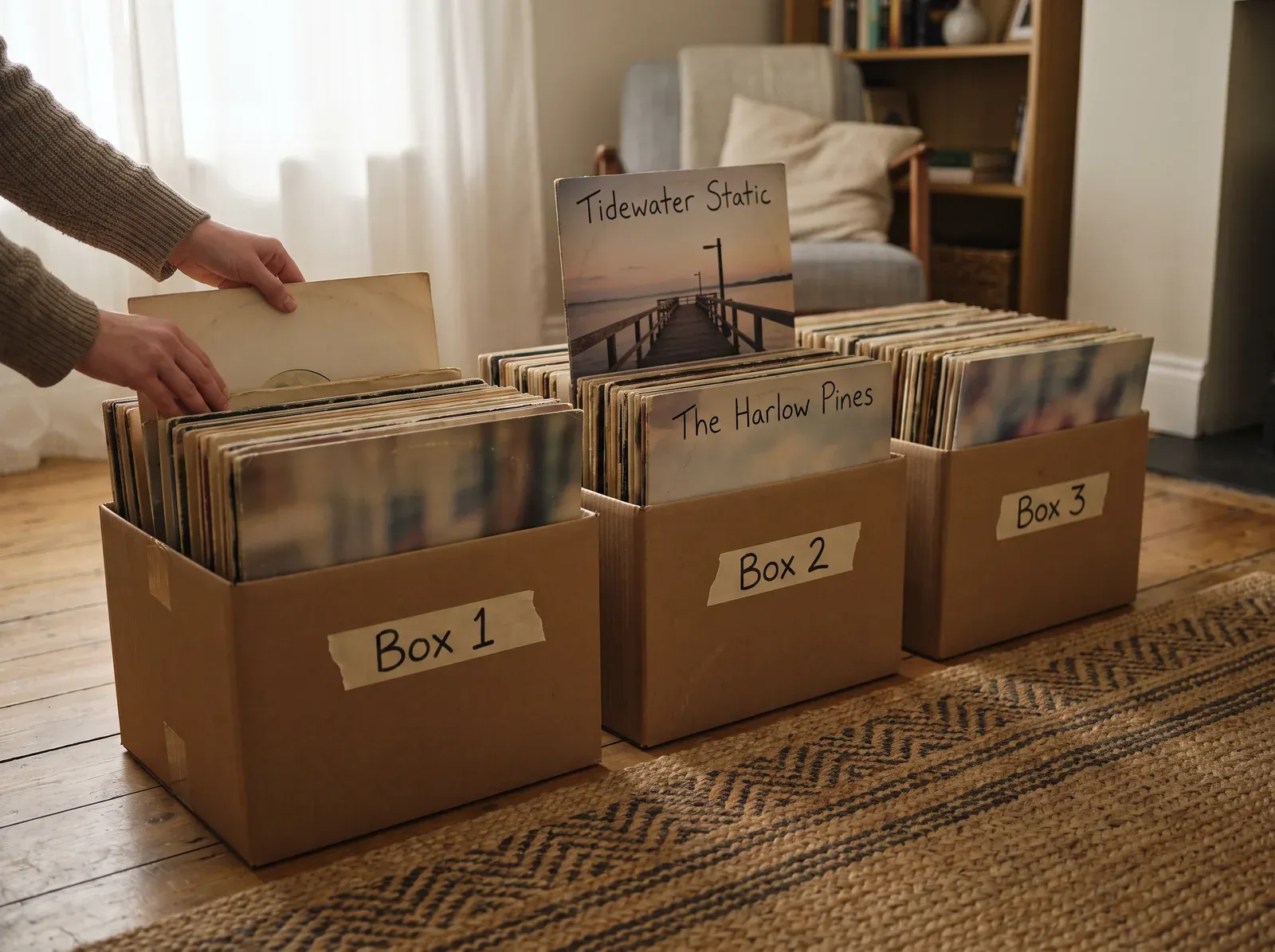
Pack the ready-to-inventory pile into numbered boxes (Box 1, Box 2…), keeping every record upright, and finish one box before you open the next; each box becomes a folder in VinylBox. CDs and cassettes sort the same way, and VinylBox keeps all three formats in one collection (see how VinylBox catalogs CDs).
How do you inventory a record collection, box by box?
A record collection inventory needs one entry per physical copy: the specific release, its media and sleeve condition, its box and anything personal about it. In VinylBox, each box becomes a folder in your Discogs collection; our guide to cataloging a record collection covers the method in depth.
-
Download VinylBox and sign in with Discogs. No account yet? Create a free Discogs account from VinylBox’s sign-in screen. Already collect on Discogs? The box folders keep the inherited records apart from yours.
-
Make a folder for the box. In My VinylBox, tap the + beside Folders and name the folder after the box, such as “Box 1”. Folders sync with Discogs.
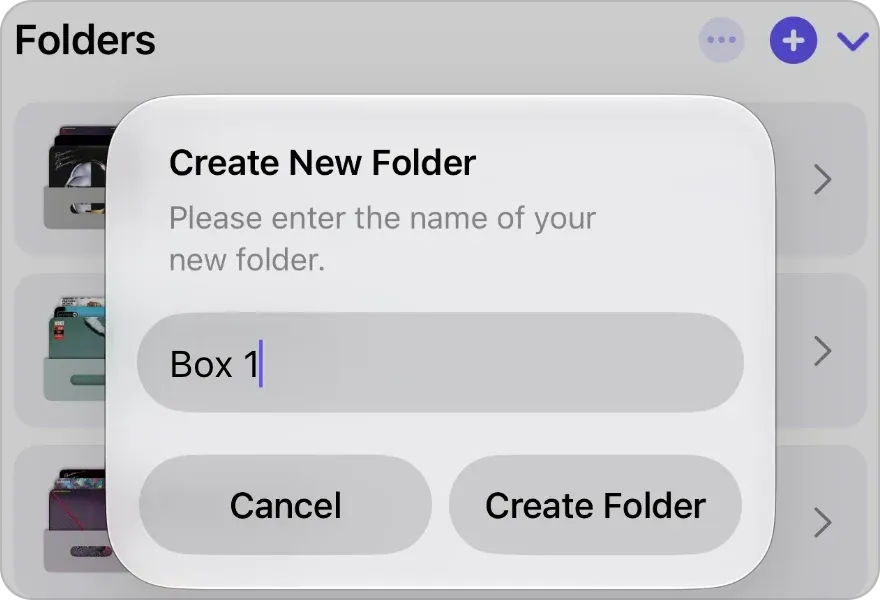
The + beside Folders opens Create New Folder, here with Box 1 typed in. -
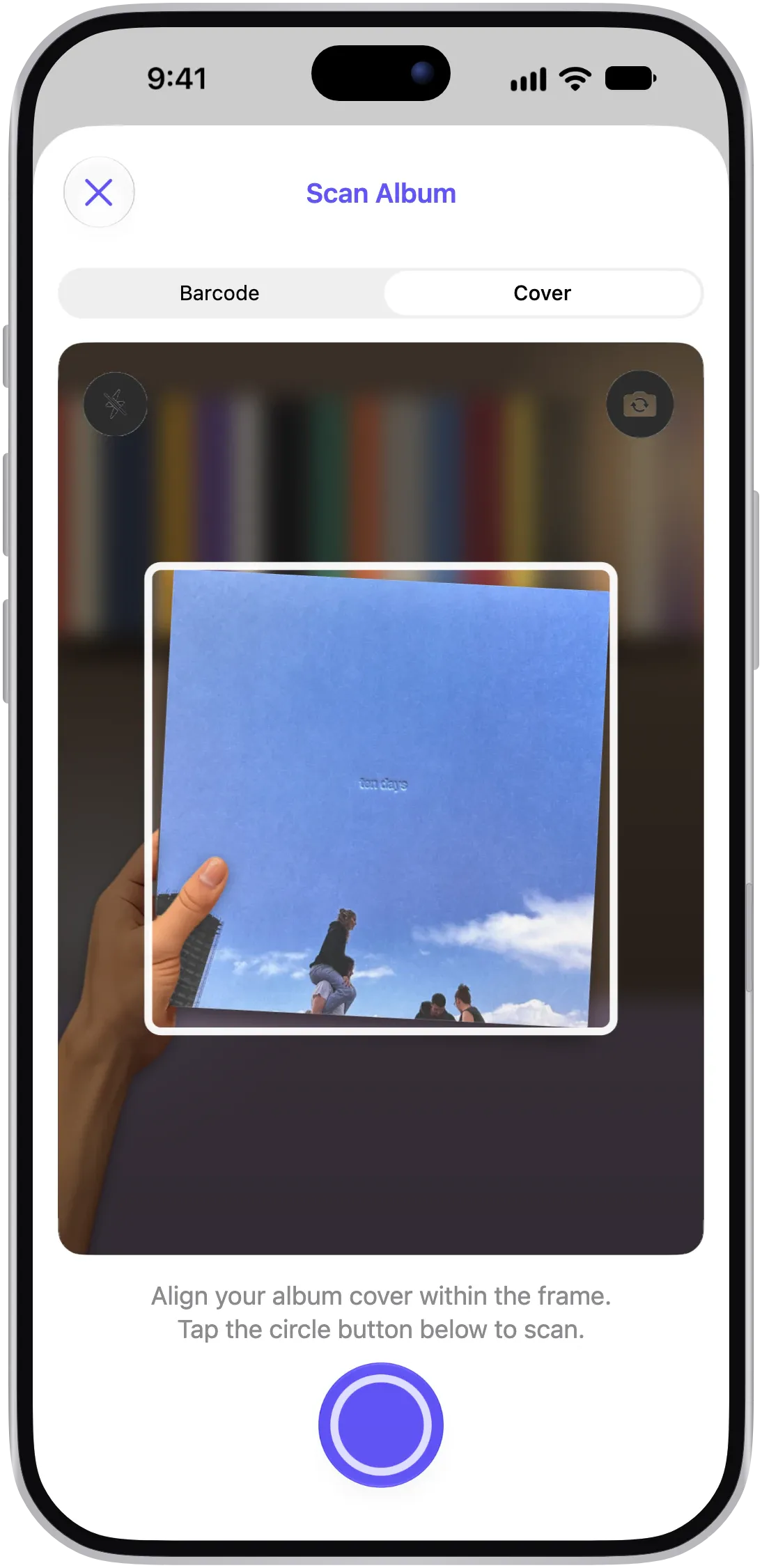
Scan the first record. Use Barcode when the sleeve has one, and Cover for older sleeves without one. Releases you add from VinylBox count toward the free plan’s limit, so a large inherited collection may need VinylBox Pro, from just $1.99/month, which also lets you create unlimited folders and tags.
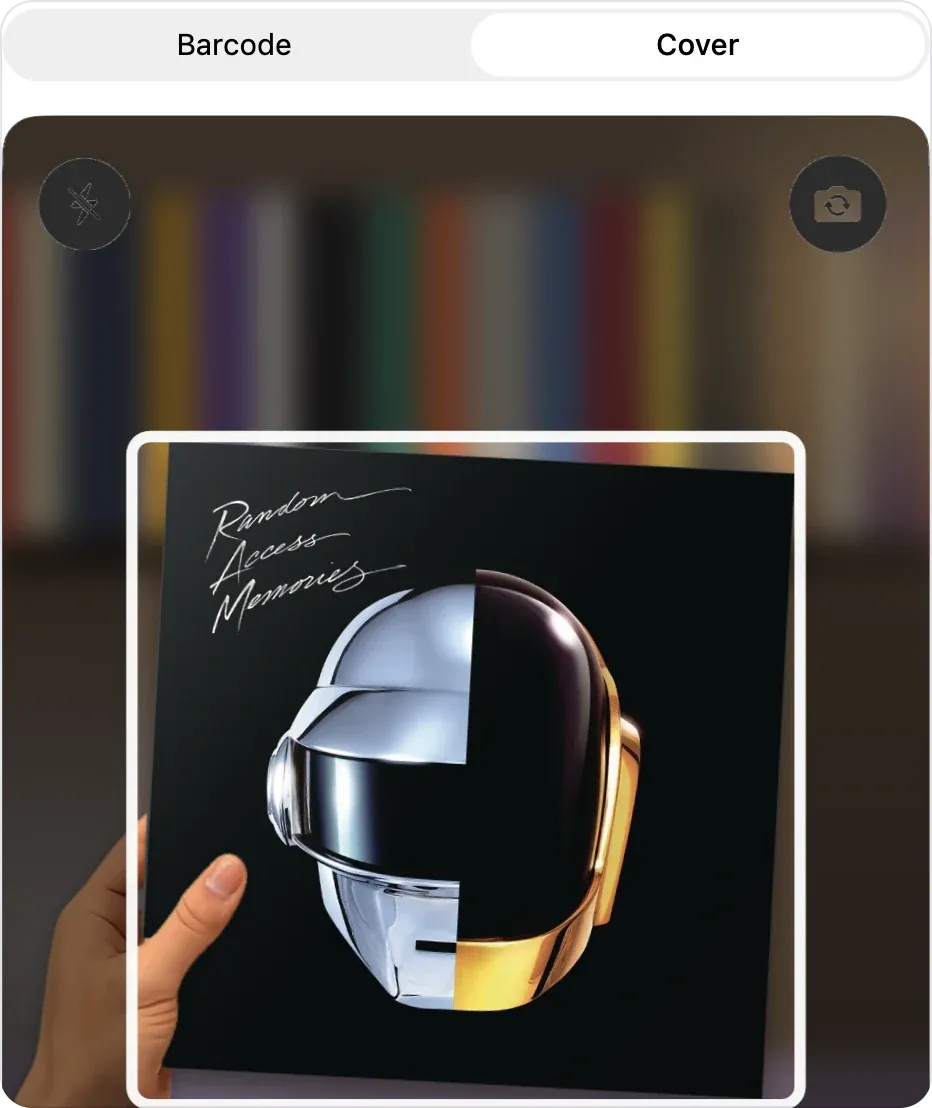
Pick Barcode or Cover, then line the sleeve up in the frame. -
Choose your version. Under “Select your version”, filter the candidates by format, country, year and label, or search for the catalog number or runout on your copy. If a scan finds nothing, search by artist, title or label. If no single candidate agrees with your copy, put the record on your research list.
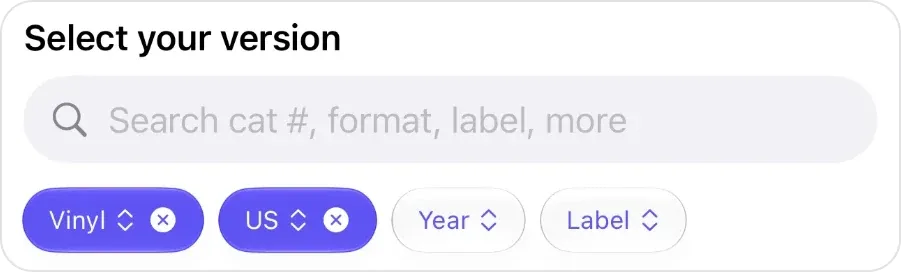
Select your version: the search field above the Vinyl, US, Year and Label filters. -
Save it with its box, condition and a note. Tap “+ Add to VinylBox”, and the button changes to “✓ In VinylBox”. Then, in the same sheet, set Folders to the box, set Media Condition and Sleeve Condition, and note what the release page can’t tell you: who owned it, what came with it, or “graded by eye, not played”.
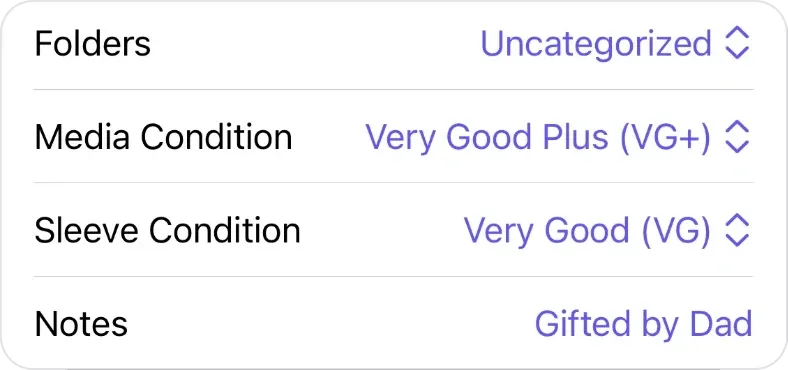
Folders, conditions and a note, with Folders still on Uncategorized until you pick the box. -
Put it back and take the next one. Return each record to its box before taking out another. When the box is done, Collection Maintenance in My VinylBox counts the records still missing a condition or a folder.
Grade the record and the sleeve separately, and cautiously; our guide to grading vinyl records walks through the inspection.
Keep a research list for the unknowns
Don’t save a guess. List each record you can’t match yet on paper or in your phone’s Notes app, with its box and the check that would settle it, such as the side B runout; a record saved under the wrong release carries the wrong value. Our guides to identifying a vinyl pressing and a CD edition cover the checks.
Find a record when someone asks
When a relative asks whether a particular album is in the collection, type its title, the artist or a year into Search your collection at the top of My VinylBox. Your synced collection is available offline too, so in a garage or basement without signal you can still browse its folders, Smart Folders and tags.
Share the inventory with the family
Tap Export Collection in My VinylBox to save the whole collection as a CSV file for Excel, Google Sheets and similar apps, with the details you choose under Data to Include. Keep Folder Name switched on so the file shows each record’s box, and family members can see what’s in Box 1 without opening it. If you already collect on Discogs, your own records are in the file too, so filter the Folder Name column to the boxes. Each copy has its own row, so an album you own that’s also in a box appears twice.
Save a dated copy as you go; our guide to backing up a Discogs collection covers the rest.
How much is an inherited record collection worth?
An inherited record collection is worth roughly what recent buyers paid for the same releases in the same condition, minus the costs of selling. Selling everything at once to a shop usually brings less, because a shop needs room to resell.
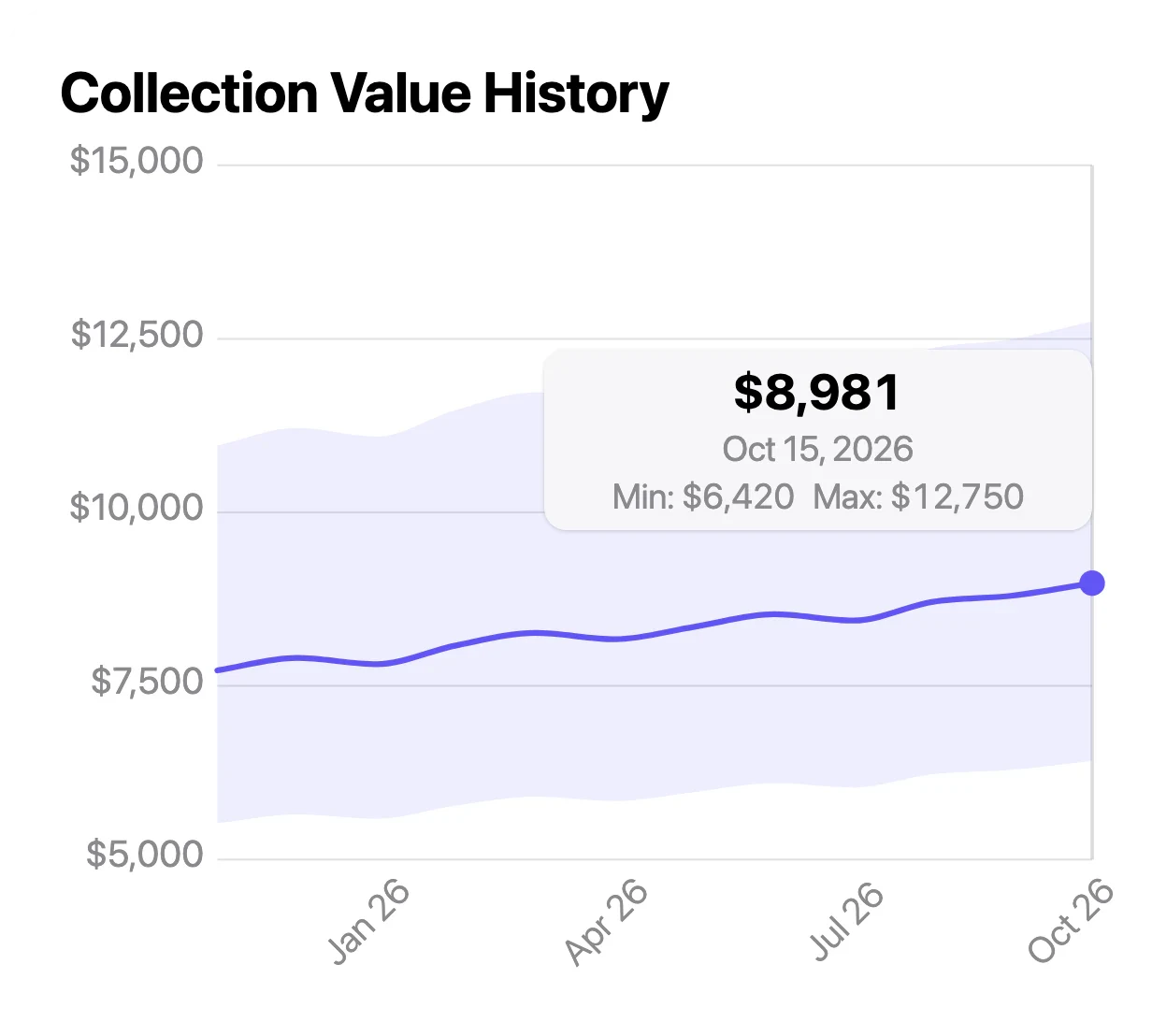
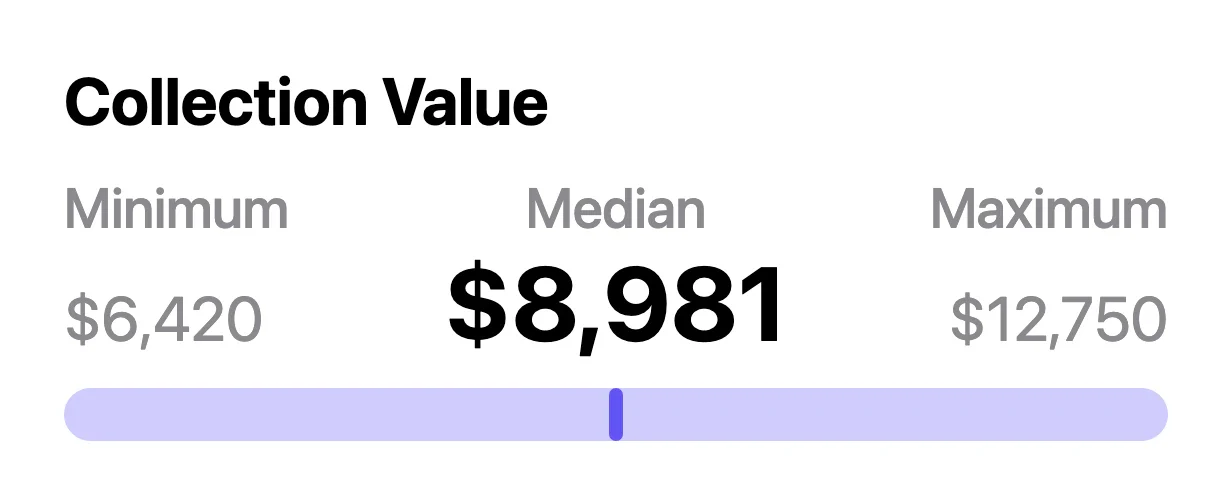
Once your boxes are in VinylBox, it shows the whole collection’s estimated value as a range, on the free plan: a minimum, median and maximum, based on each release’s last 30 sales on Discogs. Records still on your research list aren’t counted until you save them, and if you already collect on Discogs, your own records are counted too.
Treat that range as an estimate based on Discogs data, not a formal valuation or an offer. It’s only as good as your matches, its sold prices mix every condition, and a release with no Discogs sales gives it nothing to go on. Discogs calls its own collection value an approximate calculation (Discogs’ collection guide).
Find the records worth a closer look
VinylBox’s collection range shows an inherited collection’s scale; individual releases show where its value sits. Open each release in VinylBox and read its value panel: Est. Value, VinylBox’s estimate; Last sold, the date a copy last sold on Discogs; and the Min., Med. and Max. sold prices. Tap Last sold for the release’s Discogs sales history, with each sale’s date, grades and price.
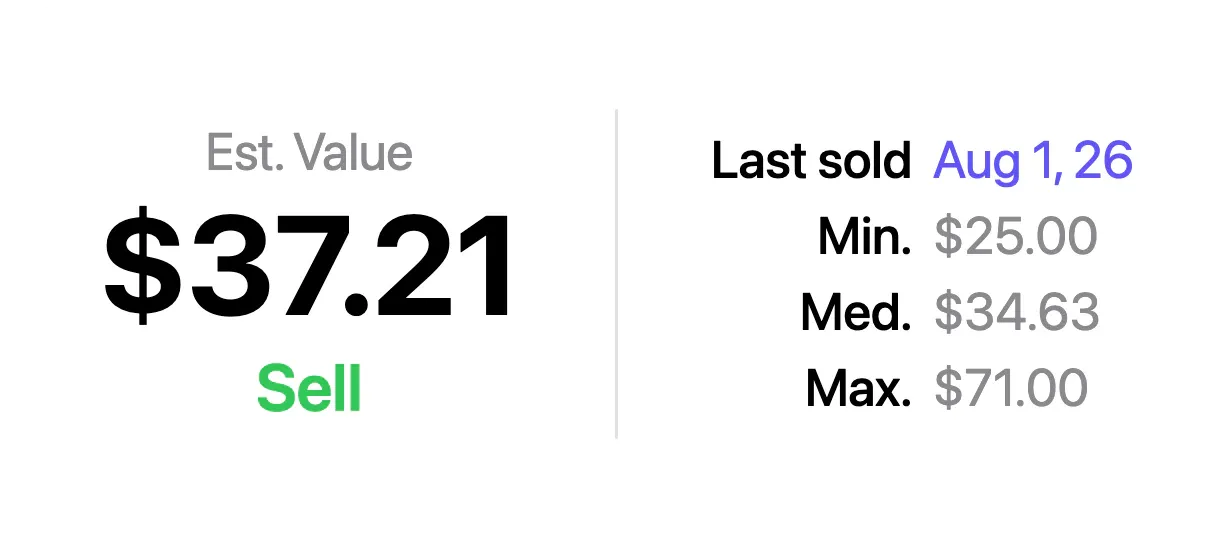
Then adjust for your copy: a VG+ or VG copy sells for less than Near Mint, so read the sales in your grade. An old Last sold date means stale figures, and a release with no sales is a cue to dig deeper, not proof that it’s worthless. Discogs prices explained shows how much the grade matters, and how VinylBox values records covers the value panel.
Should you keep, sell or donate inherited records?
Decide record by record. Keep what matters to you, sell the few records with steady demand individually, offer the rest as a lot, and donate what no one will buy.
| Route | Suits | What to expect |
|---|---|---|
| Keep | Records with personal meaning, or music you want to explore | Shelf space, and an inventory that shows what stayed |
| Sell individually | Releases with recent sales at worthwhile prices, in good condition | Grading, listing, packing and shipping, plus marketplace and payment fees |
| Sell as a lot | Records that sell for modest sums, or when time is short | One offer, usually below what the records would fetch one by one |
| Donate | Records few buyers want, or when a good home matters more than money | Asking first: some recipients don’t take 78s or damaged copies |
For donations, try libraries, schools, community radio stations and thrift stores, which sometimes accept vinyl records.
Hypothetical example: three records from Box 2 of an invented collection (fictional artists, titles and figures).
| Record (fictional) | What the research shows | Route |
|---|---|---|
| The Harlow Pines, Tidewater Static, LP | Matched by its runout; VG+ copies sold for $35 to $45 in recent sales; this copy grades VG+ | Sell individually |
| Dina Corvel, Ten Lamps for June, LP | A common reissue; recent sales mostly under $8, with dozens of copies for sale | Add to the lot |
| Ostrander Brass Band, Sunday at Gullhaven Pier, LP | No sales on Discogs; the note reads “played at our wedding” | Keep |
Before you sell, tap the tag button beside “✓ In VinylBox” on each keeper’s release page and choose Keep, creating the tag there the first time. If you change your mind about one, remove the tag again. Tags belong to the release, so if your own collection has the same release, your copy shows Keep too. Tags stay private in iCloud, not on Discogs, and the CSV export can include them. Our guide to organizing vinyl records covers shelving the keepers.
How do you sell an inherited vinyl collection?
Sell an inherited vinyl collection in two parts: offer most of it as a lot to a record shop, dealer or collector, and list the few records with worthwhile recent sales individually, such as on the Discogs Marketplace. A lot is quicker; individual sales take more work but usually come closer to recent sold prices.
Selling the collection as a lot
Describe the lot well and ask more than one buyer: send the inventory CSV, a count by format, photos of typical copies and an honest note on condition. Expect offers below the sold prices you see in VinylBox.
Before you offer a lot, pull out the records that deserve their own check: sealed copies, promos and test pressings, signed sleeves, records with posters, inserts or an obi (the paper band on many Japanese releases), and anything on your research list. Ask each buyer whether the offer is itemized, whether it covers everything or only a selection, and who collects the boxes.
Selling records individually with VinylBox
On the Discogs Marketplace, each copy is listed against its specific release, so grade it honestly and price it from recent sales in that grade. Sellers set up payment and shipping policies first, as Discogs’ selling guide explains.
In VinylBox, a listing starts from the record you already saved. Publishing listings requires VinylBox Pro, from just $1.99/month, and Discogs selling fees apply to each sale, shipping included.
-
Open the record and tap Sell. On its release page, tap the green Sell under Est. Value or the Sell under In Your Collection. Either opens the New Listing form with the Media Condition and Sleeve Condition you saved during the inventory, and shows how many copies are for sale on Discogs and from what price.
-
Check the grades and price the copy. If you’re unsure of a grade, tap “Need help grading your items?” in the form. Then tap Apply beside Discogs’ Suggested Price for that grade, adjust it, and tap Calculate Fee for the Discogs fee. Accept Offers lets buyers make offers.
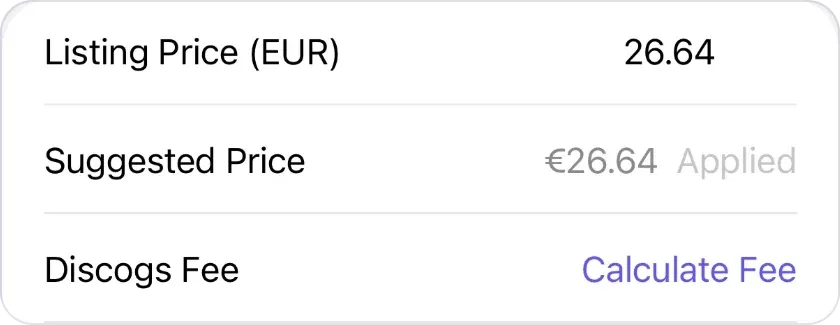
The suggested price applied, with Calculate Fee beneath it, as shown on October 20, 2026. -
Save a draft or preview it. Save Draft keeps the listing for later, and Next previews it before you publish.

Save Draft, or Next to preview the listing before publishing.
Start with the records your research flagged, and when one sells or is given away, tap Remove under In Your Collection on its release page, so the collection value reflects what’s left. If the family wants a record of everything that was there, export the collection before you start removing records. Selling vinyl records and CDs on Discogs from your iPhone covers offers and managing listings.
Frequently asked questions
Is it better to sell a record collection individually or as a lot?
Usually both. Records with worthwhile recent sales, in good condition, tend to earn more listed one by one, but each needs grading, listing, packing and shipping. The rest often sells more easily as a lot, at a lower price per record. Your VinylBox inventory shows which records belong where, and its CSV export gives a lot buyer a clear list.
Should I clean inherited records before selling them?
Not until you know what they are. For loose dust, the Library of Congress suggests canned air. Once you know a disc is ordinary vinyl, cleaning it before grading helps you tell smudges from scratches. Leave tapes to a preservation specialist, as the Library of Congress advises, and ask one before using anything wetter than canned air on 78s or lacquer discs.
Is there an app to inventory a record collection?
Yes. VinylBox, an independent iPhone and iPad app that works with your Discogs account, scans covers and barcodes, lets you file each record in a folder named after its box, keeps its condition and notes, values the collection and exports it as a CSV file. VinylBox is free to download on the App Store, with a free plan to get started, perfect for smaller collections; releases you add count toward its limit, so a large collection may need VinylBox Pro, from just $1.99/month.
Is a VinylBox value the same as a formal valuation?
No. VinylBox values are estimates based on Discogs data: they describe recent sales of each release, not your particular copies or what a buyer will offer. If you need a formal valuation, for insurance or an estate, ask a qualified professional. Your VinylBox inventory, exported as a CSV, gives them a clear list of what the collection holds.
Do I have to sell an inherited record collection all at once?
No, unless there’s a deadline, such as clearing a house. Work box by box: inventory a box, decide on its records, then move to the next. Keep your VinylBox inventory current: when a record is sold or donated, tap Remove under In Your Collection on its release page, after saving a dated export if the family wants a record of everything. Save the slower work of selling individually for the records that deserve it.
Start with one box: download VinylBox, sign in with Discogs, make a folder called Box 1 and scan the first record. The rest of the collection can wait until you’re ready.