Identify vinyl records and CDs
How to identify a CD edition



On this page
To identify a CD edition, match the disc and packaging in your hands to one specific release on Discogs. Scan or search the barcode, narrow the versions by format, country and year, and search them for your catalog number. Then read the matrix text and IFPI codes around the center hole. The release whose details all agree with your copy is your edition.
VinylBox, an independent iPhone and iPad app for vinyl records, CDs and cassettes that works with your Discogs account, brings those steps together. It scans a CD’s barcode or cover, lists the matching Discogs releases with the identifiers Discogs has for each, IFPI codes included, filters them by format, country, year and label, searches them by catalog number, matrix or IFPI code, and saves the edition you confirm.
Download VinylBox for iPhone and iPad
CD edition, release or pressing: what’s the difference?
A CD edition is one Discogs release: a version of an album set apart by its label, catalog number, country, packaging and identifiers. It is what you add to a collection, and what values belong to.
Remasters and regional, record club, deluxe and Japanese editions with an obi strip are separate releases when they can be told apart, grouped under the album’s master release. A pressing is one production run. Discogs accepts discs from different manufacturers as separate releases, but says a different matrix number doesn’t necessarily make one (Discogs general rules). For vinyl records, see how to identify a vinyl pressing.
How to identify a CD edition, step by step
Work from the packaging to the disc, and let the center hole decide.
Step 1: Gather the disc, booklet and back inlay
Gather the disc, booklet, back inlay (the card behind the disc tray) and any slipcase, obi strip or stickers, and check they belong together: a secondhand case can hold another edition’s disc. In a set, note every disc, since each can carry its own number (Discogs catalog number guidelines).
| Clue | Where to look on a CD | What it tells you |
|---|---|---|
| Barcode | Back inlay, slipcase or a sticker | A shortlist; several editions can share one |
| Catalog number | Inlay spines, back inlay, disc face, booklet | The label’s reference for the edition |
| “Made in” and © lines | Back inlay, disc face, booklet | The plant’s country; a later © date suggests a reissue |
| Contents | Disc count, tracklist, bonus tracks | Rules deluxe and bonus-disc editions in or out |
| Matrix and IFPI codes | Shiny band and clear ring around the center hole | Separates editions and runs that look identical |
Discogs’ illustrated CD guide shows where they sit.
Step 2: Scan the CD’s barcode
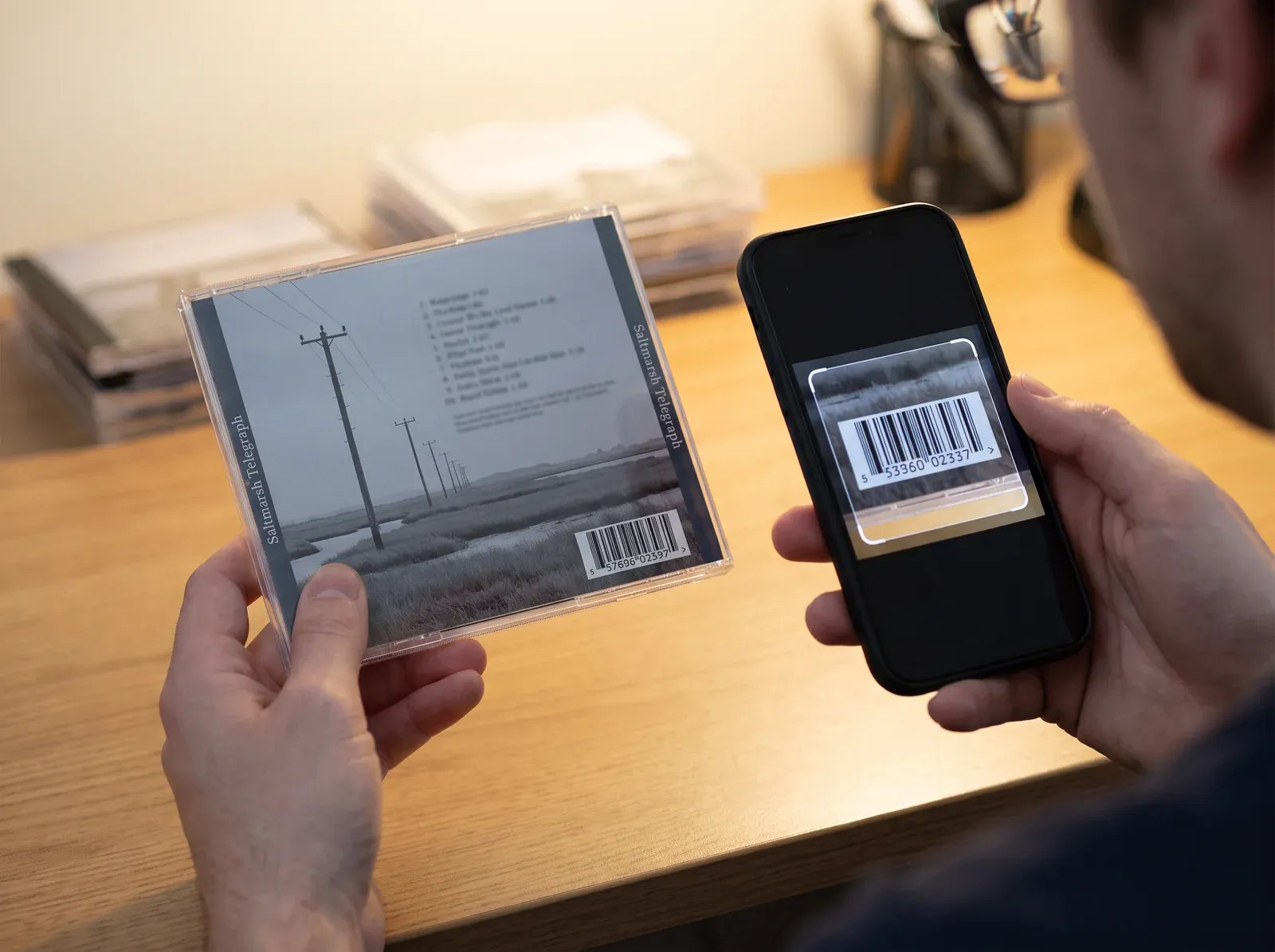
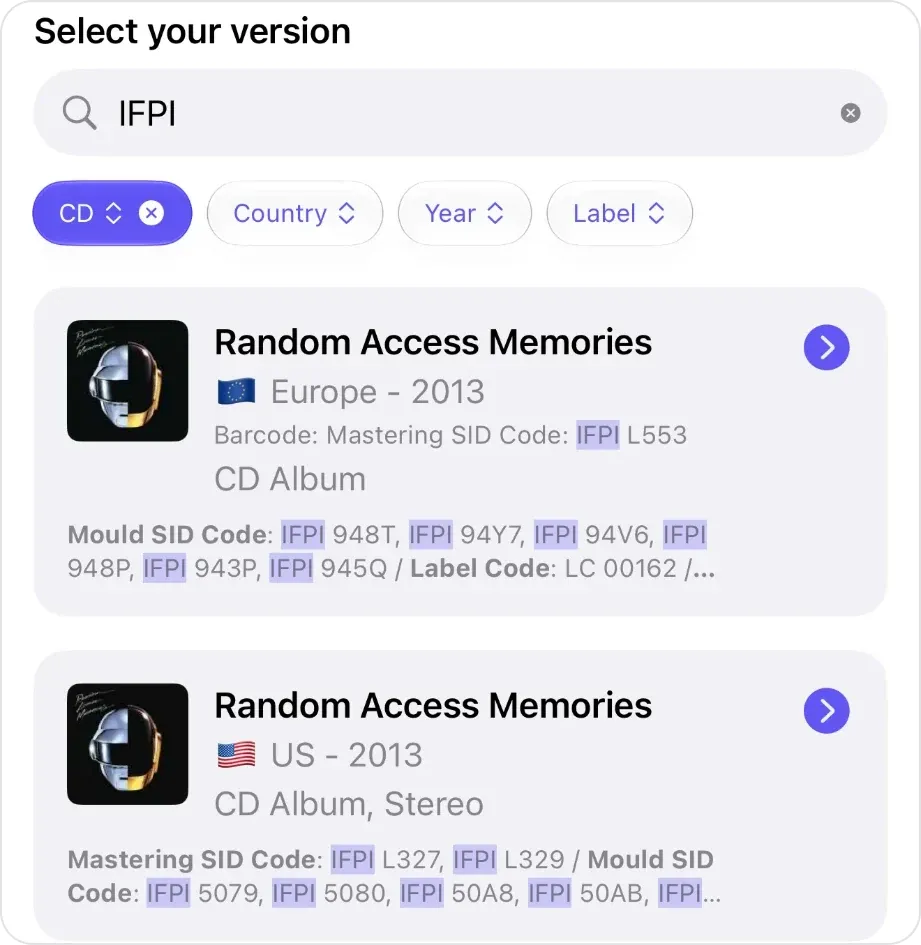
Download VinylBox, open the scanner, choose Barcode and point the camera at the barcode, usually on the back inlay. Matching Discogs releases appear under “Select your version”, each with its country, year and formats, and the start of its identifiers, such as its Mastering SID Code and Mould SID Code when Discogs has them; open a result for the full list, Matrix / Runout included.
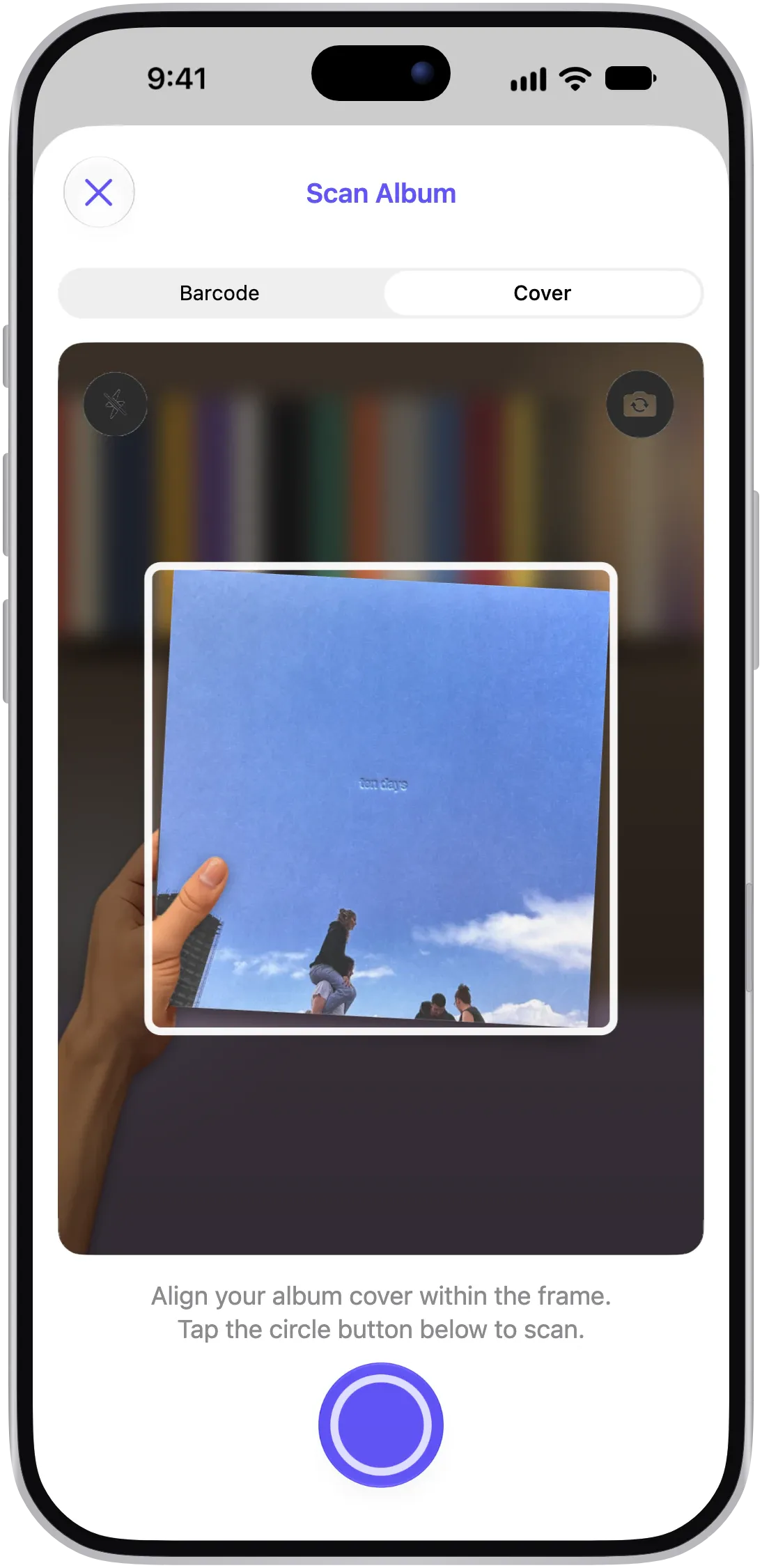
No barcode? Switch to Cover and scan the front of the booklet, or search by artist, title or label. See how VinylBox scans and catalogs CDs.
Step 3: Filter to CD, then country and year
Set the format chip above the results to CD: a cover scan matches artwork, so LP and cassette versions can appear too. Then add any country, year or label you can confirm.
Filter only on what you can read: on Discogs, country means the market a release was sold in, not where it was made (Discogs country guidelines), and reissues can keep old copyright dates (Discogs release date guidelines).
Step 4: Search by catalog number, matrix or IFPI code
Type the catalog number from the spine or back inlay into the search field above the results. VinylBox also searches each result’s Matrix / Runout values and SID codes, highlighting what matched, so an IFPI code or a distinctive group of characters from your disc’s matrix works too. IFPI alone highlights every edition’s codes, as below; add the characters after it, such as L327, to narrow the list. If nothing matches, type less, such as just the digits: spaces and hyphens vary.
Step 5: Compare the matrix, IFPI codes and photos
Read the text around your disc’s center hole (see how below), then open each result to compare it with all of its identifiers. When they are listed, the matrix and IFPI codes often tell two CDs with the same barcode apart.
Compare the IFPI codes separately from the matrix: Discogs keeps them in fields of their own (Discogs identifier guidelines). When a candidate lists none, mark them unknown, not a conflict.
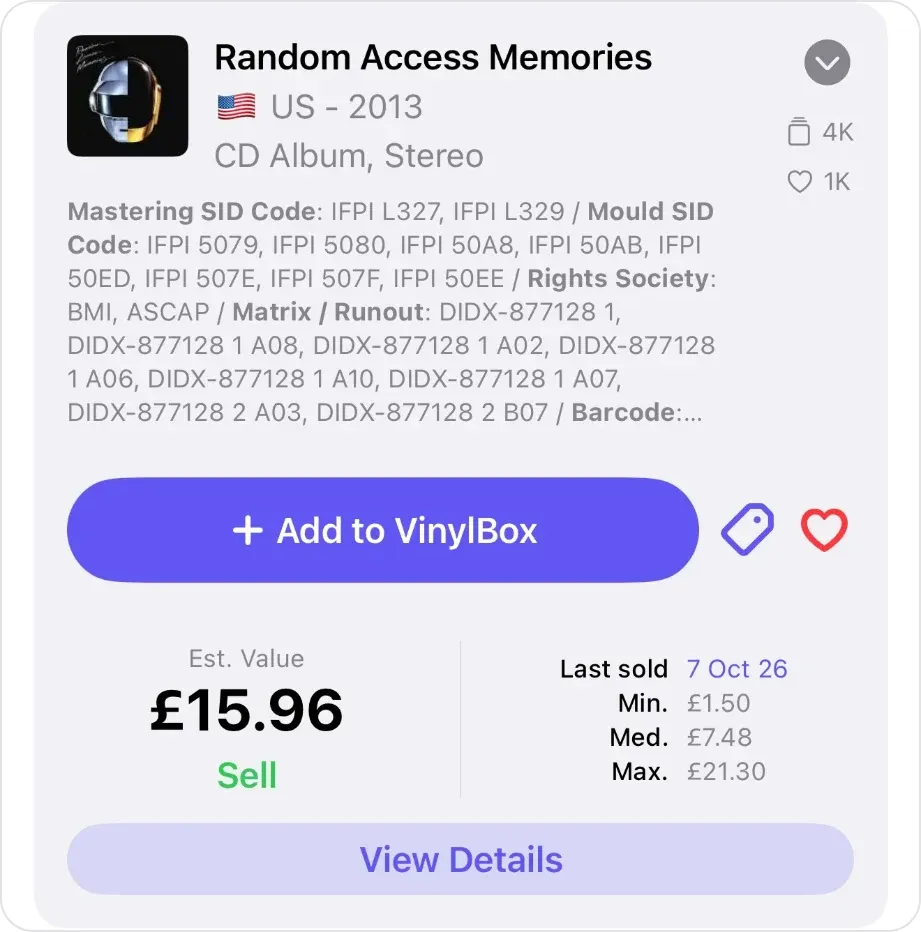
Then tap View Details: the release page’s Discogs photos can show the back inlay and disc, to compare logos and small print.
Step 6: Save the edition to your collection
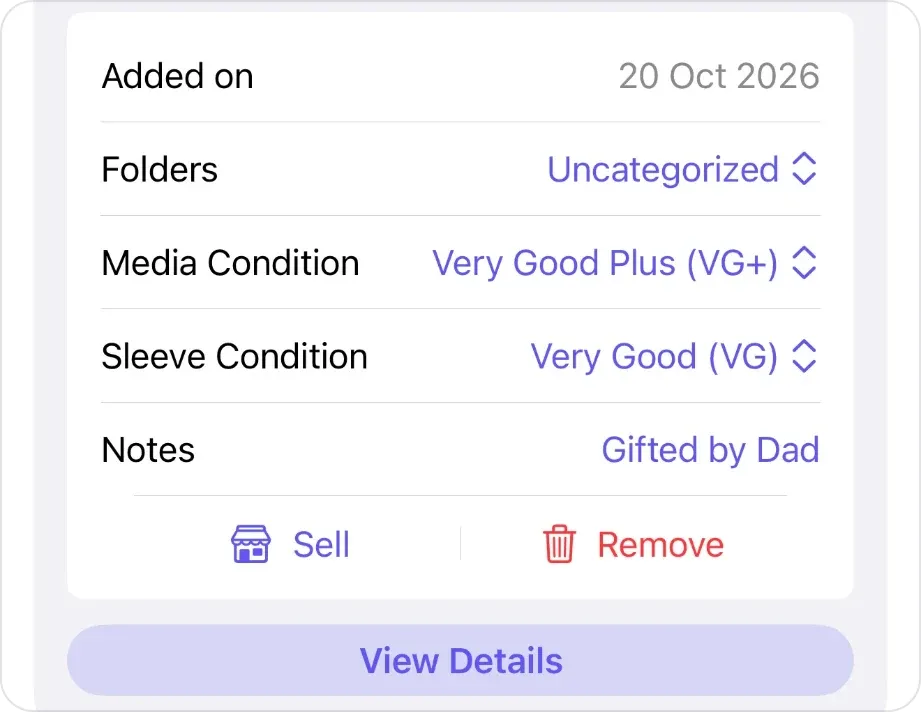
Once one candidate has no unexplained conflicts, save it. Scanning works without an account; to save, sign in with Discogs in VinylBox, or create a Discogs account from its sign-in screen, and your collection syncs. Tap “+ Add to VinylBox” on the scan sheet, and once the release is saved the button reads “✓ In VinylBox”. In the same sheet, set the folder, Media Condition for the disc, Sleeve Condition for the booklet and inlay (how to grade a CD) and, in Notes, the evidence you matched (see the example below).
Why does one barcode match several CD versions?
A barcode identifies a product on sale, not an edition or production run. The same code can appear on discs from different plants, runs or markets, so a CD’s barcode often matches more than one Discogs release. And on Discogs a different barcode doesn’t necessarily make a separate release (Discogs general rules), so one release can list several barcodes.
Treat a barcode match as a shortlist, and let the catalog number, contents and center-hole text decide.
CD catalog number vs barcode: what’s the difference?
A CD’s catalog number (catalogue number in British English) is the label’s own reference for the edition, often printed on the spine, back inlay and disc face (Discogs catalog number guidelines). Its barcode is a retail product code, usually a 12-digit UPC or 13-digit EAN.
Neither settles a CD edition on its own: a repress can keep both numbers, and a regional edition may change only the catalog number’s prefix or suffix. Note both as printed.
How to read the matrix number and IFPI codes on a CD
The matrix number and IFPI codes are small characters around the center hole on the playing side. Hold the disc by its edge and center hole only, as the Library of Congress advises, tilt it under a lamp, and read the shiny band, then the clear ring inside it.
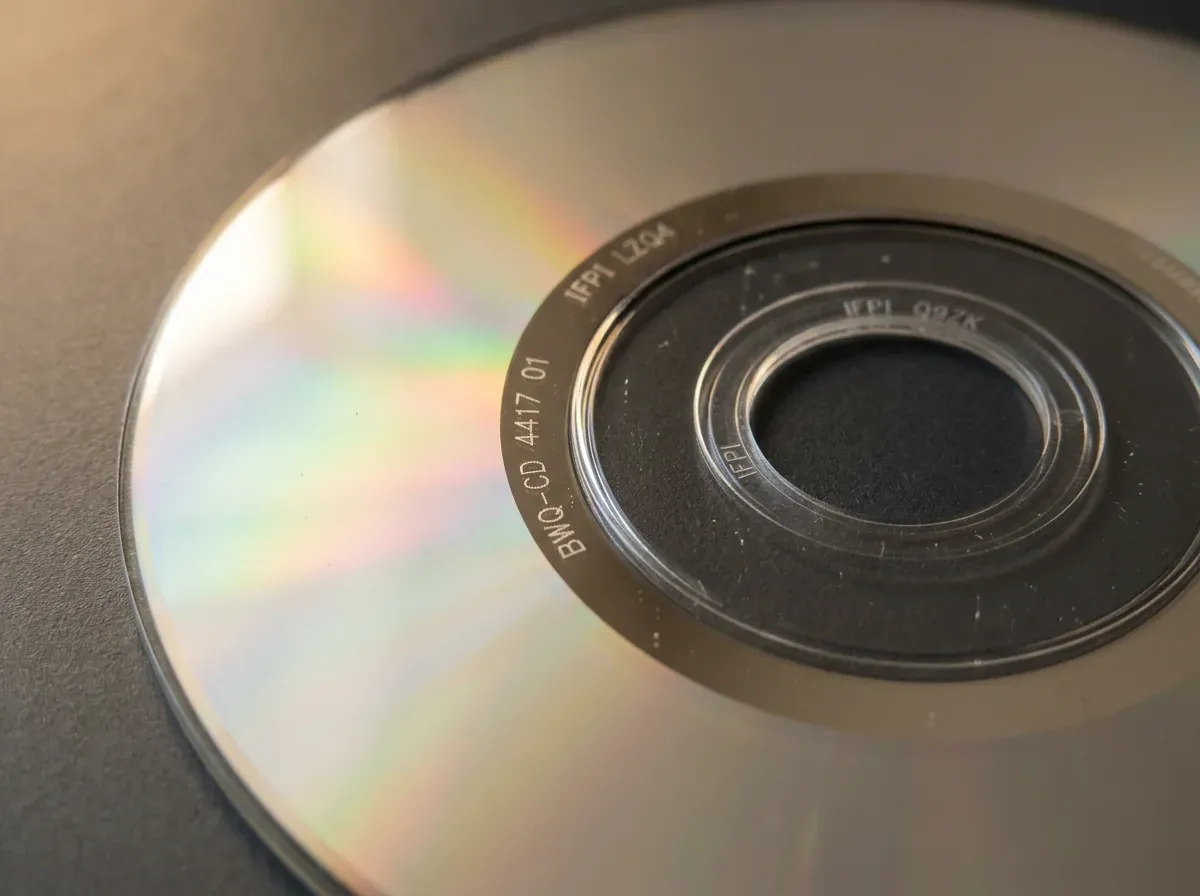
Note three things separately:
- Matrix: the full text in the shiny band. It usually contains a pressing number, sometimes with the catalog number, and can include a barcode and the manufacturer’s name or logo (Discogs format guidelines). Copy it as written, including any digits that repeat the barcode: if they differ from the inlay’s, the disc may not belong with its case.
- IFPI mastering code: on many CDs made since the mid-1990s, a code in the same band that starts “IFPI L”, added when the disc’s glass master was made.
- IFPI mold code: “IFPI” followed by four or five characters, without the leading L, in the clear inner ring, added when the disc was molded, and often faint.
The IFPI, the recording industry’s international body, introduced these Source Identification (SID) codes in 1994; manufacturers adopted them gradually. They are assigned to machines, which can change hands, so a code alone can’t tell you who made a disc (Discogs identifier guidelines).
If a character won’t resolve, zoom in with your iPhone’s camera and write “not readable” rather than guess.
How to tell if a CD is a first pressing
A first pressing is a disc from the earliest production run of an album’s original CD release, usually qualified by country, as in a UK first pressing. Finding that release on Discogs is necessary but not enough, because one release can cover several runs.
These clues usually rule a first pressing out:
- IFPI codes on an album first released on CD before 1994. The codes arrived in 1994, so that disc comes from a later run.
- A later © date than the original release. The © date usually changes with each release, while the ℗ date stays with the recording (Discogs release date guidelines).
- Reissue wording or extras, such as “remastered” or bonus tracks the original didn’t have.
- A different catalog number, label logo or manufacturer text from the original release’s photos and identifiers.
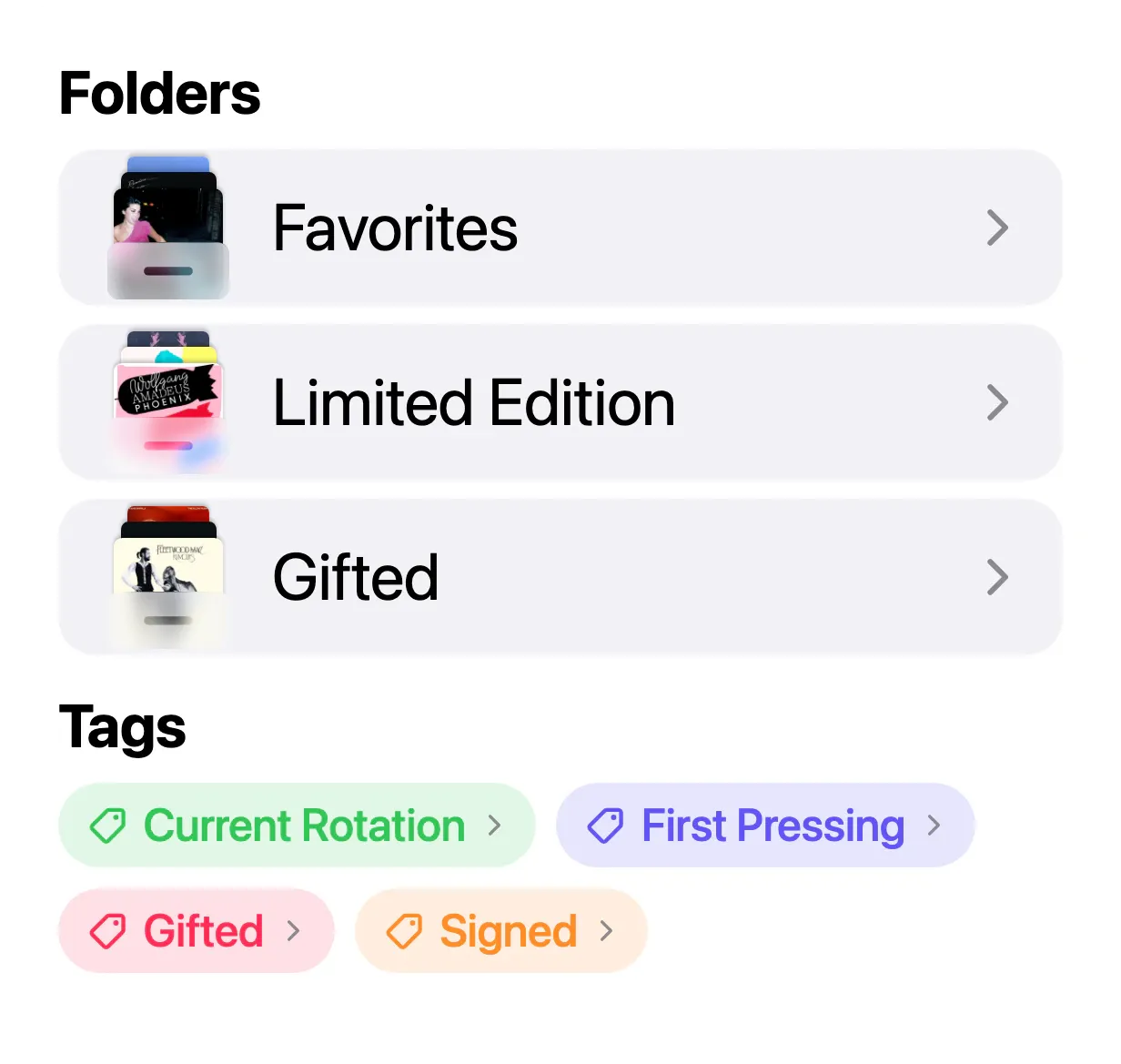
The reverse doesn’t hold: a missing IFPI code doesn’t prove an early disc, because adoption was gradual and a faint mold code is easy to miss. Unless the release notes or experienced collectors say which matrix came first, call your copy the original release, not a first pressing. Tag a confirmed one with the tag button beside “✓ In VinylBox”, choosing or creating a tag such as First Pressing.
How to choose between CD editions that look the same
When candidates stay close, mark each clue as a match, a conflict or unknown for every candidate: the catalog number, the contents, the “Made in” and © lines, the matrix and the IFPI codes. Choose a release only when it has no unexplained conflicts. Unknown is not a match.
Hypothetical example: Saltmarsh Telegraph by Tessaly Vane is the invented CD from the illustration above, on the invented label Brackwater Sound, catalog number BWQ-CD 4417. Your copy has one disc and eleven tracks, says Made in Germany and © 1998, and its center reads BWQ-CD 4417 01, IFPI LZQ4 and IFPI Q9ZK. A barcode scan in VinylBox, filtered to CD, returns three releases to compare.
| Check | Candidate A | Candidate B | Candidate C |
|---|---|---|---|
| Catalog number | Match | Match | Match |
| Discs and tracks | Conflict: 2 CDs, 15 tracks | Match: 1 CD, 11 tracks | Match: 1 CD, 11 tracks |
| Matrix | Unknown: not listed | Match: BWQ-CD 4417 01 |
Conflict: BWQ-CD 4417 03 |
| IFPI mastering code | Unknown: not listed | Match: IFPI LZQ4 |
Conflict: another code |
First check the booklet. If it lists one disc of eleven tracks, Candidate A’s conflict stands and Candidate B is the only release without one, so save B; if it lists a second disc, your copy may be an incomplete Candidate A. Then record what you matched in Notes:
Cat# BWQ-CD 4417 · 1 CD, 11 tracks · Made in Germany · © 1998 · Matrix BWQ-CD 4417 01 · IFPI LZQ4 / IFPI Q9ZK · checked Oct 2026
If every candidate keeps a conflict, note the precise question, such as “matrix matches B, mastering code matches neither”, and ask in the Discogs forums with the account you use in VinylBox.
After you identify it: save, tag and check the value
Once the edition is confirmed, VinylBox keeps the rest together:
- Collection: your collection, folders and Wantlist sync both ways with Discogs, and you can browse the synced collection, folders, Smart Folders and tags offline, to check what you own in a shop (see our checklist for buying used records).
- Tags and Smart Folders: tag editions such as Japanese Import or Box Set, or create a Smart Folder in My VinylBox with Formats set to CD; both are stored privately in iCloud, not on Discogs. Smart Folders are free to try, and VinylBox Pro, from just $1.99/month, lets you create unlimited folders, Smart Folders and tags. For a whole shelf, see how to catalog your vinyl records and CDs.
- Value: the opened result shows the edition’s Est. Value, Last sold date and Min., Med. and Max. sold prices when Discogs has sales to go on (tap Last sold for its sales history). Values are estimates based on Discogs data for the edition, not your copy; Discogs prices explained turns them into a range.
To sell a spare, tap Sell to open the New Listing form with the copy’s saved Media and Sleeve Condition carried over, and list it on the Discogs Marketplace with your Discogs seller account. Discogs fees apply, and publishing listings requires VinylBox Pro, from just $1.99/month.
Frequently asked questions
What if my CD’s matrix isn’t listed on Discogs?
Check your transcription character by character, then each candidate’s notes and listed runout variants. If the catalog number, contents, “Made in” line and © date all match one release, an unlisted matrix is often just a variant of it: Discogs says a different matrix number doesn’t necessarily make a separate release. Save that release in VinylBox and keep your matrix text in your copy’s Notes.
What’s the difference between IFPI mastering and mold codes?
The mastering code starts “IFPI L” and is added when the glass master is made; the mold code, “IFPI” and four or five characters without the L, is added in the clear inner ring when the disc is molded. Discogs records them as the Mastering SID Code and Mould SID Code, and VinylBox shows both when Discogs has them. Neither identifies the manufacturer alone, because the codes belong to machines.
How can you tell a pressed CD from a CD-R?
Read the text around the center hole. A pressed CD’s matrix usually carries a pressing number, often with a barcode and the manufacturer’s name or logo. A CD-R, burned in a computer drive, has none of these, only a hard-to-read type number that often contains 74 or 80, and its data side is often tinted green or blue. Discogs lists CD-Rs as their own format, CDr (Discogs format guidelines).
Is a remastered CD a different edition?
Usually, yes. A remaster reissues the album with new mastering, typically credited in the booklet, and Discogs lists it as its own release when it can be told apart from the original. Don’t infer a remaster from IFPI codes or a new matrix alone: a later run of the original edition can carry both with the same audio.
Is there an app that identifies CD editions?
Yes. VinylBox, an independent iPhone and iPad app that works with your Discogs account, scans a CD’s barcode or cover and lists the matching Discogs releases with the identifiers Discogs has, IFPI codes included, which you can filter to CD, search by catalog number or code, and compare with your disc. VinylBox is free to download on the App Store, with a free plan to get started, perfect for smaller collections.
Download VinylBox, take one CD off the shelf and work through it: scan the barcode, filter to CD, search the catalog number, read the center hole, then sign in with Discogs and save the edition that agrees.